EasyManua.ls Logo

Meaco 25L Low Energy Dehumidifier User Manual

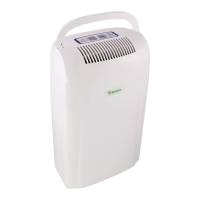
Meaco 25L Low Energy Dehumidifier
14 pages
To Next Page IconTo Next Page
Page #1 background imageLoading...
Page #1 background image
DEWTEQ!
!
Page 1 of 14!
!
25L Low Energy Dehumidifier
Platinum range Low Energy Dehumidifier
USER/INSTRUCTION MANUAL
!

Questions and Answers:

Meaco 25L Low Energy Dehumidifier Specifications

General IconGeneral
BrandMeaco
Model25L Low Energy Dehumidifier
CategoryDehumidifier
LanguageEnglish

Summary

SAFETY INFORMATION

ATTENTION

This dehumidifier must not be used in rooms under specific hazardous conditions.

Keep Children Away

Instructs to keep children away from the unit and ensure it is inaccessible when unattended.

Keep Unit Grounded

Emphasizes operating the unit with a grounding plug and grounded electrical outlet for safety.

Protect Power Cord from Damage

Warns against using a damaged power cord and specifies replacement requirements.

Extension Cords

Provides guidelines for using grounded extension cords and warns about potential risks.

Handle with Care

Advises against dropping or rough handling to prevent damage and hazardous conditions.

Run on stable surface

Instructs to operate the unit on a stable, level surface to prevent falls and injury.

Keep Out of Water

Warns against operating the unit in water and advises on drying wet components.

Keep Air Intakes Clear

Ensures air inlets are not blocked to prevent overheating and electrical hazards.

Keep Filter clean

Stresses the importance of a clean air filter and warns against using organic solvents.

Power Cord Handling

Instructs to turn off the unit before unplugging to prevent unit damage.

Repairing the Unit

Directs repairs to qualified engineers or Dewteq Technologies to avoid damage and warranty voiding.

Avoid Direct Sunlight

Advises against operating or storing the unit in direct sunlight to prevent damage.

Air Filter Requirement

Highlights the necessity of the air filter to prevent dirt ingress and warranty invalidation.

Avoid Covering Unit

Warns against placing items on the unit or covering it during operation.

PLUG WIRING

Wiring Instructions

Provides color-coded instructions for connecting wires to a mains plug.

13 Amp Plug Diagram

Diagram illustrating the correct wiring connections for a 13 Amp plug.

GENERAL ADVICE

Pre-Operation Checklist

Recommends studying the manual, checking for damage, and allowing unit to stand upright.

Sealing Room

Caution about sealing rooms completely, advising to allow sufficient fresh air.

DEHUMIDIFIER PRINCIPLES

Purpose of Dehumidifier

Explains the dehumidifier's function to reduce air humidity and prevent related issues.

Dehumidification Process

Details how the dehumidifier works using condensation and heat recovery principles.

INSTALLATION AND TRANSPORTATION

Installation & Transportation Guidelines

Lists essential instructions for proper installation and safe transportation of the unit.

PRODUCT PARTS

Product Parts Diagram

Illustrates and labels the key components and parts of the dehumidifier.

CONTINUOUS DRAINAGE

Continuous Drainage Setup

Explains how to connect a hose for continuous water drainage and ensures proper hose placement.

CONTROL PANEL

Control Panel Overview

Provides a detailed explanation of the dehumidifier's control panel layout and icons.

ON/OFF Button

Describes how to turn the dehumidifier ON or OFF using the power button.

Mode Buttons

Explains how to toggle through different drying modes (Humidistat, Laundry, Quiet, Auto).

Humidistat Mode

Details how to set a target relative humidity and the 'CO' continuous option.

Laundry Mode

Explains how to use Laundry mode for faster drying, including fan speed and louvre usage.

Quiet Mode

Describes how Quiet mode reduces fan speed and noise for quieter operation.

Auto Mode

Explains the Auto mode for automatic relative humidity control based on room conditions.

OFF Timer

Details the function of the countdown timer for automatic shut-off between 1-12 hours.

Fan Speed Selection

Allows selection of one of three fan speeds, specifically in Humidistat mode.

Child Lock

Explains how to activate/deactivate the Child Lock feature to prevent function changes.

Louvre Swing

Describes how to turn the swing mode ON/OFF to improve air circulation for drying.

Ionizer Function

Explains how to turn the ionizer function ON or OFF.

Bucket Full Indicator

Informs about the beeper alert and automatic shut-off when the water tank is full.

Memory Function

Explains how the unit retains settings after power loss or shutdown.

Energy Consumption

Discusses the DC Motor's efficiency, especially in Laundry Mode, and lower energy use.

DRYING LAUNDRY

Drying Laundry Faster

Details how to use the dehumidifier for faster laundry drying using specific room conditions and airflow.

AUTOMATIC DEFROSTING SYSTEM

Automatic Defrosting

Explains the automatic hot-gas defrosting system and its operation in low temperatures.

ELECTRICAL CONNECTIONS

Electrical Installation Requirements

Specifies operating voltage (230V~50Hz) and recommends a voltage stabilizer.

OPERATING CONDITIONS

Recommended Operating Temperatures

States the suitable ambient temperature range (5° to 35°C) for operation.

SPECIFICATIONS

Technical Specifications

Lists detailed technical specifications including model, voltage, airflow, capacity, and dimensions.

TROUBLESHOOTING

Dehumidifier does not operate

Troubleshooting steps for when the dehumidifier fails to turn on.

Low Dehumidification

Addresses low efficiency due to temperature, humidity, or filter status.

Compressor Not ON

Explains reasons for the compressor not running, including defrost mode or set point.

Fan Not Running

Covers scenarios where the fan is not running, relating to temperature or set points.

Unit Does Not Defrost

Troubleshooting for the unit not entering defrost mode, related to temperature.

Unit Beeps 10 Times

Identifies the cause of 10 beeps (water tank full) and the solution.

Buttons Do Not Work

Addresses issues with unresponsive buttons, often related to the 'C2' error code.

MAINTENANCE

Performing Maintenance

General advice to turn off and unplug the unit before performing any maintenance.

Inspect Electrical System

Recommends regular inspection of the electrical cord for any signs of damage.

Filter Maintenance

Details how to remove, clean, and re-install the air filter to maintain performance.

STORAGE OF DEHUMIDIFIER

Storing the Unit

Provides guidelines for storing the dehumidifier, including unplugging, cleaning, and protection.

WARRANTY AND CUSTOMER SERVICE

Warranty Terms

Outlines the one-year warranty, conditions for validity, and exclusions.

Customer Service Contact

Provides contact information for Dewteq Technologies for support and inquiries.

Recording Purchase Details

Instructs users to record purchase date and supplier name for future reference.

Related product manuals