FILL A FILL B
INTRO /
ENDING
START /
STOP
SYNC
START
Song
The instrument has 150 songs in all, and each song has equipped
with smart learning mode.
Listen to the songs
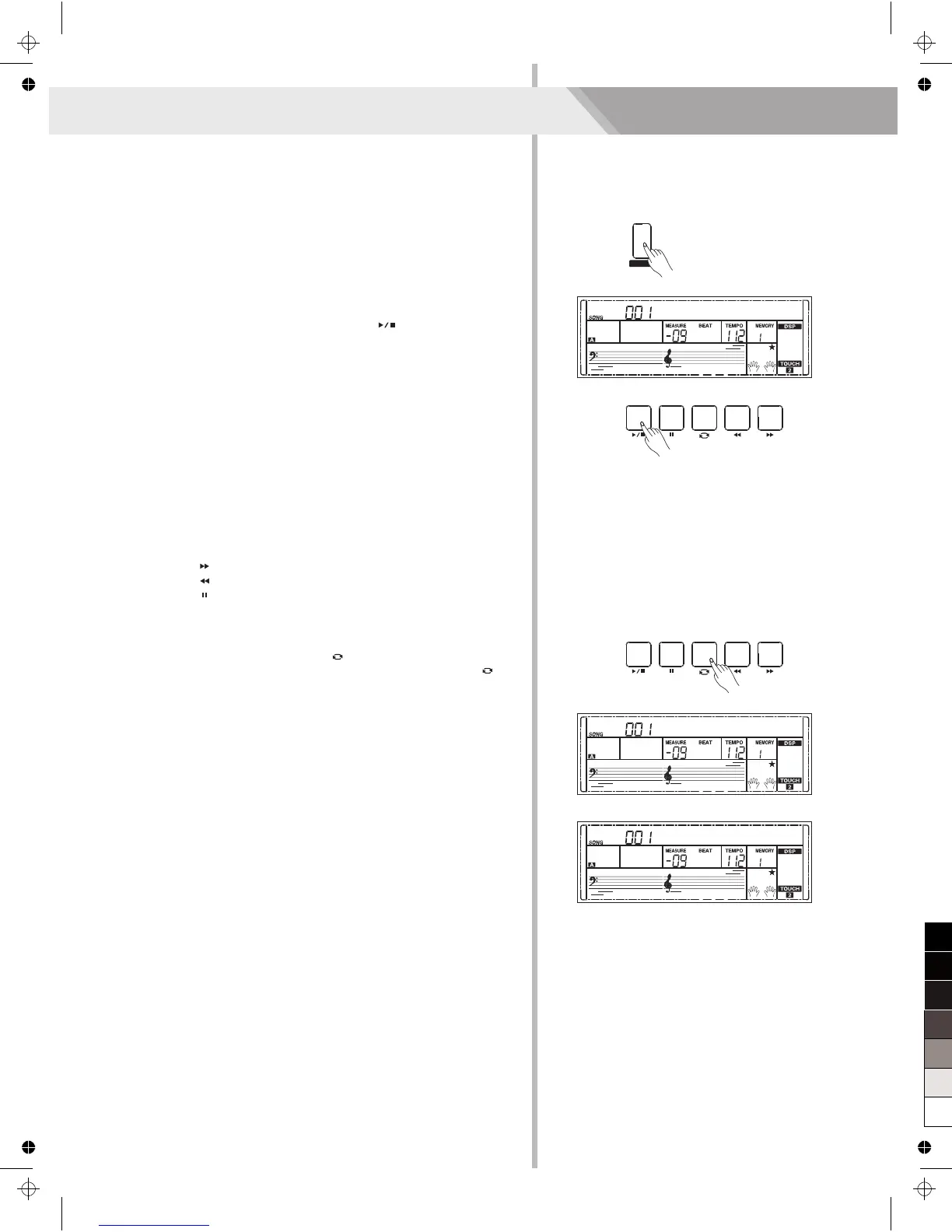
1. Press the [SONG] button to enter the song mode. The LCD shows
“SONG” indicate and it will play all songs circularly.
2. Use the data dial, [+/YES] or [-/NO] button to select a song.
3. Once you start playing a song by pressing [ ] button, it will play
current song repeatedly.
4. When the song is stopped, press the [STYLE], [RECORD],
[VOICE], [DUAL] OR [LOWER] button and so on will exit the song
mode.
Song Control
1. Introductory Beat
Before song start playing, it has the introductory beat; the measure
starts from negative value. It begins to play song when the
measure goes to 1.
2. REW, FF and PAUSE
When the song is playing:
Press the [ ] button to fast forward the song.
Press the [ ] button to rewind the song (base on the measure).
Press the [ ] button to pause the playing song, press again to
continue playing.
3. Song Repeat
When playing the song, press the [ ] to set the loop begin and
press it again to set the loop end. When in loop status, press [ ]
again to quit the loop playing status.
FADE
Toccata
FADE
Rpt A-
FADE
Rpt A-B
32
DICT.
SONG
FILL A FILL B
INTRO /
ENDING
START /
STOP
SYNC
START



 To Next Page