EasyManua.ls Logo

Medeli A800 - User Manual

Medeli A800
52 pages
Print Icon
To Next Page IconTo Next Page
Loading...
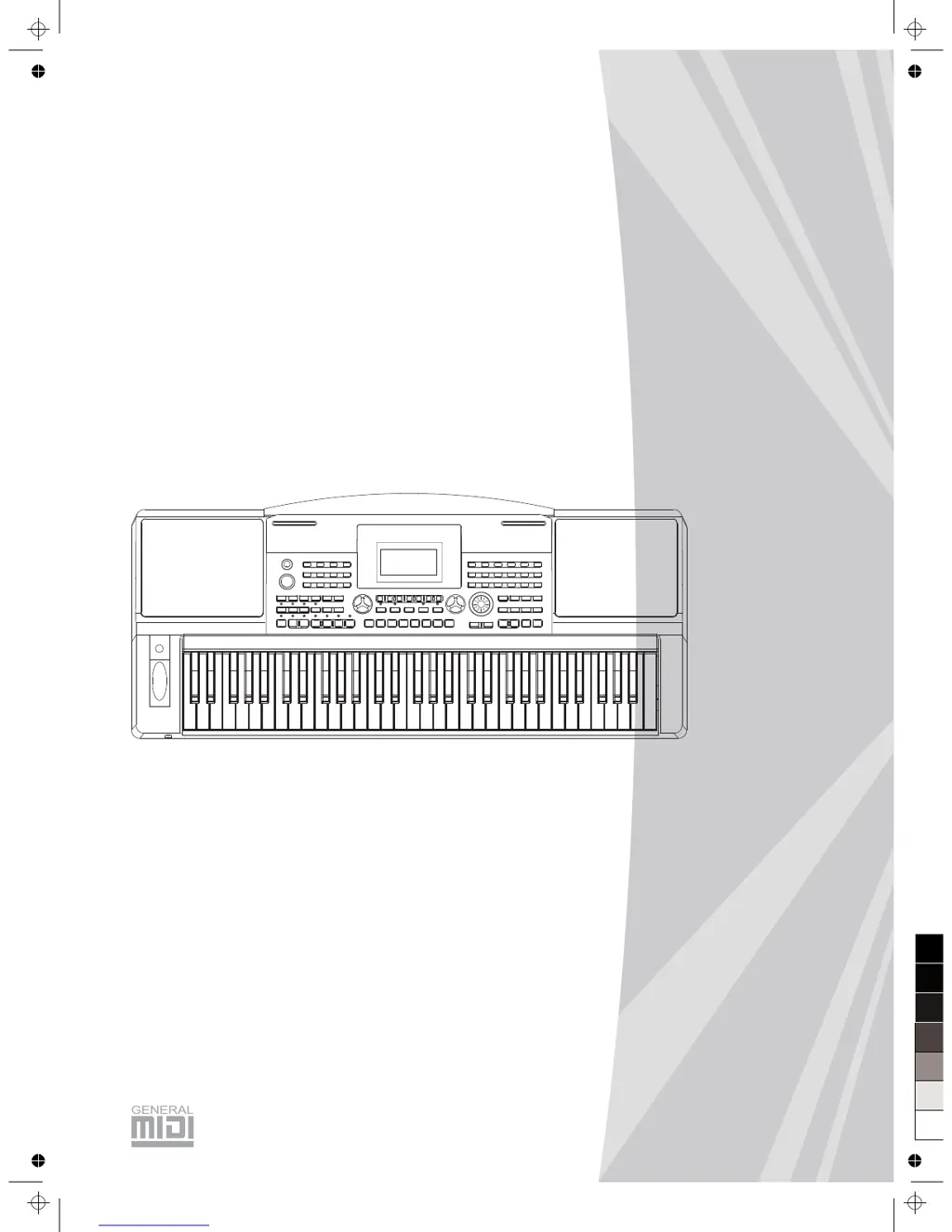
ELECTRONIC
KEYBOARD
Owner's Manual
0
5
25
75
95
100
aw_A800erp_Manual_G11_121022
2012󾾠󾾠10󾾠󾾠22󾾠󾾠 9:51:23

Table of Contents

Questions and Answers

Summary

INFORMATION FOR YOUR SAFETY!

PRECAUTIONS

Important safety advice and guidelines for using the instrument.

Panel & Display Description

Front Panel

Description of the buttons and controls on the front of the keyboard.

Rear Panel

Description of the connectors and ports on the rear of the keyboard.

Display

Explanation of the elements shown on the LCD screen.

Setup

Power Supply

Instructions for connecting and using the power adapter safely.

Setting a Music Stand

How to attach the provided music stand to the instrument.

Connecting a Footswitch

How to connect an optional footswitch for sustain control.

Connecting a Volume Pedal

How to connect an optional volume pedal for sound control.

Connections

Connecting a pair of Headphones

How to connect headphones for private practice.

Connecting an Audio Equipment

Connecting to amplifiers or sound systems via AUX OUT.

Connecting an MP3;CD Player

Connecting external audio sources via AUX IN.

Connecting a Computer

Connecting the keyboard to a computer via USB for MIDI.

Connecting to other device

Connecting the keyboard to other MIDI devices.

Playing the Demos

Playing the Demos

How to select and play the instrument's built-in demo songs.

Playing Voices

Playing Voices

How to select and play different instrument voices.

Playing two Voices Simultaneously-DUAL

How to layer two different voices for a richer sound.

Playing Different Voices with Both Hands-LOWER

How to play with two different voices assigned to left and right hands.

Touch

Adjusting the keyboard's touch sensitivity for dynamic playing.

Sustain

How to activate the sustain effect for longer note duration.

Pitch Bend Wheel

Using the pitch bend wheel to alter note pitch.

Modulation

Applying vibrato effects to notes.

Transpose

Shifting the overall pitch of the keyboard up or down.

Octave

Adjusting the octave setting for different voices.

Piano

Quickly activating the piano sound with a single button press.

Metronome

Turning the built-in metronome on and off.

Freesolo

Using the Freesolo function for fast voice switching and special skills.

Auto Accompaniment

Playing Auto Accompaniment (rhythm track only)

How to start and play basic auto accompaniment styles.

Playing Auto Accompaniment (all tracks)

Using A.B.C. and Sync Start for full auto accompaniment.

Accompaniment Sections

Explaining Intro, Main, Fill-in, and Ending sections.

Playing Different Accompaniment Sections

How to use Fill-in and other sections during performance.

Fade In;Out

Smoothly starting and stopping accompaniment with fade effects.

Accompaniment Volume

Adjusting the volume of the auto accompaniment parts.

Chord Fingering

Understanding how to play chords for auto accompaniment.

Tempo

Changing and resetting the tempo for styles.

One Touch Setting

Instantly recalling panel settings for a selected style.

Harmony

Turning on the Harmony effect

Activating the harmony effect and selecting harmony types.

Applying the Harmony effect

How to use the harmony effect during playback.

IFX

IFX

Using insert effects to enhance the sound.

Performance Assistant

Enter the Performance Assistant

How to access and start the Performance Assistant mode.

Guitar Mode

Performing with guitar-like skills using the keyboard.

Piano Mode

Performing with piano-like skills using the keyboard.

Exit the Performance Assistant

How to exit the Performance Assistant mode.

Synth

Enter the synth

Accessing the synthesizer function to create custom voices.

Create user voice

Editing voice parameters to design new sounds.

DSP Effect

Mixer

Adjusting the volume levels of individual parts in the mix.

Pedal Function

Volume Pedal

Controlling the instrument's volume with a pedal.

Foot Switch

Assigning functions to the foot switch pedal.

Other Functions

Tune

Adjusting the overall pitch tuning of the keyboard.

Beat

Setting the tempo for the beat.

Split Point

Defining the point where the keyboard splits into two sections.

Pedal Assign

Setting the function of the foot pedal.

Fade In

Setting the duration for a smooth fade-in effect.

Fade Out

Setting the duration for a smooth fade-out effect.

Harmony

Selecting different harmony effects to apply to melodies.

Reverb Level

Adjusting the intensity of the reverb effect.

Chorus Level

Adjusting the intensity of the chorus effect.

MIDI In

Setting the MIDI channel for receiving data.

MIDI Out

Setting the MIDI channel for transmitting data.

Automatic Shutdown

Setting the auto-shutdown timer for power saving.

Register Memory

Registering the Panel Setting

Saving current panel settings to memory banks.

Recalling the Registered Panel Settings

Loading previously saved panel settings.

Selecting a Registration Bank

Choosing which memory bank to access.

Freezing the Accompaniment Parameter

Preventing accompaniment parameters from changing during memory recall.

Song Recording

Start Recording

How to begin recording a new song performance.

Stop Recording

How to stop the song recording process.

Playback Recording

How to play back recorded songs.

Delete User Song

How to erase recorded user songs.

Song

Listening to the Songs

How to select and play built-in songs.

Song Control

Controlling song playback with rewind, fast forward, and pause.

Lesson Mode

Engaging the lesson mode for practicing songs.

Lesson 1 - Practice timing

Practicing song timing accuracy.

Lesson 2 - Practice note accuracy

Practicing song note accuracy.

Lesson 3 - Performance

Practicing song performance with scoring.

Chord Dictionary

DICT 1 (Chord Learning Mode)

Learning and checking chord types and roots.

DICT 2 (Chord Examining Mode)

Testing chord recognition skills.

Connecting a USB Device

USB Device Operation

Basic operations and modes for USB storage devices.

Play

Playing MIDI files from a USB device.

Load

Loading songs, styles, memories, and voices from USB.

Save

Saving songs, styles, memories, and voices to USB.

Delete

Deleting files from the USB storage device.

Format

Formatting the USB storage device.

Keyboard and ASCII Character Relative Table

A table mapping keyboard notes to ASCII characters.

MIDI

Whats MIDI?

Explanation of Musical Instrument Digital Interface (MIDI).

Midi Terminals

Description of MIDI IN, OUT, and THRU ports.

Downloading Data from the Computer

Transferring data between computer and keyboard via USB.

Troubleshooting

Specifications

Technical specifications of the electronic keyboard.

Voice List

Voice List

A comprehensive list of all available instrument voices.

Style List

Style List

A list of all available accompaniment styles.

Song List

Song List

A list of all built-in songs available on the instrument.

Demo List

A list of the instrument's demo songs.

Chord List

Chord List

A list of chord names, voicing, and display.

MIDI Implementation Chart

MIDI Implementation Chart

A chart detailing MIDI message support.

Summary

INFORMATION FOR YOUR SAFETY!

PRECAUTIONS

Important safety advice and guidelines for using the instrument.

Panel & Display Description

Front Panel

Description of the buttons and controls on the front of the keyboard.

Rear Panel

Description of the connectors and ports on the rear of the keyboard.

Display

Explanation of the elements shown on the LCD screen.

Setup

Power Supply

Instructions for connecting and using the power adapter safely.

Setting a Music Stand

How to attach the provided music stand to the instrument.

Connecting a Footswitch

How to connect an optional footswitch for sustain control.

Connecting a Volume Pedal

How to connect an optional volume pedal for sound control.

Connections

Connecting a pair of Headphones

How to connect headphones for private practice.

Connecting an Audio Equipment

Connecting to amplifiers or sound systems via AUX OUT.

Connecting an MP3;CD Player

Connecting external audio sources via AUX IN.

Connecting a Computer

Connecting the keyboard to a computer via USB for MIDI.

Connecting to other device

Connecting the keyboard to other MIDI devices.

Playing the Demos

Playing the Demos

How to select and play the instrument's built-in demo songs.

Playing Voices

Playing Voices

How to select and play different instrument voices.

Playing two Voices Simultaneously-DUAL

How to layer two different voices for a richer sound.

Playing Different Voices with Both Hands-LOWER

How to play with two different voices assigned to left and right hands.

Touch

Adjusting the keyboard's touch sensitivity for dynamic playing.

Sustain

How to activate the sustain effect for longer note duration.

Pitch Bend Wheel

Using the pitch bend wheel to alter note pitch.

Modulation

Applying vibrato effects to notes.

Transpose

Shifting the overall pitch of the keyboard up or down.

Octave

Adjusting the octave setting for different voices.

Piano

Quickly activating the piano sound with a single button press.

Metronome

Turning the built-in metronome on and off.

Freesolo

Using the Freesolo function for fast voice switching and special skills.

Auto Accompaniment

Playing Auto Accompaniment (rhythm track only)

How to start and play basic auto accompaniment styles.

Playing Auto Accompaniment (all tracks)

Using A.B.C. and Sync Start for full auto accompaniment.

Accompaniment Sections

Explaining Intro, Main, Fill-in, and Ending sections.

Playing Different Accompaniment Sections

How to use Fill-in and other sections during performance.

Fade In;Out

Smoothly starting and stopping accompaniment with fade effects.

Accompaniment Volume

Adjusting the volume of the auto accompaniment parts.

Chord Fingering

Understanding how to play chords for auto accompaniment.

Tempo

Changing and resetting the tempo for styles.

One Touch Setting

Instantly recalling panel settings for a selected style.

Harmony

Turning on the Harmony effect

Activating the harmony effect and selecting harmony types.

Applying the Harmony effect

How to use the harmony effect during playback.

IFX

IFX

Using insert effects to enhance the sound.

Performance Assistant

Enter the Performance Assistant

How to access and start the Performance Assistant mode.

Guitar Mode

Performing with guitar-like skills using the keyboard.

Piano Mode

Performing with piano-like skills using the keyboard.

Exit the Performance Assistant

How to exit the Performance Assistant mode.

Synth

Enter the synth

Accessing the synthesizer function to create custom voices.

Create user voice

Editing voice parameters to design new sounds.

DSP Effect

Mixer

Adjusting the volume levels of individual parts in the mix.

Pedal Function

Volume Pedal

Controlling the instrument's volume with a pedal.

Foot Switch

Assigning functions to the foot switch pedal.

Other Functions

Tune

Adjusting the overall pitch tuning of the keyboard.

Beat

Setting the tempo for the beat.

Split Point

Defining the point where the keyboard splits into two sections.

Pedal Assign

Setting the function of the foot pedal.

Fade In

Setting the duration for a smooth fade-in effect.

Fade Out

Setting the duration for a smooth fade-out effect.

Harmony

Selecting different harmony effects to apply to melodies.

Reverb Level

Adjusting the intensity of the reverb effect.

Chorus Level

Adjusting the intensity of the chorus effect.

MIDI In

Setting the MIDI channel for receiving data.

MIDI Out

Setting the MIDI channel for transmitting data.

Automatic Shutdown

Setting the auto-shutdown timer for power saving.

Register Memory

Registering the Panel Setting

Saving current panel settings to memory banks.

Recalling the Registered Panel Settings

Loading previously saved panel settings.

Selecting a Registration Bank

Choosing which memory bank to access.

Freezing the Accompaniment Parameter

Preventing accompaniment parameters from changing during memory recall.

Song Recording

Start Recording

How to begin recording a new song performance.

Stop Recording

How to stop the song recording process.

Playback Recording

How to play back recorded songs.

Delete User Song

How to erase recorded user songs.

Song

Listening to the Songs

How to select and play built-in songs.

Song Control

Controlling song playback with rewind, fast forward, and pause.

Lesson Mode

Engaging the lesson mode for practicing songs.

Lesson 1 - Practice timing

Practicing song timing accuracy.

Lesson 2 - Practice note accuracy

Practicing song note accuracy.

Lesson 3 - Performance

Practicing song performance with scoring.

Chord Dictionary

DICT 1 (Chord Learning Mode)

Learning and checking chord types and roots.

DICT 2 (Chord Examining Mode)

Testing chord recognition skills.

Connecting a USB Device

USB Device Operation

Basic operations and modes for USB storage devices.

Play

Playing MIDI files from a USB device.

Load

Loading songs, styles, memories, and voices from USB.

Save

Saving songs, styles, memories, and voices to USB.

Delete

Deleting files from the USB storage device.

Format

Formatting the USB storage device.

Keyboard and ASCII Character Relative Table

A table mapping keyboard notes to ASCII characters.

MIDI

Whats MIDI?

Explanation of Musical Instrument Digital Interface (MIDI).

Midi Terminals

Description of MIDI IN, OUT, and THRU ports.

Downloading Data from the Computer

Transferring data between computer and keyboard via USB.

Troubleshooting

Specifications

Technical specifications of the electronic keyboard.

Voice List

Voice List

A comprehensive list of all available instrument voices.

Style List

Style List

A list of all available accompaniment styles.

Song List

Song List

A list of all built-in songs available on the instrument.

Demo List

A list of the instrument's demo songs.

Chord List

Chord List

A list of chord names, voicing, and display.

MIDI Implementation Chart

MIDI Implementation Chart

A chart detailing MIDI message support.

Medeli A800 Specifications

General IconGeneral
BrandMedeli
ModelA800
CategoryElectronic Keyboard
LanguageEnglish

Related product manuals