EasyManua.ls Logo

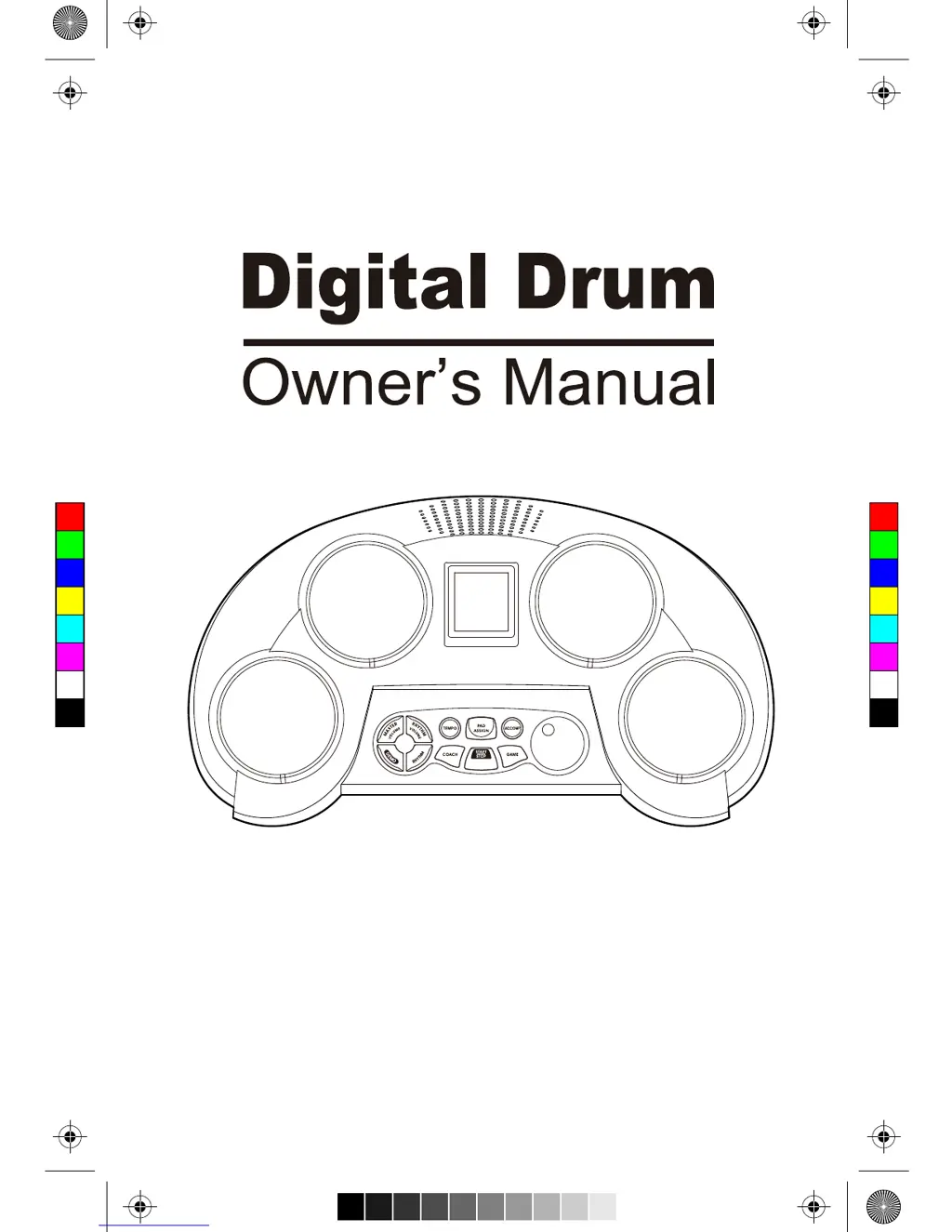
Medeli DD61 - User Manual

Medeli DD61
16 pages
Print Icon
To Next Page IconTo Next Page
Loading...
C
M
Y
CM
MY
CY
CMY
K
AW_DD61_manual_G02_180410.pdf 1 18/4/10 11:14

Questions and Answers

Summary

Information for Your Safety!

FCC Regulation Warning (for USA)

FCC compliance information for digital devices.

General Precautions

Essential precautions for safe and proper operation.

Cautionary Notes

Important notes regarding product handling and potential interference.

Main Features

Dropping Bars Feature

Feature that helps accurate pad strikes with on-screen bars.

Game Rhythms Overview

60 classic rhythms for enjoying music and games.

Coach Functionality

Practice modes, coach songs, and on-screen hints for skill improvement.

Panel & Display Description

Front Panel Layout

Description of the digital drum's front panel controls and layout.

Rear Panel Connections

Details of the ports and connections on the rear panel.

Panel & Display Description

LCD Display Explained

Explanation of the digital drum's LCD screen elements and their functions.

Getting Ready to Play

Power Supply Setup

Instructions for connecting the power adapter or using batteries.

Power On;Off and Auto-Off

How to turn the unit on/off and manage the auto power-off feature.

Playing the Demo

Demo Mode Operation

Guide to starting, stopping, and experiencing the demo playback.

Rhythm Selection and Playback

Selecting Rhythms

Steps to choose and cycle through available rhythm patterns.

Rhythm Playback Control

How to start, stop, and manage rhythm playback.

Rhythm Volume and Accompaniment

Master Volume Control

Adjusting the overall sound output volume of the digital drum.

Rhythm Volume Adjustment

Setting the volume level specifically for the rhythm accompaniment.

Accompaniment On;Off

Switching the accompaniment track for rhythms on or off.

Playing the Pads

Pad Voice Customization

Information on how pad voices can change based on rhythm or assignment.

Pad Assignment Function

Assigning Custom Pad Voices

Detailed steps for assigning specific voices to drum pads.

Playing the Games

Entering Game Mode

How to access and initiate the drum game feature.

Game Rhythm Selection

Choosing a rhythm pattern and difficulty level for gameplay.

Game Score and Feedback

Understanding scoring, comments, and game completion.

Coach Mode Features

Rhythm Practice Mode

Using rhythm playback with visual cues for practice.

Beat Practice Modes

Overview of Change Up and Tap! Tap! beat practice methods.

Change Up Practice

Detailed explanation of the Change Up practice exercise.

Coach Mode Operations

Tap! Tap! Practice Details

Instructions for the Tap! Tap! practice, focusing on striking 'So'.

Entering Coach Modes

How to switch between Rhythm Practice (COACH 1) and Beat Practice (COACH 2).

Selecting Coach Songs

Guide to choosing songs for Rhythm Practice and Beat Practice.

Coach Practice Execution

Starting Coach Practice

How to begin playing a selected coach song and follow hints.

Coach Practice Scoring

Understanding the scoring system and comments after practice.

Stopping Coach Practice

Instructions on how to manually stop the practice session.

Tempo Adjustment

Adjusting Playback Tempo

Steps to change the tempo for game rhythms, coach songs, or rhythms.

Troubleshooting Common Issues

Specifications

Demo List

Rhythm List

Summary

Information for Your Safety!

FCC Regulation Warning (for USA)

FCC compliance information for digital devices.

General Precautions

Essential precautions for safe and proper operation.

Cautionary Notes

Important notes regarding product handling and potential interference.

Main Features

Dropping Bars Feature

Feature that helps accurate pad strikes with on-screen bars.

Game Rhythms Overview

60 classic rhythms for enjoying music and games.

Coach Functionality

Practice modes, coach songs, and on-screen hints for skill improvement.

Panel & Display Description

Front Panel Layout

Description of the digital drum's front panel controls and layout.

Rear Panel Connections

Details of the ports and connections on the rear panel.

Panel & Display Description

LCD Display Explained

Explanation of the digital drum's LCD screen elements and their functions.

Getting Ready to Play

Power Supply Setup

Instructions for connecting the power adapter or using batteries.

Power On;Off and Auto-Off

How to turn the unit on/off and manage the auto power-off feature.

Playing the Demo

Demo Mode Operation

Guide to starting, stopping, and experiencing the demo playback.

Rhythm Selection and Playback

Selecting Rhythms

Steps to choose and cycle through available rhythm patterns.

Rhythm Playback Control

How to start, stop, and manage rhythm playback.

Rhythm Volume and Accompaniment

Master Volume Control

Adjusting the overall sound output volume of the digital drum.

Rhythm Volume Adjustment

Setting the volume level specifically for the rhythm accompaniment.

Accompaniment On;Off

Switching the accompaniment track for rhythms on or off.

Playing the Pads

Pad Voice Customization

Information on how pad voices can change based on rhythm or assignment.

Pad Assignment Function

Assigning Custom Pad Voices

Detailed steps for assigning specific voices to drum pads.

Playing the Games

Entering Game Mode

How to access and initiate the drum game feature.

Game Rhythm Selection

Choosing a rhythm pattern and difficulty level for gameplay.

Game Score and Feedback

Understanding scoring, comments, and game completion.

Coach Mode Features

Rhythm Practice Mode

Using rhythm playback with visual cues for practice.

Beat Practice Modes

Overview of Change Up and Tap! Tap! beat practice methods.

Change Up Practice

Detailed explanation of the Change Up practice exercise.

Coach Mode Operations

Tap! Tap! Practice Details

Instructions for the Tap! Tap! practice, focusing on striking 'So'.

Entering Coach Modes

How to switch between Rhythm Practice (COACH 1) and Beat Practice (COACH 2).

Selecting Coach Songs

Guide to choosing songs for Rhythm Practice and Beat Practice.

Coach Practice Execution

Starting Coach Practice

How to begin playing a selected coach song and follow hints.

Coach Practice Scoring

Understanding the scoring system and comments after practice.

Stopping Coach Practice

Instructions on how to manually stop the practice session.

Tempo Adjustment

Adjusting Playback Tempo

Steps to change the tempo for game rhythms, coach songs, or rhythms.

Troubleshooting Common Issues

Specifications

Demo List

Rhythm List

Medeli DD61 Specifications

General IconGeneral
BrandMedeli
ModelDD61
CategoryDrums
LanguageEnglish

Related product manuals