13
Save User Drum Kit
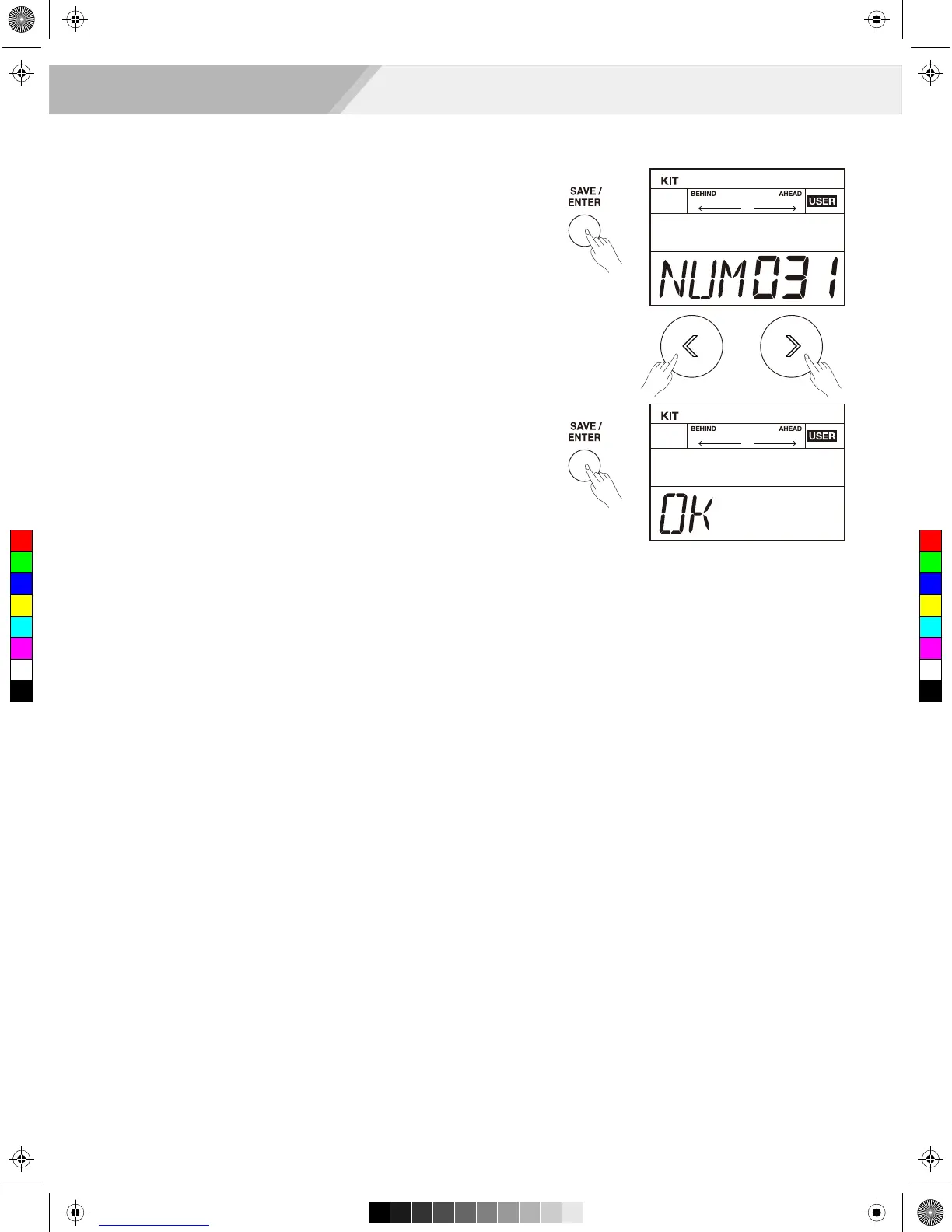
1. While in the drum kit and voice edit menu, press the [SAVE/ ENTER]
button to save all changes.
2. Use the [<]/[>] button or turn the [DIAL] to select a user drum kit
(From NO.31 to 40).
The number of kit starts flashing at the same time.
3. Press the [SAVE/ ENTER] button again; the LCD will display “OK”,
which indicates all data has been saved successfully.
Select a Preset Drum Kit and Create a User Drum Kit
C
M
Y
CM
MY
CY
CMY
K
AW_DD630_manual_G03_180105.pdf 13 18/1/5 15:30



 To Next Page