19
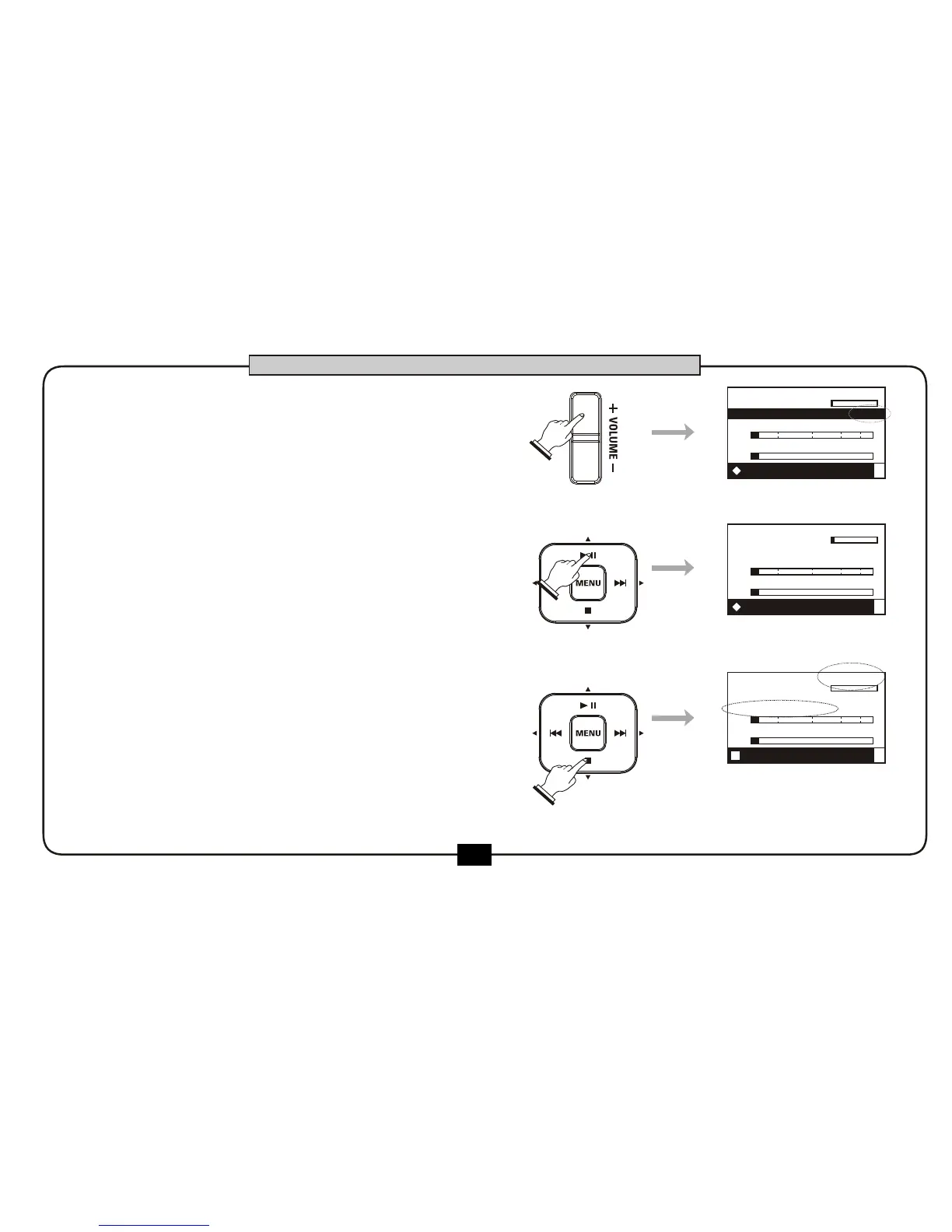
Adjust the output volume by pressing
[VOLUME+] or [VOLUME-] at the left
side.
Press [PLAY/PAUSE] button to pause the
recording . Press the [PLAY/PAUSE]
button again to continue recording.
During recording , press [STOP] button or
[REC] button to stop the record, Light on
[REC] button darkens,and the file will be
saved to the SD card.
00:02:11
04:36:21
DR2-0001.mp3
R
L
-48 0-6-12-24-36
VOLUME: 20
00:11:49
04:25:37
DR2-0001.mp3
R
L
-48 0-6-12-24-36
00:00:00
00:12:12
DR2-0001.mp3
R
L
-48 0-6-12-24-36
BASIC OPERATION
3.
4.
5.
REC FX:off
REC FX:off
STOP FX:off


 To Next Page