4
POWER
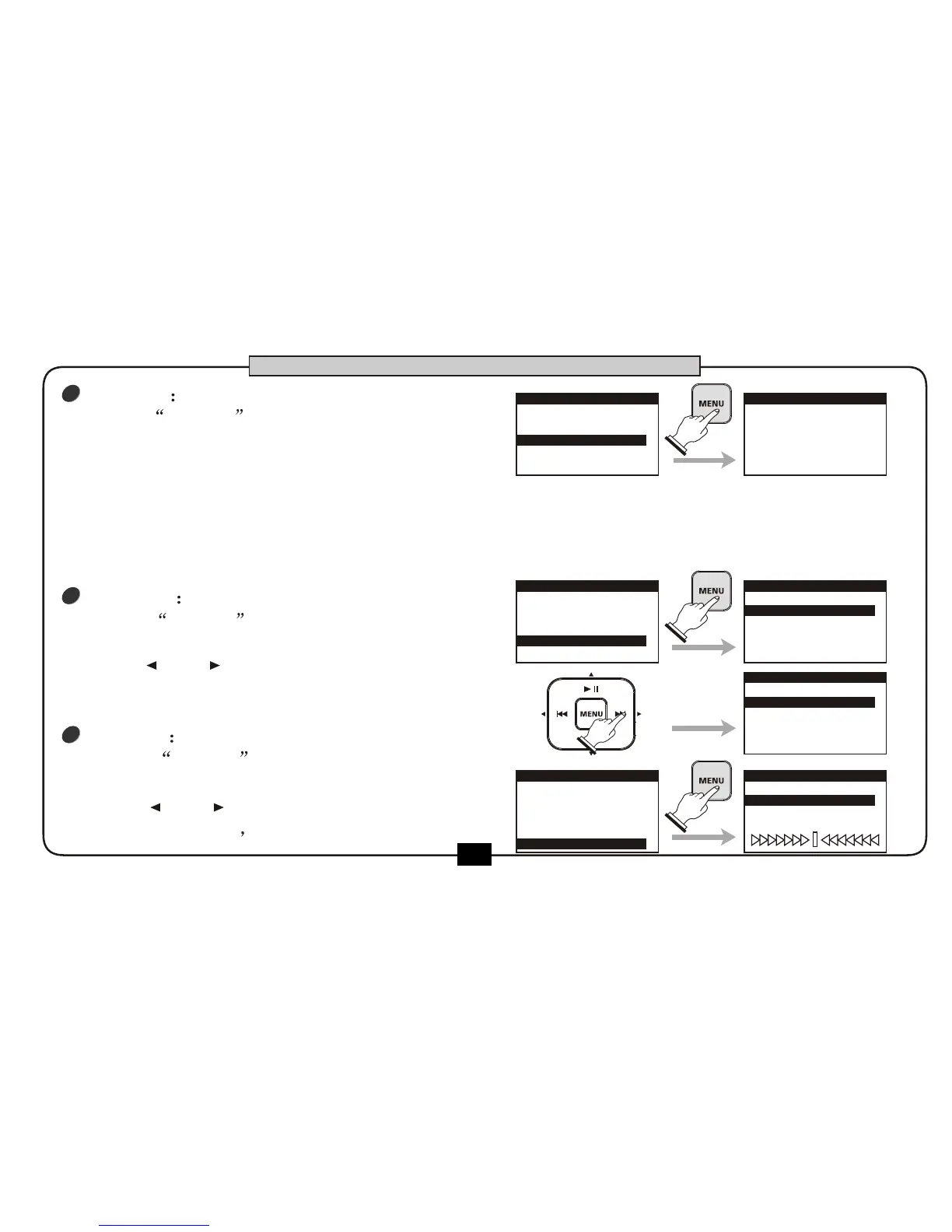
choose POWER ,press [MENU] button .
the screen displays the auto power off time.
Press [ ] or [ ] button to adjust
auto power off time by 5 minutes, 15
minutes, 30 minutes, 1 hour or DISABLE.
1.SD CARD
2.DISPLAY
3.PRESET
5.TUNER
4.POWER
UTILITY
AUTO SHUT DOWN
00:30:00
POWER
AUTO SHUT DOWN
01:00:00
POWER
6
38
BASIC OPERATION
3
PRESET
choose PRESET , press [MENU] button .
the screen will display the warning message
to confirm the loading of factory reset .
Press [BACK/CANCEL] to cancel and return to the utility menu.
Press [MENU] button the screen will display ARE YOU SURE?
Press [MENU] button again,the screen will display PROCESSING....... ,then load the default
parameters. After finishing the operation the display will return to utility
menu.
1.SD CARD
2.DISPLAY
4.POWER
5.TUNER
3.PRESET
UTILITY
LOAD FACTORY
PRESET!
PRESS [BACK]
TO CANCEL,
PRESS [MENU]
TO PROCESS
PRESET
5
TUNER
choose TUNER ,press [MENU] button
to enter the TUNER menu.
Press [ ] or [ ] button to adjust Calibration
from 435-445Hz The default is 440HZ .
1.SD CARD
2.DISPLAY
3.PRESET
4.POWER
5.TUNER
UTILITY
CALIBRATION
440
TUNER


 To Next Page