2
DISPLAY
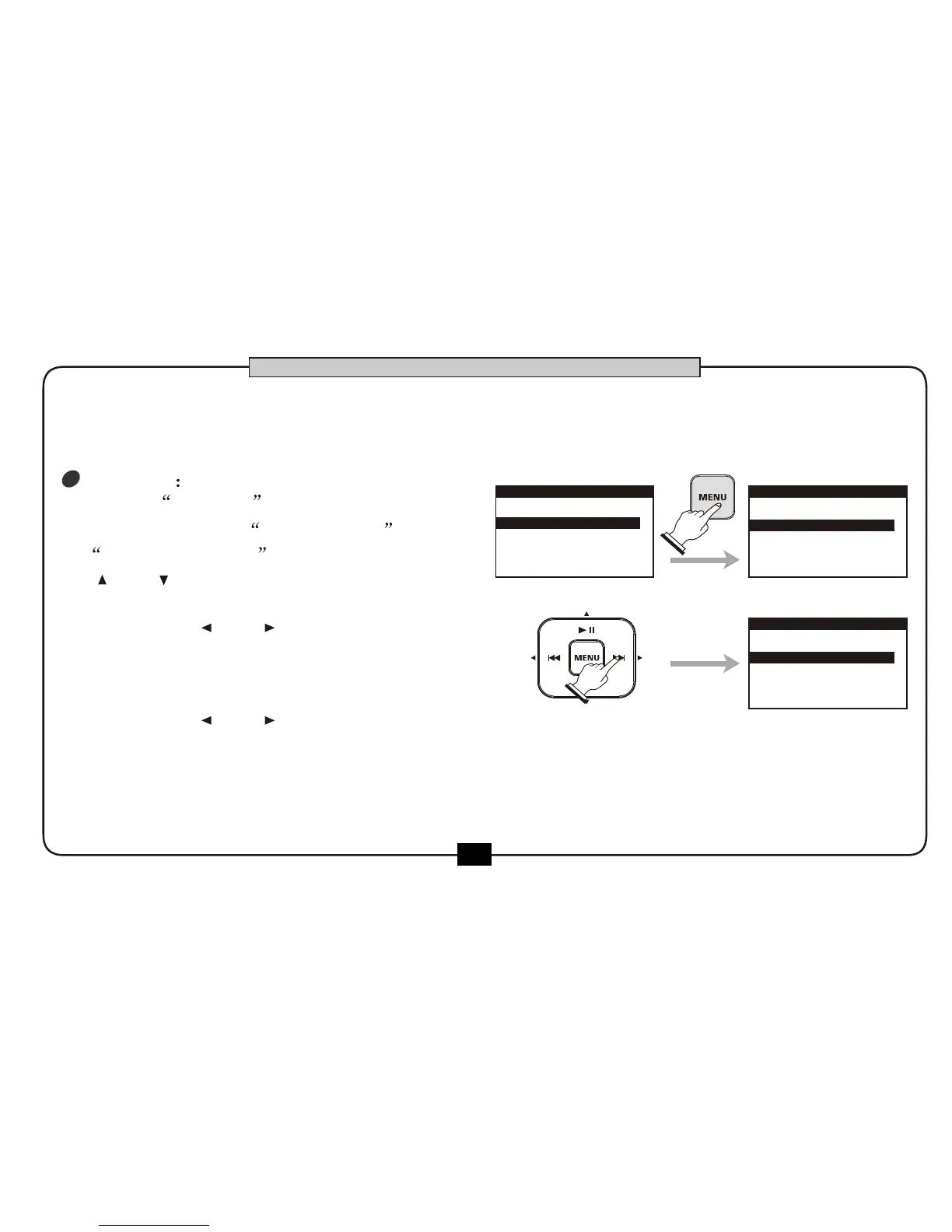
choose DISPLAY ,press [MENU] button .
the parameter of BRIGNTNESS and
DIM LIGHT TIME appears ,You can use
[ ] or [ ] button to choose .
you can use[ ] or [ ] button adjust the
BRIGHTNESS of LCD. The BRIGHTNESS can be
set arrange from 1 to 32,the default is16 .
You can use[ ] or [ ] button adjust the
DIM LIGHT TIME by 5 minutes, 10 minutes,20 minutes,
1 hour or DIM OFF .
Press [BACK/CANCEL]button to return to
utility menu.
1.SD CARD
3.PRESET
4.POWER
5.TUNER
2.DISPLAY
UTILITY
BRIGHTNESS
DIM LIGHT TIME
00:00:20
16
DISPLAY
6
37
BASIC OPERATION
Press [MENU] to confirm,the screen will display Processing............,then begin to format ,
After finishing the operation the display will go to the SD menu .
BRIGHTNESS
DIM LIGHT TIME
00:00:20
17
DISPLAY


 To Next Page