21
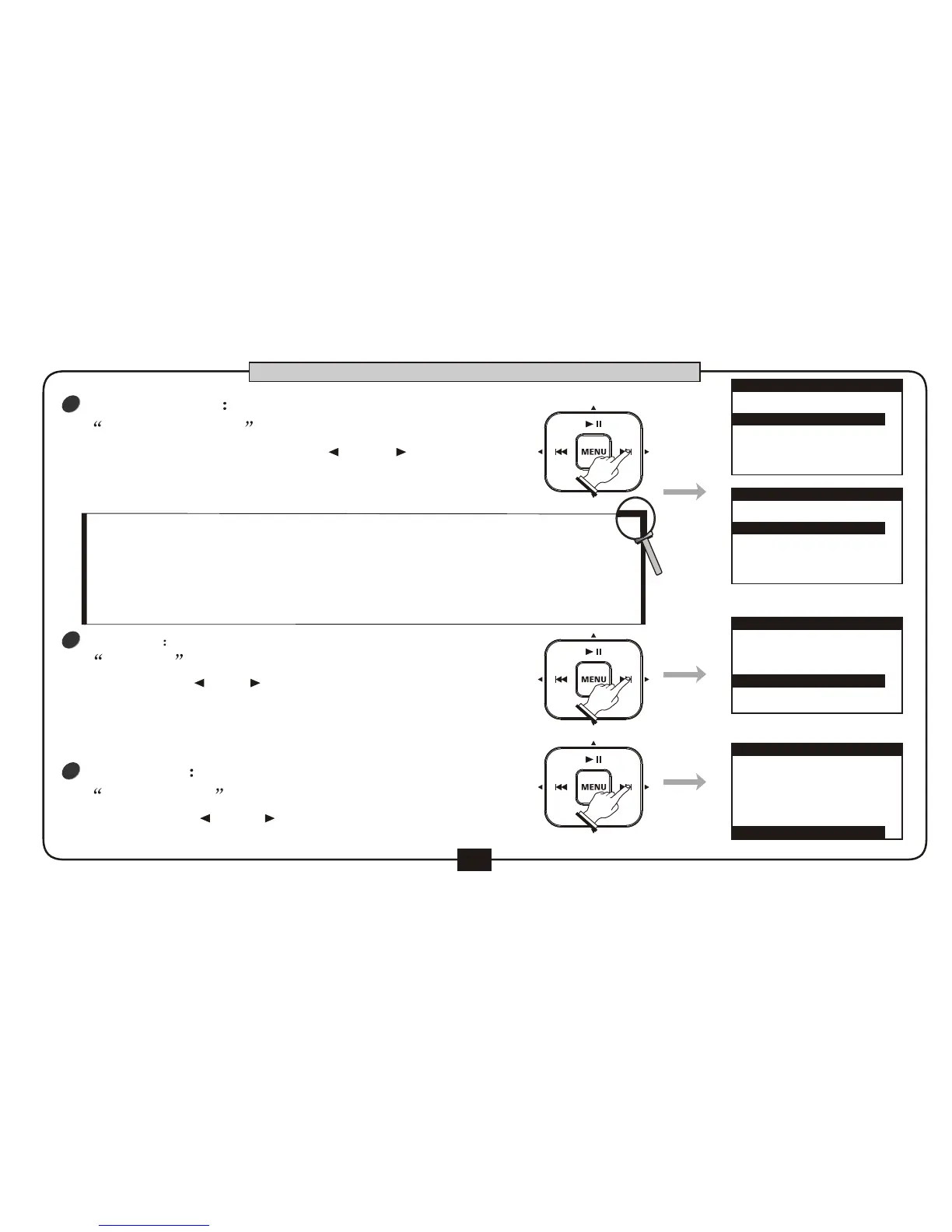
TRACK SELECT controls selection of
playback channel . Press [ ] or [ ] button to
choose the channel among STEREO(default),
LEFT, RIGHT and VOCAL CUT.
TRACK SELECT
1
PLAY MODE controls playback mode.
We can use [ ] or [ ] button to choose the
mode such as ONCE (default), LOOP, LOOP ALL.
PLAY MODE
3
TRACK SELECT
SPECIAL
OFF
PLAY MODE
ONCE
STEREO
PLAY SETUP
TRACK SELECT
STEREO
SPECIAL
PLAY MODE
ONCE
OFF
PLAY SETUP
TRACK SELECT
SPECIAL
OFF
PLAY MODE
ONCE
LEFT
PLAY SETUP
TRACK SELECT
STEREO
SPECIAL
OFF
PLAY MODE
LOOP
PLAY SETUP
BASIC OPERATION
SPEAIAL is the special effect open when playback.
You can use [ ] or [ ] button to choose bass
compensate or 3D effect. Bass compensate can
compensate the low frequency signal and 3D effect
can offer you a surrounding effect.The default is OFF.
2
SPEAIAL
In Voice Cut, the melody on the mp3 file could be muted,
leaving the background music playing.
Note:This function will be effective only for the normal mp3
files,and could not be effective if the mp3 file has only one
melody track or thebackground is in both 2 tracks.



 To Next Page