32
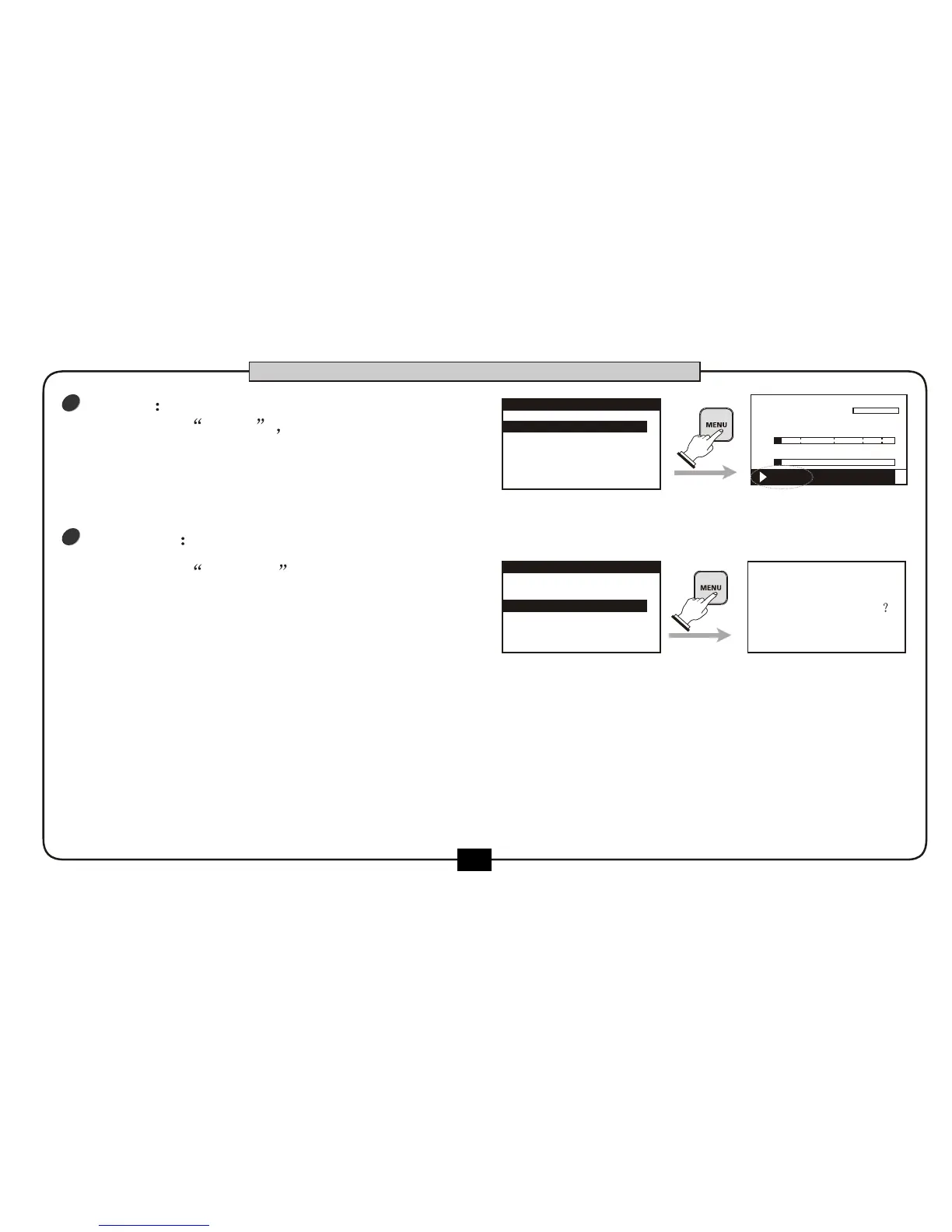
choose the DELETE to delete the file ,
then press the [MENU] button . confirmation
message for deletion appears.
Press [MENU] button to confirm .
Press [BACK/CANCEL] button to cancel this
operation and return the file edit menu.
2
choose the OPEN press [MENU]
button to play the file, the screen will go
back to the home screen.
1
OPEN
DELETE
00:00:01
00:03:20
DR2-0002.mp3
R
L
-48 0-6-12-24-36
PLAY FX:off
1.OPEN
2.DELETE
.RENAME3
FILE LIST
1.OPEN
3.RENAME
2.DELETE
FILE LIST
ARE YOU SURE
BASIC OPERATION


 To Next Page