8
Playing the Demos
Playing Voices
The keyboard has 320 remarkably realistic built-in voices, including Piano, Woodwind, Saxophone, Drum
Kits and many more. Please refer to Voice List.
Selecting a Voice
8
The instrument features 100 demo songs.
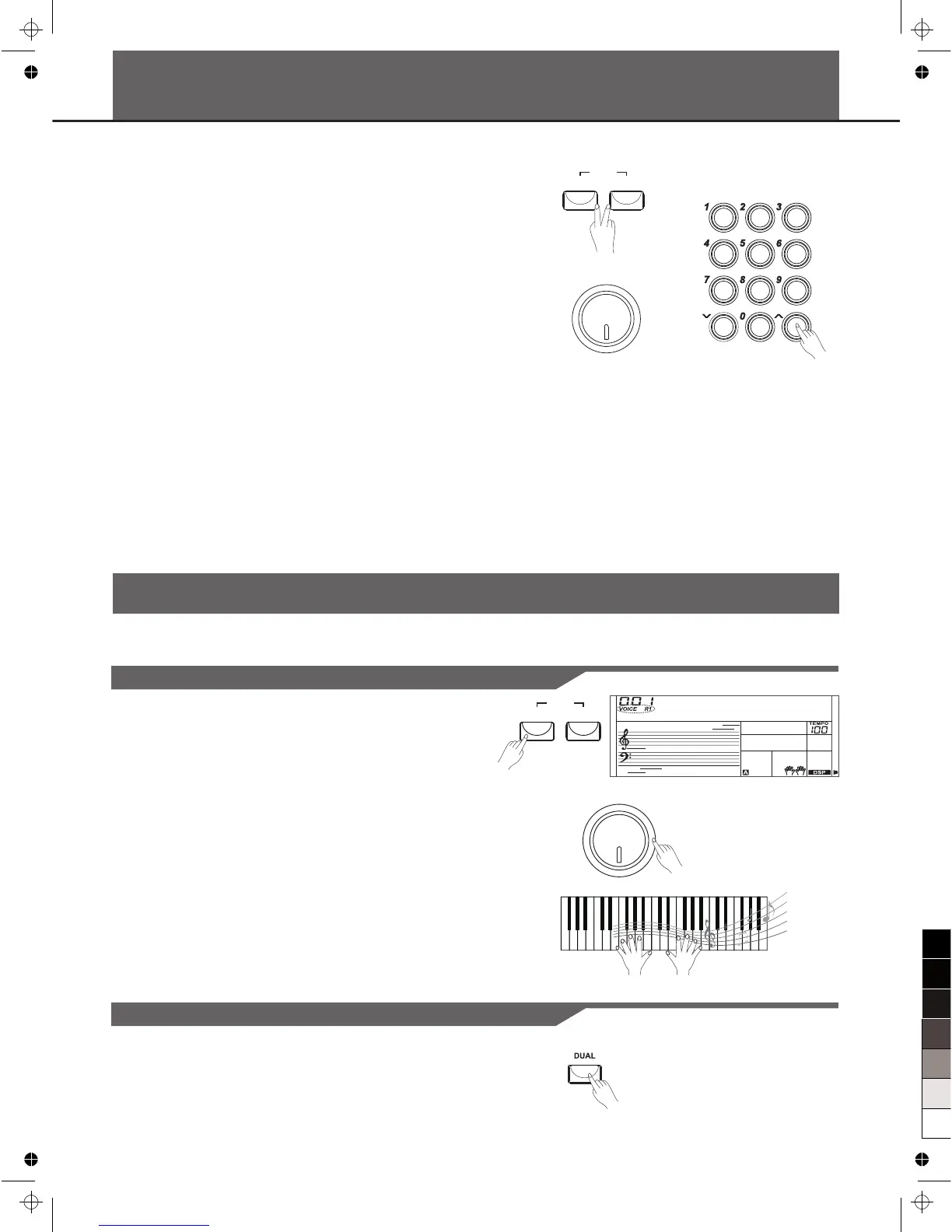
1. Press the [STYLE] and [VOICE] buttons simultaneously to start
playing the demo.
2. Select a demo song.
Use the data dial, the number keys, the [+] button or the [-] button to
select the desired demo song.
3. Adjust the volume with the [MASTER VOLUME] knob.
4. Press the [STYLE] and [VOICE] buttons simultaneously again or
press the [START/STOP] button to stop playing and exit the demo
mode.
Note:
In the DEMO mode, all buttons except START/STOP, TEMPO+,
TEMPO-, +, -, DSP, VOLUME, POWER ON/OFF will not be available.
1. Press the [VOICE] button.
Enter the VOICE mode. LCD shows “VOICE R1”, the voice
number and the voice name.
2. Select a voice.
Use the data dial, the number keys, the [+] button or the [-] button to
select the voice you want to play.
3. Play the voice.
You can play the keyboard and listen to the selected voice.
Note:
While changing a voice, pay attention to the rules. If you press the
VOICE button, the voice will be changed between Voice R1 and Voice
R2 when the dual voice is on.
Playing Two Voice Simultaneously-DUAL
1. Press the [DUAL] button.
GrandPno
VOLUM E
MIN MAX
VOICE
DEM O
STYLE
VOICE
DEM O
STYLE
VOLUM E
MIN MAX


 To Next Page