7
Selecting & Playing a Voice
The keyboard has 146 voices at all,
including 128 GM voice, 12 Chinese
voice, and 6 percussion voice.
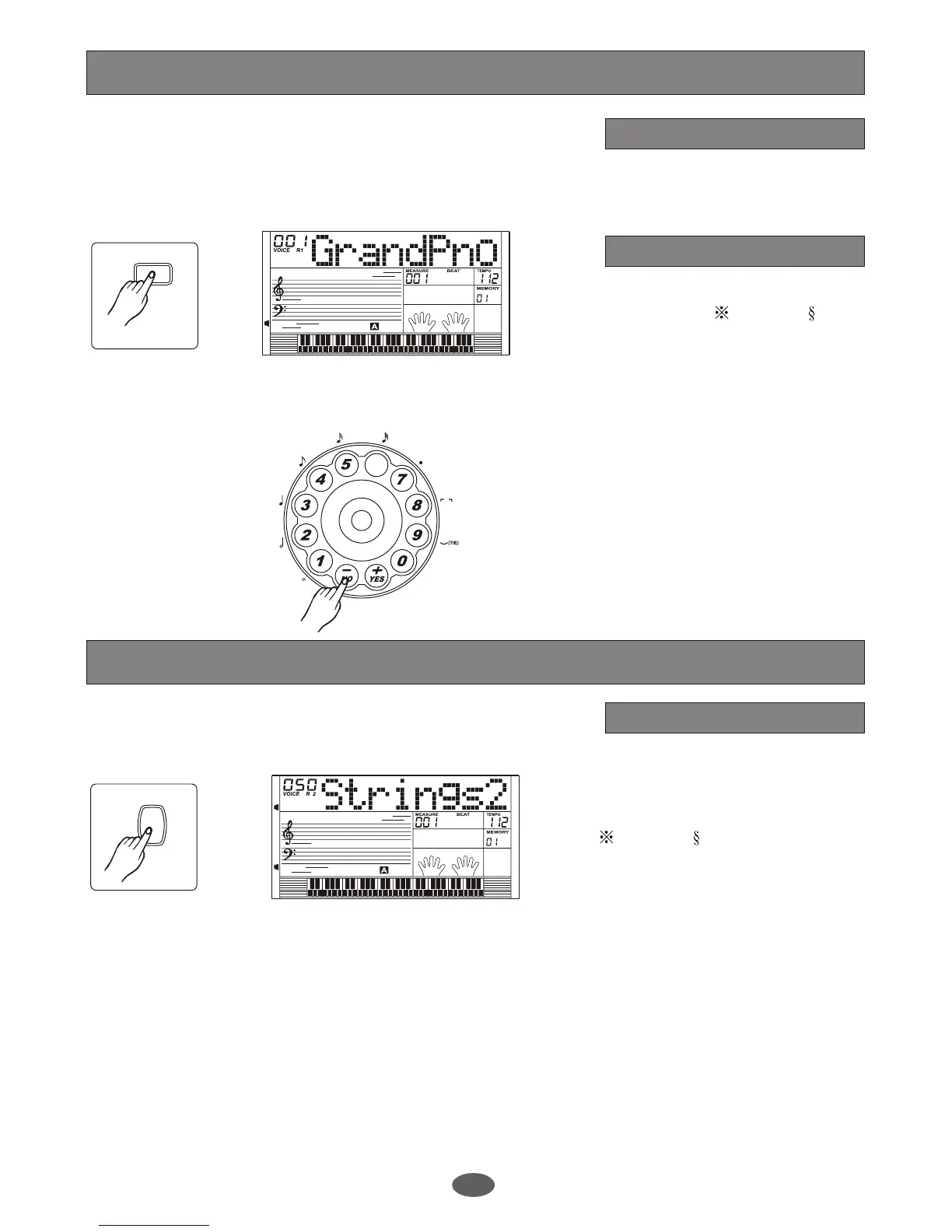
The default VOICE R1 is No.001.
LCD displays : VOICE R1 and
the voice name.
Press [+/YES]/[-/NO] key ,rotate
the wheel or use the number key
to select the voice wanted.
Voice number
Voice setting
34
A.B.C.
DUAL
LOWER
SUSTAIN
TOUCH
CHORD
DICTIONARY
ACCOMP
MELODY 1
MELODY 2
EDIT
6
3
REST
VOICE
Voices and Effects
Dual voice
1.
DUAL
It has the dual voice. You can use
this function to get new voices.
Press [DUAL] key to turn on the
DUAL VOICE, LCD displays:
VOICE R2 an d du al fla g.
The dual voice name is also
displayed on the LCD.
Press [DUAL] key again to turn
off the DUAL VOICE.
3.
2.
Press [+/YES]/[-/NO] key, use the
wheel or number key to select the
dual voice number.
The default dual voice number is
number 50: Strings 2.
34
A.B.C.
DUAL
LOWER
SUSTAIN
TOUCH
CHORD
DICTIONARY
ACCOMP
MELODY 1
MELODY 2
EDIT



 To Next Page