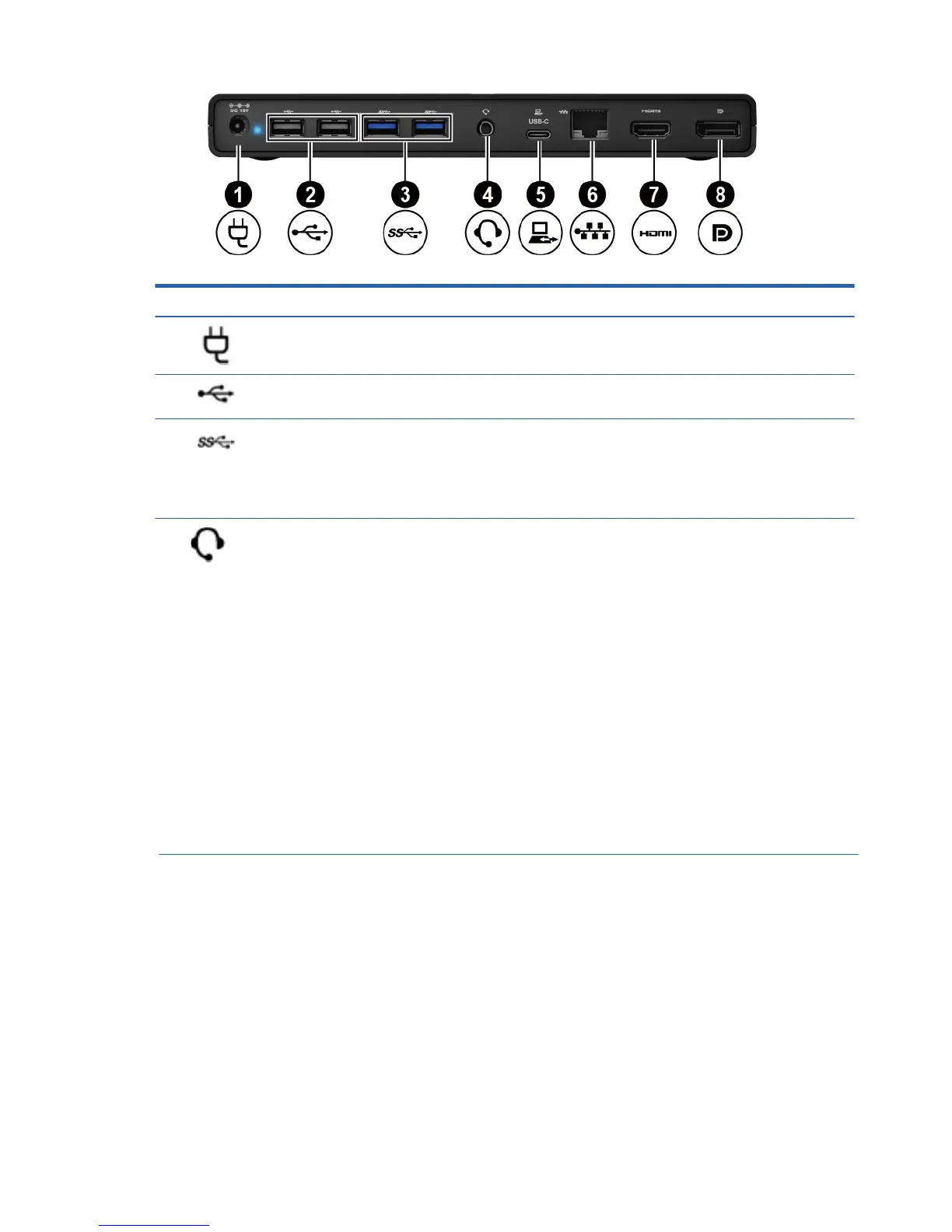
Component Description
(1)
Power connector Connects an AC adapter.
(2)
USB 2.0 ports (2) Connect an optional USB device, such as a keyboard, mouse,
external drive, printer, scanner, or USB hub.
(3)
USB 3.0 charging ports (2)
Connect an optional USB device, such as a keyboard, mouse,
external drive, printer, scanner, or USB hub.
(4)
Audio-out (headphone)/audio-in (microphone)
combo jack
Connects optional powered stereo speakers,
headphones, earbuds, a headset, or a television audio
cable. Also connects an optional headset microphone.
This jack does not support optional microphone-only
devices.
WARNING! To reduce the risk of personal injury, adjust the
volume before putting on headphones, earbuds, or a headset.
For additional safety information, refer to the Regulatory,
Safety, and Environmental Notices.
2 Chapter 1 Getting started
NOTE: When a device is connected to the jack, the
computer speakers are disabled.
NOTE: Be sure that the device cable has a 4-
conductor connector that supports both audio-out
(headphone) and audio-in (microphone).
(5) USB-C port
Connects the universal dock to a computer , laptop or
tablet. The dock can charge laptop or tablet with the
following specifications:
●
20 V @ 3 A
●
15 V @ 3 A
●
12 V @ 3 A
●
10 V @ 3 A
●
9 V @ 3 A
●
5 V @ 3 A
NOTE: Connect the universal dock to a computer using only
this USB-C port and the included USB-C cable.
NOTE:
USB charging ports can also charge select models of
cell phones and MP3 players, even when the computer is off
Rear



 To Next Page