52
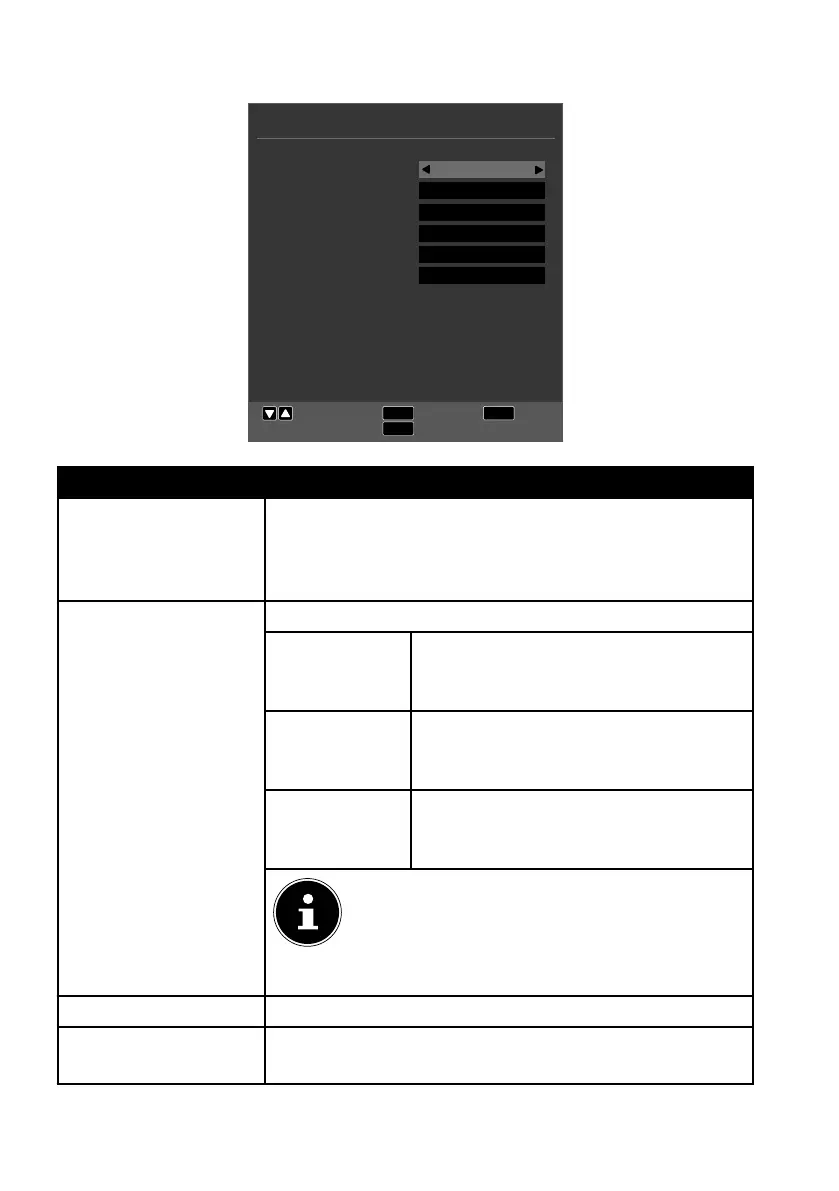
10.5. Lock menu
System Lock
Set Password
Channel Lock
Parental Guidance
Key Lock
Hotel Mode
LOCK
EXIT
MENU
Move
Return
Exit
OK
Select
Off
OK
OK
Off
Off
OK
Menu option Setting
SYSTEM LOCK You can release the CHANNEL LOCK, PARENTAL GUID
ANCE, KEY LOCK and HOTEL MODE locks here. To do
this, you will need to enter the password. Factory setting:
0000.
SET PASSWORD An input field for entering the passwords will appear.
PLEASE EN
TER OLD
PASSWORD
Use the number buttons to enter the
existing password. Factory setting:
0000.
PLEASE EN
TER NEW
PASSWORD
Enter a new four-digit password.
CONFIRM
NEW PASS
WORD
Enter the new password again. The
new password is saved.
Note down the new password. It is not reset
when you restore the factory settings.
If you forget the password, enter the master
password 4711.
CHANNEL LOCK Define here which channels should be locked.
PARENTAL
GUIDANCE
Here you can select the age.
This option is only available in DTV mode.



 To Next Page