Operation SI PCF User Manual
Ref: DOC03148 Issue 1 Friday, 06 January 2017 Page 46 of 81
Starting a Robotic Instrument Cycle
Manual Pre Wash
Always follow the manufacturer’s instructions.
1. Scrub the outside of the entire
instrument using running water with a
clean, soft, nylon bristled brush,
paying special attention to the
instrument tip. Move the instrument
wrist through its full range of motion
while scrubbing
2. Thoroughly rinse the entire
instrument especially the instrument
tip
Instrument Loading
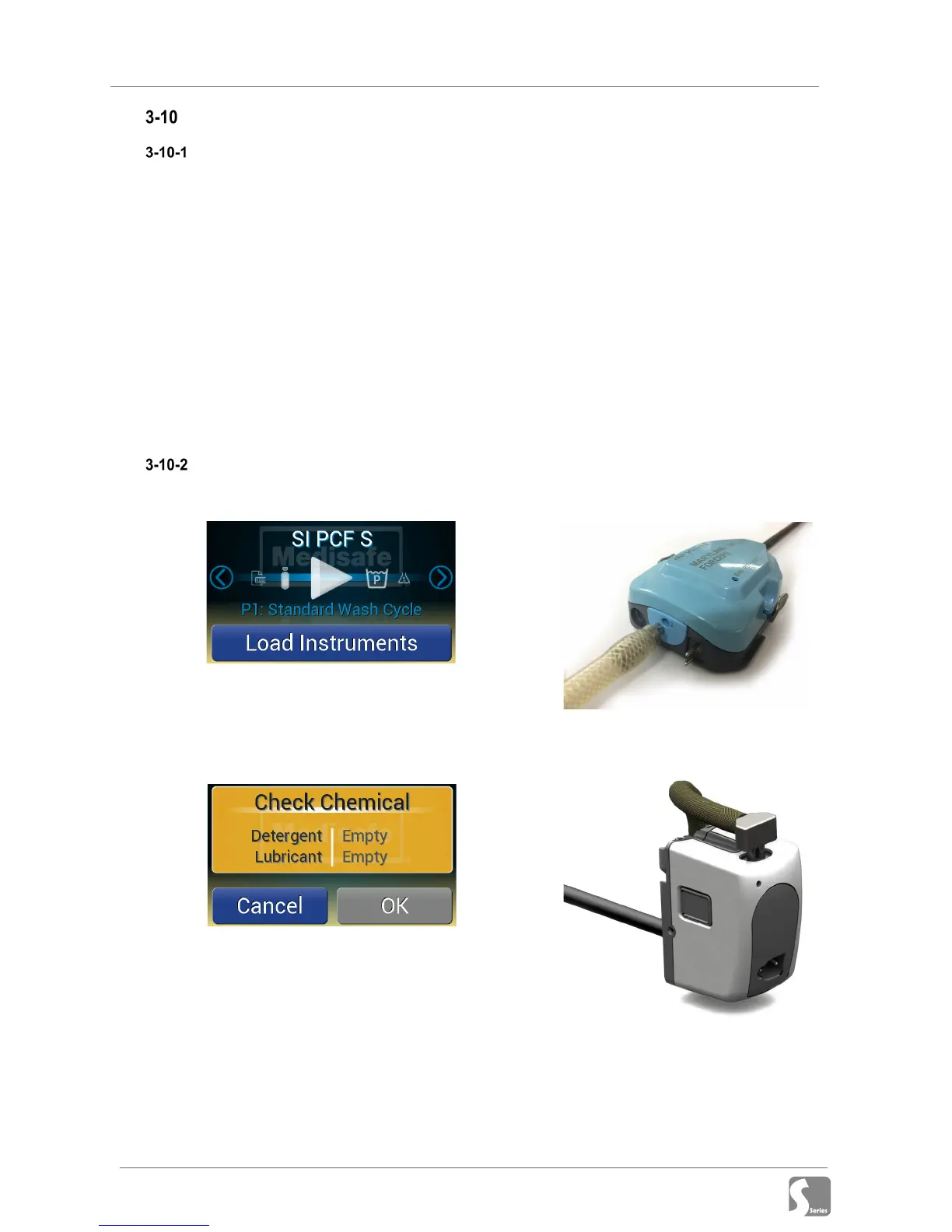
1. Confirm program selection (to change
see section 3-5)
2. Press Load Instruments
3. If there is insufficient chemical to
complete the cycle a warning will be
shown:
Replace chemical(s) (see section 3-
6-1) and press OK to continue, or
press Cancel to abort the cycle start
4. Open the lid
5. Remove the basket from the machine
6. Load instruments into the Si or Xi
Robotic Basket depending the type
to be cleaned:
Connect the instrument to the
Medisafe Robotic basket ONLY. This
basket is clearly marked as ‘Sonic
Irrigator’.
7. Attach the 'Slip Luer' end of the
Medisafe connection tubing to the
main flush port of each instrument by
firmly pushing to ensure that the Luer
is seated.
Si Instrument Connection
The main flush port is designated by
a dark ring and the number 1.
Xi Instrument Connection


 To Next Page