8-44
What You See
on the Display
What You Do Comments
Review/Change Setup for Date and Time:
Refer to the beginning of the Review or Change Setup section for step-
by-step instructions to access the appropriate setup menu.
If the monitor displays a message not indicated in these procedures,
please refer to section 10, Troubleshooting.
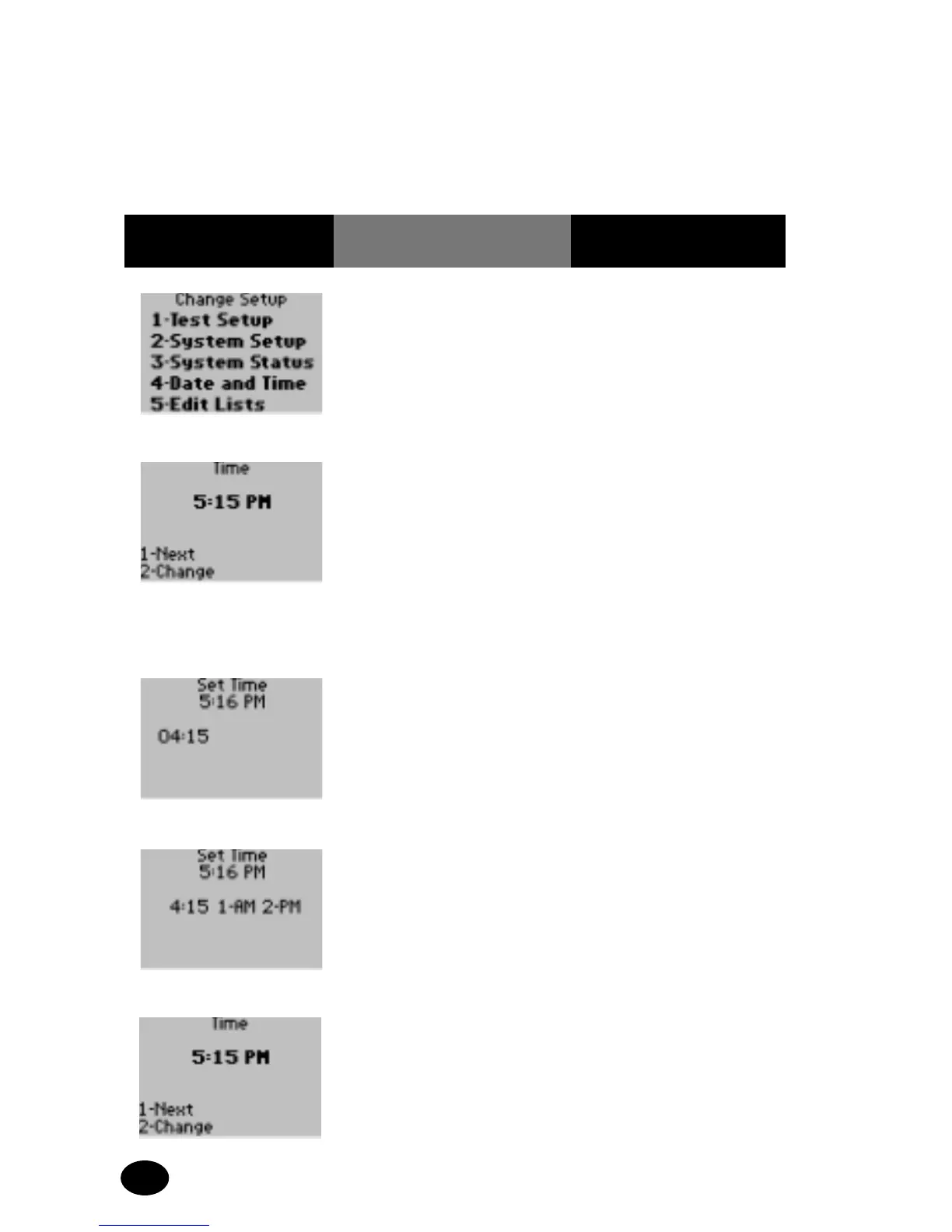
1. Press 4 for Date and
Time.
The display shows the
Time menu.
2. The administrator will
select one of the
following options:
Press 1 – Next, to
continue to Date menu;
skip forward to step 6.
Press 2 – Change, to
change current time.
The display shows the Set
Time option.
3. Enter the time in hours
and minutes then press
Enter. Include leading
zeros: 04 for 4.
The display is returned to
the Set Time menu.
4. Select either 1 – AM
or 2 – PM.
The display shows the
user selected time.
5. Press 1 – Next, to
continue to Date menu.
The display shows the
Date menu.



 To Next Page