
 Need help?
Do you have a question about the MegaTec NetAgent Mini and is the answer not in the manual?
Key features of the NetAgent monitoring product, including SNMP MIB support and auto-sensing Ethernet.
Overview of how NetAgent is used for UPS monitoring, remote control, and environmental monitoring.
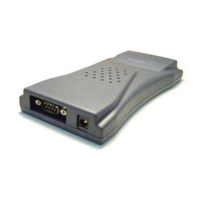
Description of the different NetAgent models available, including NetAgent II and NetAgent Mini.
Visual guide outlining the steps for installing and configuring NetAgent UPS.
Step-by-step guide for connecting NetAgent II, UPS, and network hardware.
Instructions for connecting the NetAgent Mini, UPS, and network components.
Steps for installing Netility and navigating its main interface, including IP configuration and firmware upgrades.
How to connect to the NetAgent web interface and overview of its main sections.
Viewing system status, basic info, current status, and remote control functions.
Visualizing UPS parameters and monitoring environment/modem status.
Configuring UPS schedules, network settings, and dynamic DNS/PPPoE.
Setting up SNMP, email alerts, and SMS notifications for UPS events.
Configuring system time, user accounts, modem, and interface language.
Managing event logs, data logs, and accessing help documentation.
Overview of using Telnet for remote monitoring and control of UPS systems.
Steps for initiating a Telnet connection and overview of menu options.
Steps for installing the ClientMate utility and navigating its main window and features.
Overview of SNMPView for UPS management and its system requirements.
Steps for installing SNMPView and navigating its main interface and functions.
Managing devices, exporting/importing configurations, and viewing event/data logs.
Choosing display modes, viewing details, configuring map backgrounds, and monitoring UPS status.
Controlling UPS, performing tests, managing SNMP settings, and user accounts.
Accessing HTML help and viewing SNMPView version and contact details.
Methods for updating NetAgent firmware, including using the NetAgent webpage and Netility.
Using FTP or Internet Explorer to upload the latest firmware to NetAgent UPS devices.
 General
| Brand | MegaTec |
|---|---|
| Model | NetAgent Mini |
| Category | Controller |
| Language | English |

 To Next Page
