Network Reset
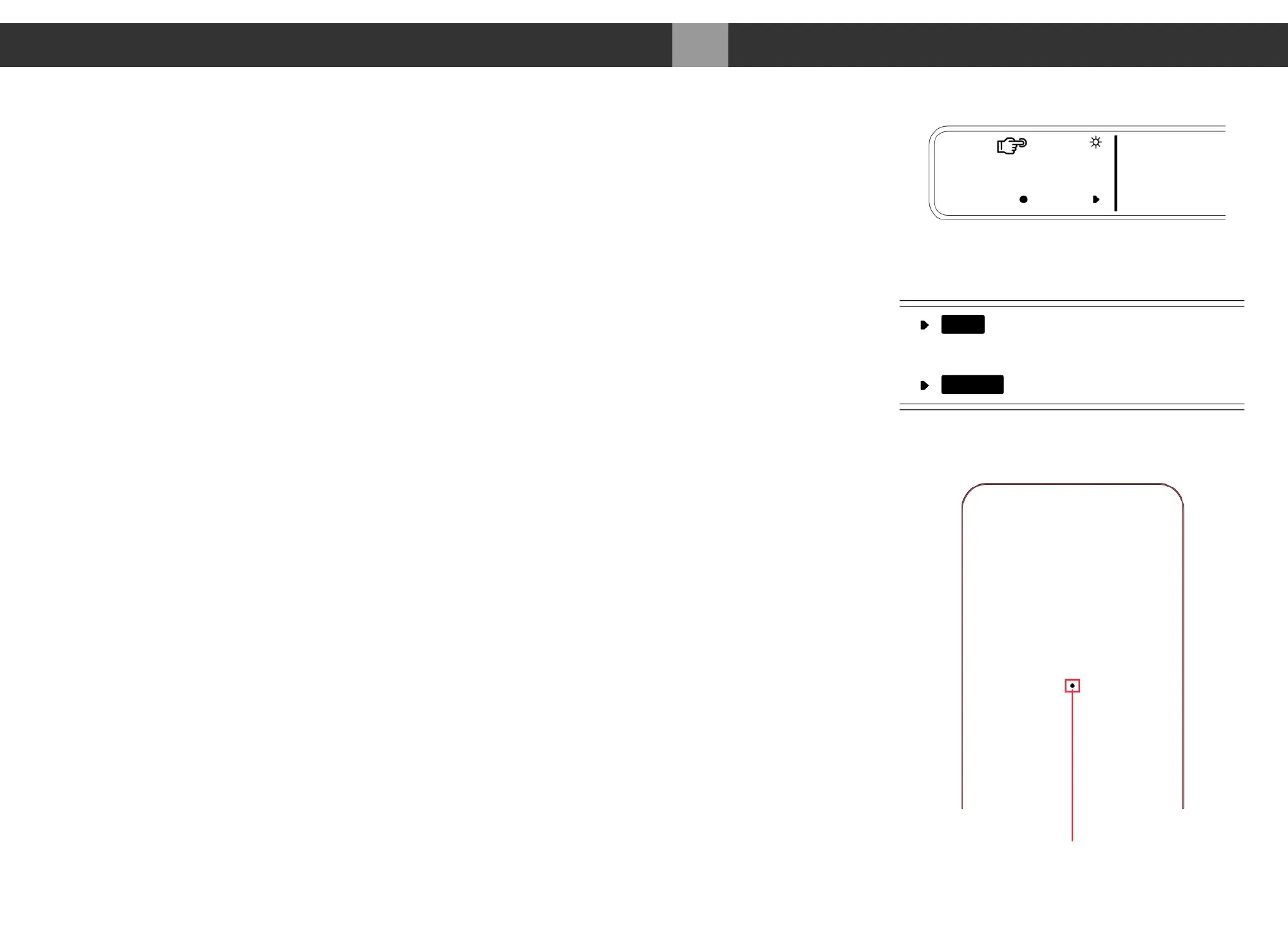
1. In order to manually reset the network interface, first switch to the “NET” (network)
input using the input touch button or the remote.
2. Press and hold the display touch button until you see the “Network Reset” page.
3. Press the RESET button to reset the network interface.
4. Press EXIT to exit the Network Reset page.
5. DO NOT immediately turn off the MA3 after doing a network reset. Please wait 90
seconds for the network interface to reboot and reset itself.
Remote Battery Change
1. Please prepare a new replacement CR2025 battery and either a fine small tip screw
driver or paperclip.
2. Locate the battery compartment pinhole in the back of the remote. Please see picture
on the right.
3. Insert the screw or paperclip into the pinhole and press. This will release the back
cover from the magnets holding the cover in.
4. Please locate the battery and note how it is installed in the remote.
5. Remove and replace with new battery. Replace cover back onto remote.
031
Appendix MA3 Integrated D/A Converter Manual
meitner © 2020 Meitner Audio, All Rights Reserved. Meitner Audio reserves the right to amend specifications & design without notice.
Battery Compartment Pinhole
EXIT
RESET
Reset the Network
Interface
Network Reset
Network Reset Access
NE


 To Previous Page