4
USING THE KEYS AND FUNCTIONS
FITTING THE BATTERIES
SET-UP
Read these instructions carefully before programming your remote control!
To command your appliances, you must program your FULLY 8 as described below in
A
or
B
.
Warning: program one appliance at a time.
Before programming and using the remote control, fit the batteries.
The remote control requires 2 new AAA/LR03 alkaline batteries. Insert the batteries as shown:
• The batteries must be changed once a year.
• Change the batteries if the light indicator starts to flash during use. The
batteries are low.
• This remote control has a permanent memory and does not lose the
programmed codes when the batteries are removed.
• Make a note of the code for your appliances on the adhesive label
supplied inside the battery cover. This note will be handy if you have to
reprogram your remote control.
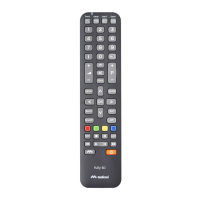
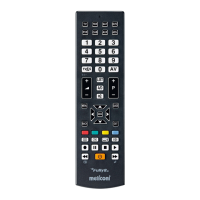
The FULLY 8 universal remote
control unit can replace up to 8 remote controls of any make for TV, VCR,
DVD, SAT, TER (Terrestrial Digital) and cable TV.
Keep your Instructions and Code Booklet for future reference.
GB
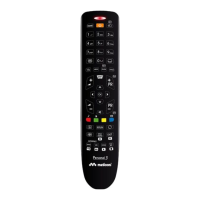
Keys for selecting which appliance you
want to use.
Numeric keypad.
To select an external input terminal.
Control the volume using
-
.
Control the volume using
+
.
Teletext keys
To select the next program or to turn ON
your TV.
To select the previous program or to
turn ON your TV.
Light indicator.
Specific area for SET TOP BOX
Mute button.
ON/OFF to switch OFF the appliance
and in some cases to switch it ON.
VCR/DVD function keys:
RECORD - PAUSE - STOP - PLAY or
fastext functions
FORWARD/REWIND functions for VCR
and DVD
To move around within the MENU or to control
the BRIGHTNESS/COLOUR.
Confirm button.










 To Next Page