1.Find the code for your TV in
the code list (see middle of
this booklet) . Make a note
of the code found. It has 4
+ and - signs, indicated to
the side (e.g. Thomson
- +
- +
).
2.Make sure that the TV is ON.
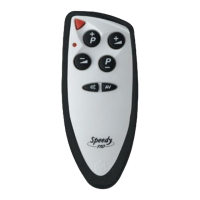
3.Hold down the and
keys simultaneously until
the light indicator at the top
starts to flash indicating
that the remote control is
in programming mode.
4.Release the keys. Within 12
seconds, enter the brand
code previously identified
(e.g.
- + - +).
5.Point the remote control at
the TV. Press and release
the key slowly several
times. STOP when your TV
goes OFF.
6.When your TV is OFF, press
the and keys
simultaneously. When you
release the keys, three
flashes indicate that the
search operation has been
completed correctly.
SET-UP
Read these instructions carefully before programming
your remote control!
Once you have programmed Speedy, you can turn ON your
TV in three ways:
• Press or .
• Press and
simultaneously: this sends the code
for programme 1.
• Press .
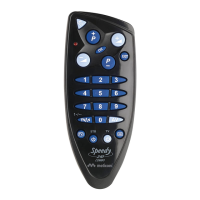
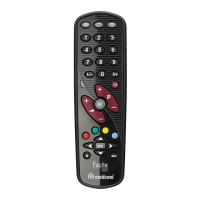
To program Meliconi Speedy remote control, follow the
indications in paragraph A or B .
P
-
+
P
P
-
BRAND SEARCH PROGRAMMING
MODE
A
+
P
7.
IF YOU DO NOT HAVE THE
PROGRAMME SELECTION
KEYS ON YOUR ORIGINAL
REMOTE CONTROL
If your remote control does
not have the programme
selection keys (e.g. / ,
+/-, CH+/-..etc) once you
have programmed Speedy,
you can still select the
programmes from 0 to 9, as
follows:
• Hold down the and
keys simultaneously until
the light indicator starts to
flash indicating that the
remote control is in
programming mode.
• Release the keys and
press 8 times within
12 seconds.
Three flashes indicate that
the operation has been
completed correctly.
• Make sure you can change
programmes from 0 to 9
using the and keys.
If not, repeat the search
operation, starting from
point 3.
P
-
+
P
P
-
+
P
+
P
NOTE:
When – is indicated, you must press or .
When
+ is indicated, you must press or .
To return to programme 1 directly, press and simultaneously.
.
P
-
-
+
+
P
+
P
P
-
AV
AV
AV










 To Next Page