Assembly Instructions & User’s Manual
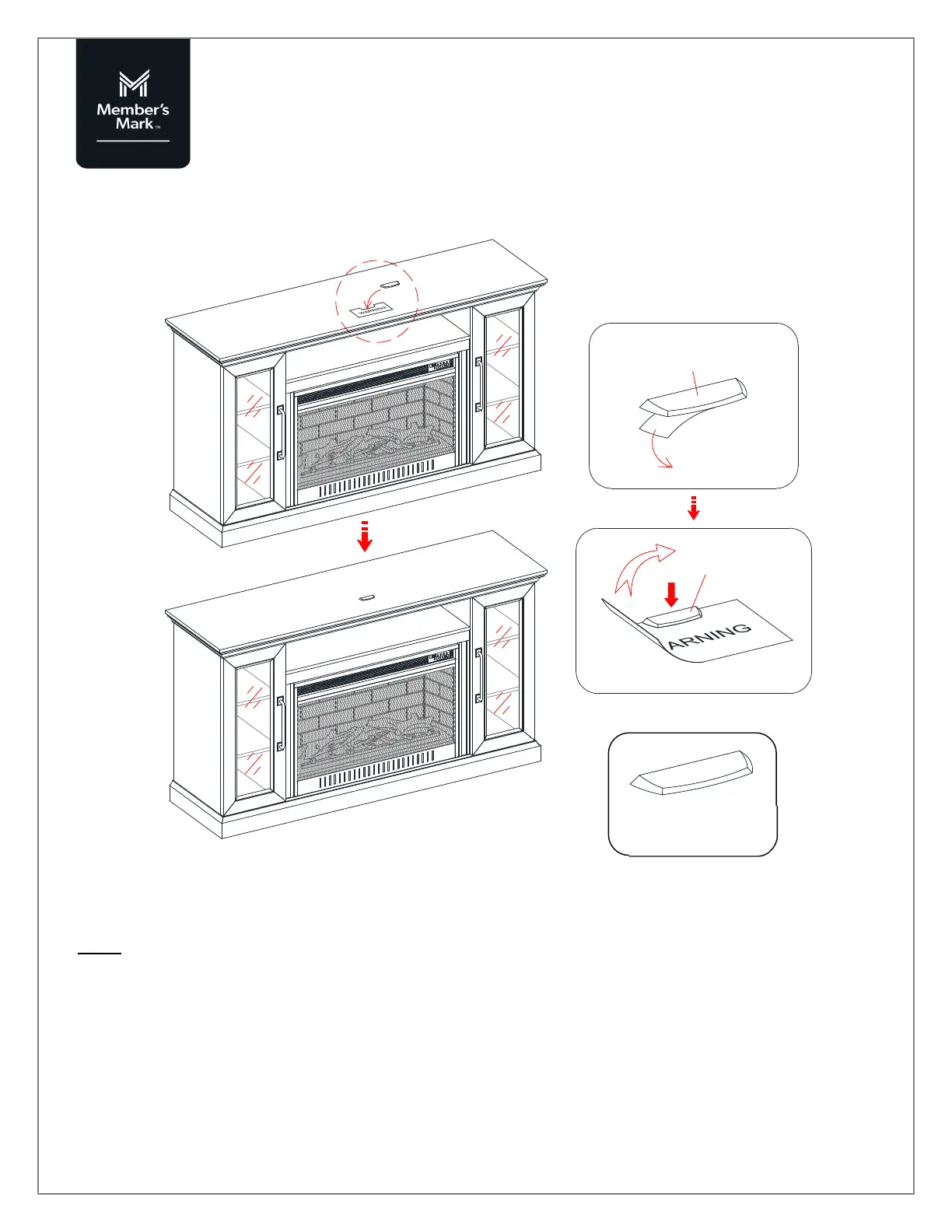
Step 5
NOTE: To prevent your TV from tipping, you must follow these instructions if you place a flat panel television
on top of your console. Otherwise, remove the acrylic stopper template directly.
a) Remove the paper backing from the Acrylic Stopper (H2) and place it in the cut-out of the acrylic stopper
template on the front of the top panel. Make sure it is properly aligned before applying pressure.
b) Now, remove the acrylic stopper template carefully.
Need Assistance? Visit us at: samsclub.com/membersmarkhelp
H2 x 1
A
A
A
H2
H2



 To Next Page