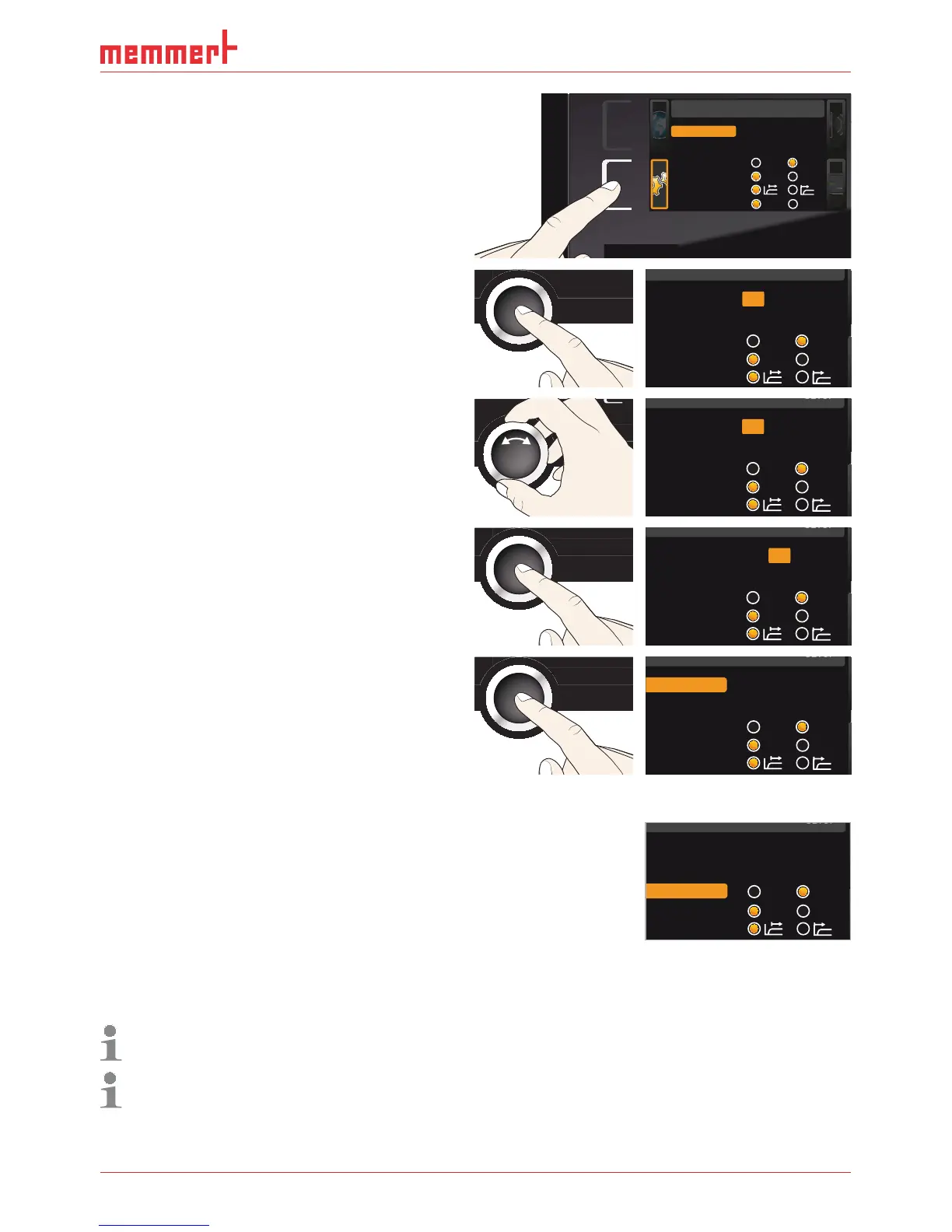
SETUP
Balance
Einheit
IP Adresse
+30%
192.168.100.100
Alarm Temp
°C F
TWW TWB
Timer Mode
Setup
Unit
IP address 192.168.100.100
Subnet mask 255.255.0.0
Alarm temp
°C F
TWW TWB
Timer mode
Slide-in unit
Grid Shelf
irmation key. The first three di
Unit
IP address 192.168.100.100
Subnet mask 255.255.0.0
Alarm temp
°C F
TWW TWB
Timer mode
Unit
IP address 255.168.100.100
Subnet mask 255.255.0.0
Alarm temp
°C F
TWW TWB
Timer mode
irmation key. The next three di
P address are automatically selected. Set-
these is done with the turn control
accor
Unit
IP address 255.168.100.100
Subnet mask 255.255.0.0
Alarm temp
°C F
TWW TWB
Timer mode
5.
he new IP address by pressin
irmation key. The selection returns to the
Unit
IP address 255.145.136.225
Subnet mask 255.255.0.0
Alarm temp
°C F
TWW TWB
Timer mode
ere, the type of monitorin
function that should be activated (TWW or TWB, description
from pa
, as well as the temperature at which the auto-
matic temperature monitorin
he selection option TWW/TWB is only available for appliances with a second temperature
temperature must be set sufficiently hi
h above the maximum set tem-
erature. We recommend 5 to 10 K difference for UNxx/UFxx and 1 to 3 K difference for
Unit
IP address 255.145.136.225
Subnet mask 255.255.0.0
Alarm temp
°C °F
TWW TWB
Timer mode



 To Next Page