19
OPERATION (CONTINUED)
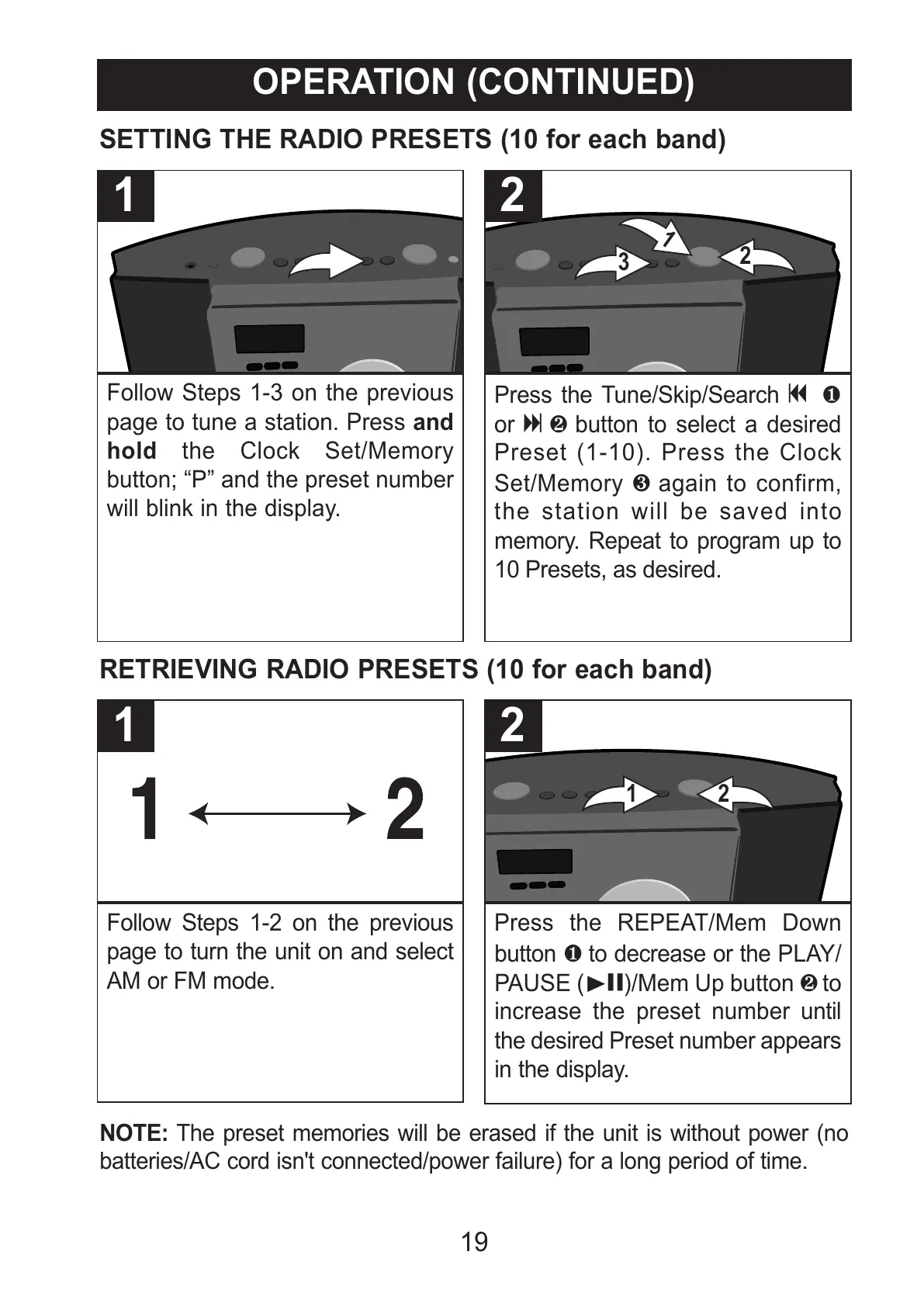
Follow Steps 1-3 on the previous
page to tune a station. Press and
hold the Clock Set/Memory
button; “P” and the preset number
will blink in the display.
1
Press the Tune/Skip/Search o 1
or n 2 button to select a desired
Preset (1-10). Press the Clock
Set/Memory 3 again to confirm,
the station will be saved into
memory. Repeat to program up to
10 Presets, as desired.
2
SETTING THE RADIO PRESETS (10 for each band)
Follow Steps 1-2 on the previous
page to turn the unit on and select
AM or FM mode.
1
Press the REPEAT/Mem Down
button 1 to decrease or the PLAY/
PAUSE (®p)/Mem Up button 2 to
increase the preset number until
the desired Preset number appears
in the display.
2
RETRIEVING RADIO PRESETS (10 for each band)
NOTE: The preset memories will be erased if the unit is without power (no
batteries/AC cord isn't connected/power failure) for a long period of time.
All manuals and user guides at all-guides.com



 To Next Page