15
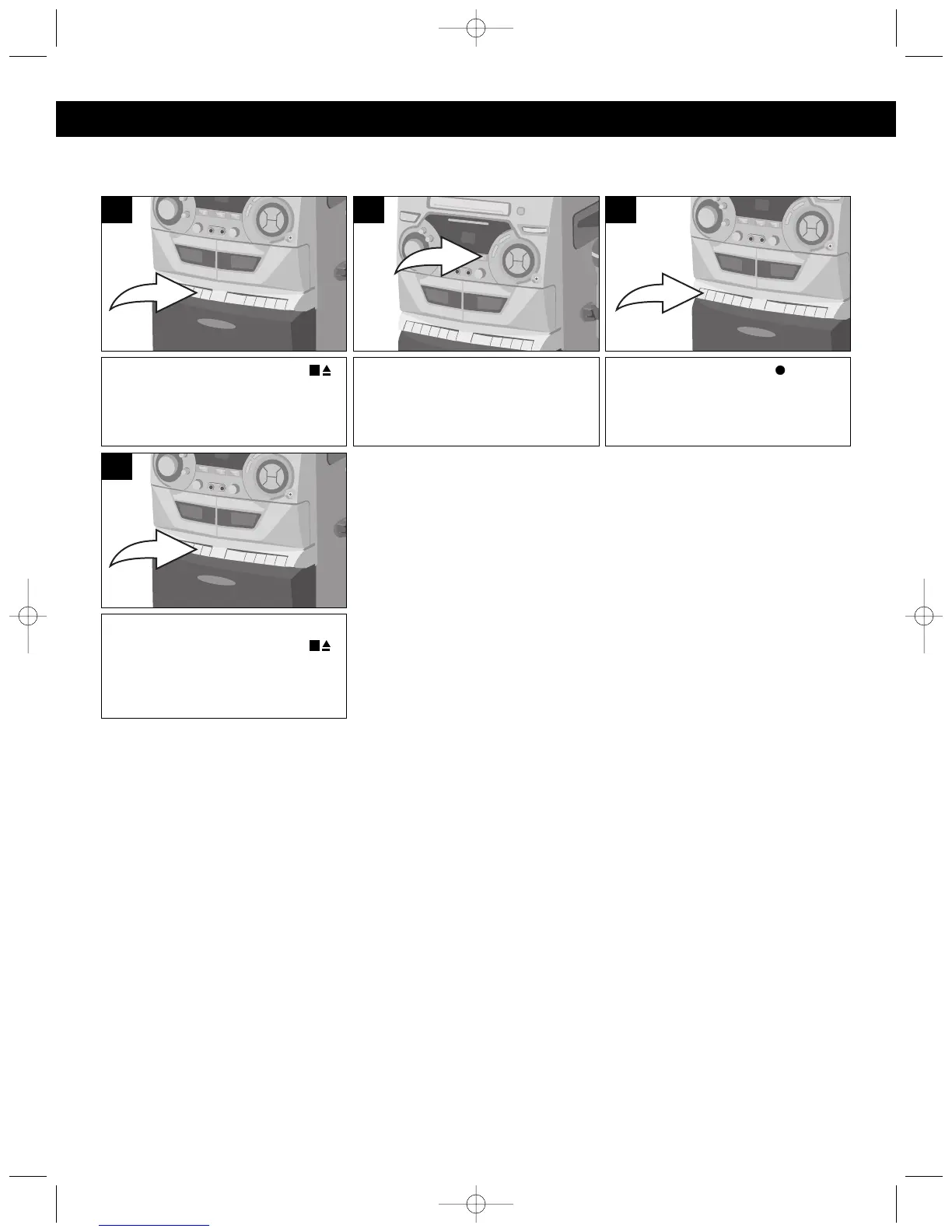
Press the STOP/EJECT ( )
button on Deck 1 to open the
Cassette Door and insert a cassette
with the open end facing down.
1
Press the RECORD
() b
utton
(the PLAY button will be
automatically depressed) to start
recording.
3
Slide the FUNCTION switch to the
RADIO position and tune a station.
Insert the microphone into the
appropriate jack.
2
RECORDING FROM THE RADIO
You can record onto a cassette tape from the built-in radio.
When you are finished recording,
press the STOP/EJECT ( )
button to stop the tape.
4
OPERATION (CONTINUED)
NOTES:
• Refer to SAFEGUARD AGAINST ACCIDENTAL ERASURE section (page 16) if the RECORD button
cannot be pressed.




 To Next Page