7
OPERATION
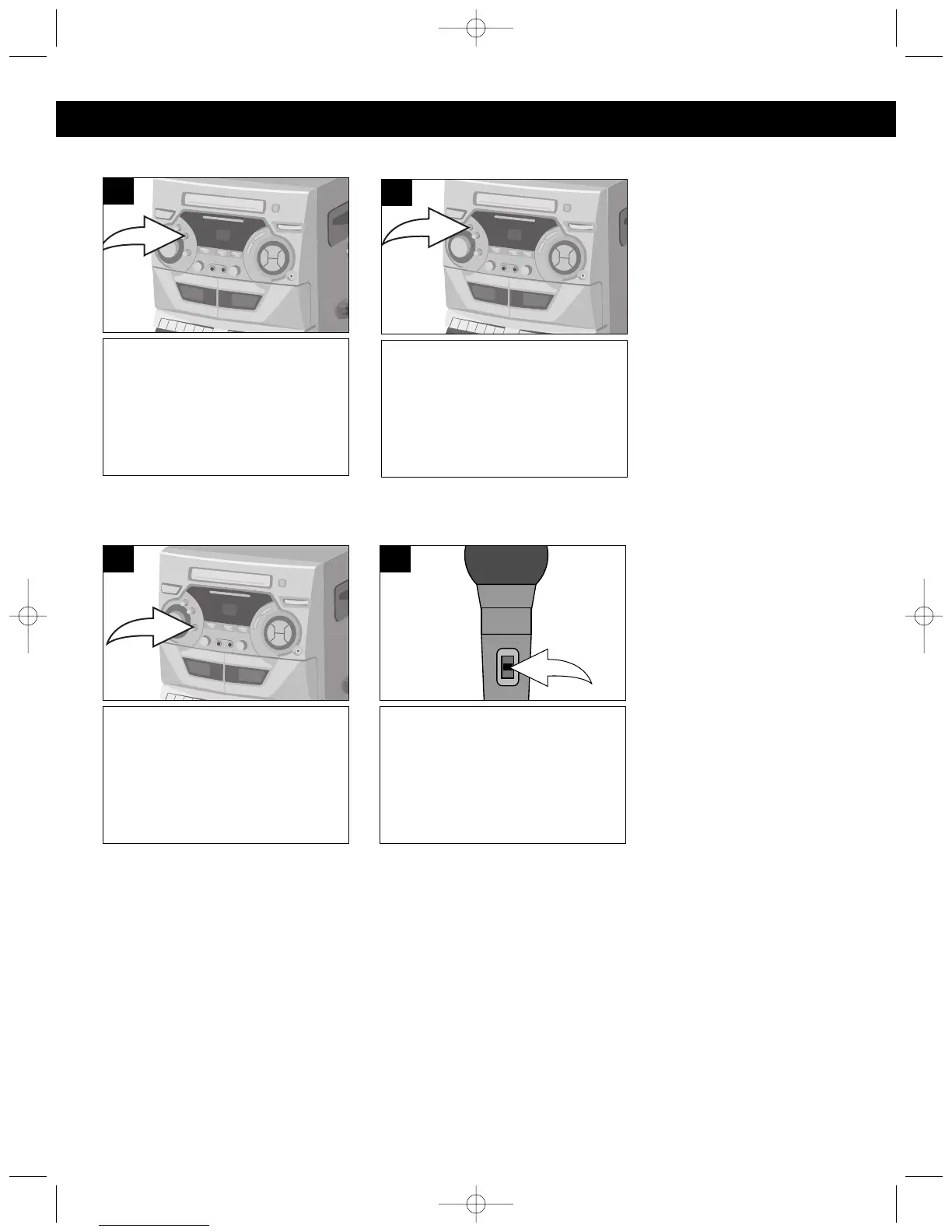
Rotate the ECHO control clock-
wise to increase the echo or
counterclockwise to decrease the
echo.
1
ECHO
Rotate the TONE control clock-
wise to increase the higher tone
response.
1
TONE
Rotate the BALANCE control
clockwise to hear the music and
vocals or counterclockwise to
hear the music only.
NOTE: To use the BALANCE
control, a Karaoke tape or
CD+G disc must be used
1
BALANCE (Karaoke)
To turn the microphone on, slide
the ON/OFF switch, located on
the side of the microphone, to the
ON position. To turn the
microphone off, slide the ON/OFF
switch to the OFF position.
1
MIC ON/OFF SWITCH




 To Next Page