NOTES:
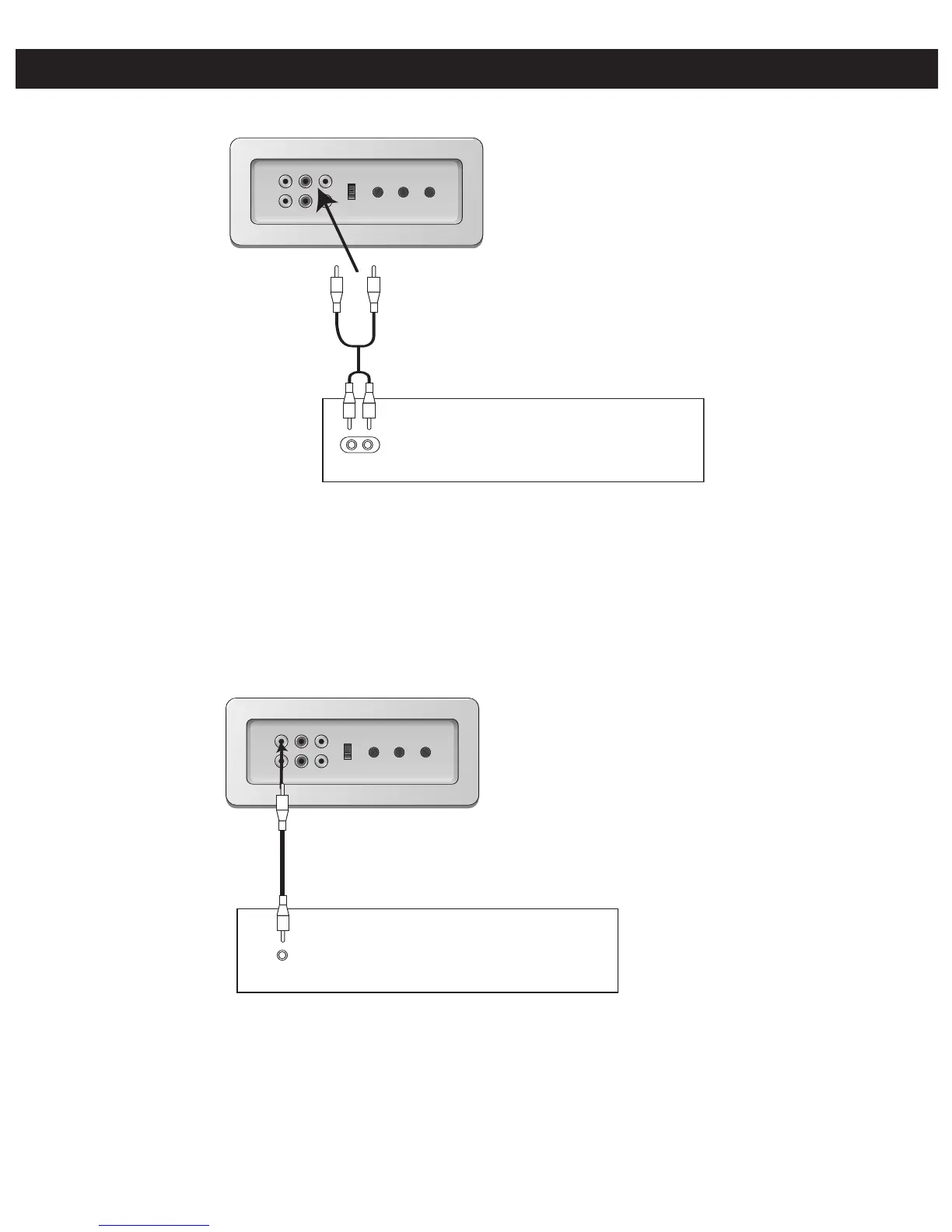
• Connecting the unit to an external audio source will allow you to broadcast the external unit’s sound through
this unit’s speakers.
• When connecting the external unit, refer to the owner’s manual of the external unit, as well as this manual.
• When connecting the external unit, make sure the power is off and both units are unplugged before making any
connections.
CONNECTING AN EXTERNAL VIDEO UNIT
NOTES:
• Connecting the unit to an external video source will allow you to see the external unit’s video through this unit’s
monitor.
• When connecting the external unit, refer to the owner’s manual of the external unit, as well as this manual.
• When connecting the external unit, make sure the power is off and both units are unplugged before making any
connections.
Slide the FUNCTION (CD+G/AUX)
switch to the AUX position when
connecting the unit as per this
step.
Slide the FUNCTION (CD+G/AUX)
switch to the AUX position when
connecting the unit as per this
step.
To see the image on the monitor,
slide the MONITOR switch to the
CD+G/AUX position.
To
Audio
In




 To Next Page