8
OPERATION (CONTINUED)
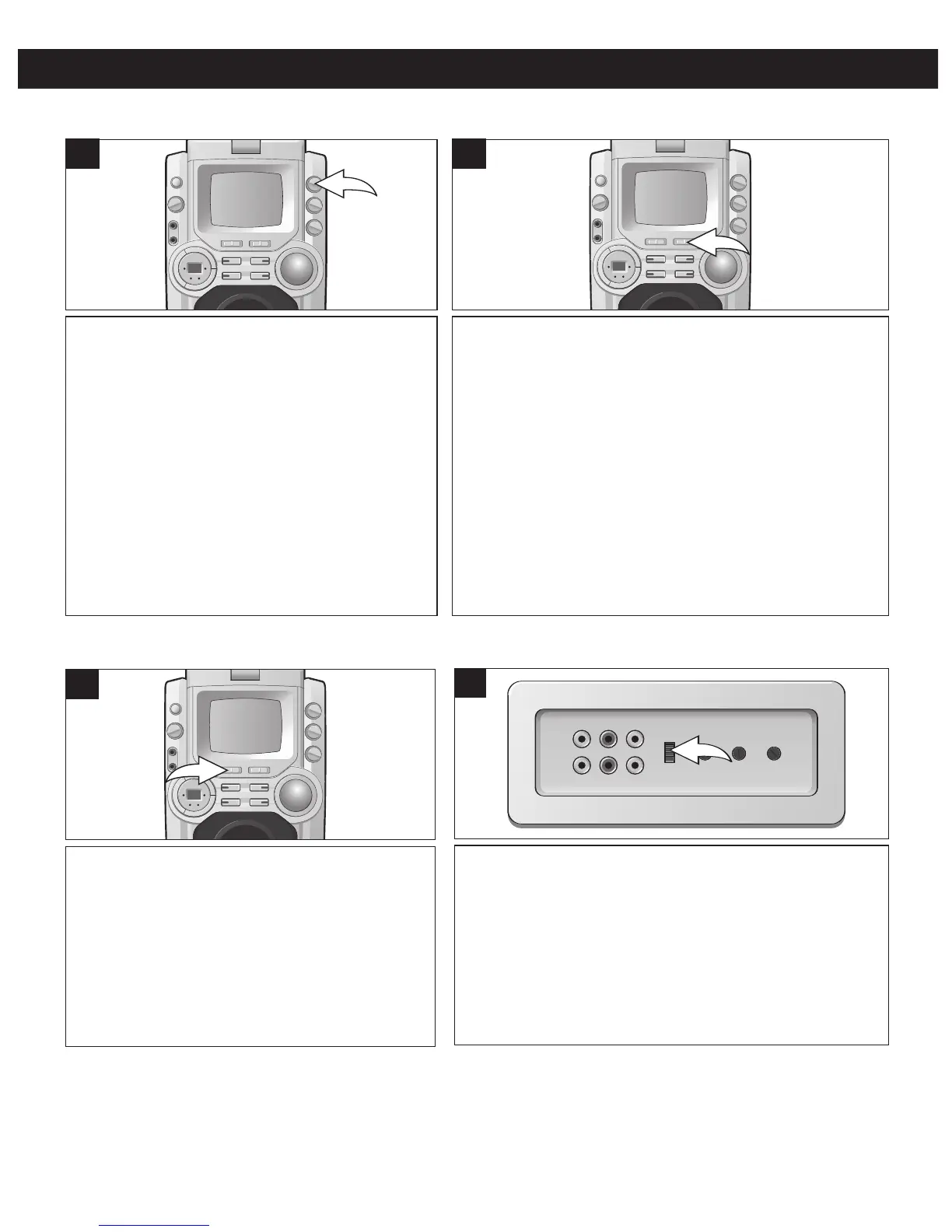
When the AVC feature is activated, the vocals
on a multiplex recording are muted as soon as
the singer begins singing into the microphone.
When the singer stops singing, the vocals are
automatically unmuted. Adjust the AVC control
for the best balance between playback and
microphone levels.
IMPORTANT: This feature only works with
multiplex media.
AUTO VOICE CONTROL
Slide the MONITOR switch to select what image will
appear on the built-in monitor:
OFF: No image on the monitor.
CD+G/AUX: The lyrics will appear on the monitor. To
see the image from the external unit connected to the
Video IN jack (on the rear of the unit) on this unit’s
monitor, slide the MONITOR switch to the CD+G/AUX
position. (The FUNCTION (CD+G/AUX) switch must be
set to AUX, in this case.)
CAMERA: The camera’s image will appear on the
monitor.
MONITOR SWITCH
Slide to the AUX position when you would like
to listen to the external audio unit connected to
the Audio IN jacks (on the rear of the unit). (To
see the image from the external unit connected
to the Video IN jack (on the rear of the unit) on
this unit’s monitor, the MONITOR switch must
be set to the CD+G/AUX position.)
Slide to the CD+G position when using CD+Gs
or CDs.
1
FUNCTION (CD+G/AUX) SWITCH
To select the Video output of the Video OUT jack, slide
to the CDG position when viewing a CD+G or slide to
the CAMERA position when viewing the camera's
image.
1
CDG/CAMERA SWITCH (Rear of the Unit)
1 1




 To Next Page