7
OPERATION
CONNECTING THE MICROPHONE
This unit has two microphone jacks which will allow you to sing along with your favorite songs. Before
connecting, make sure the MIC VOLUME control is set to minimum.
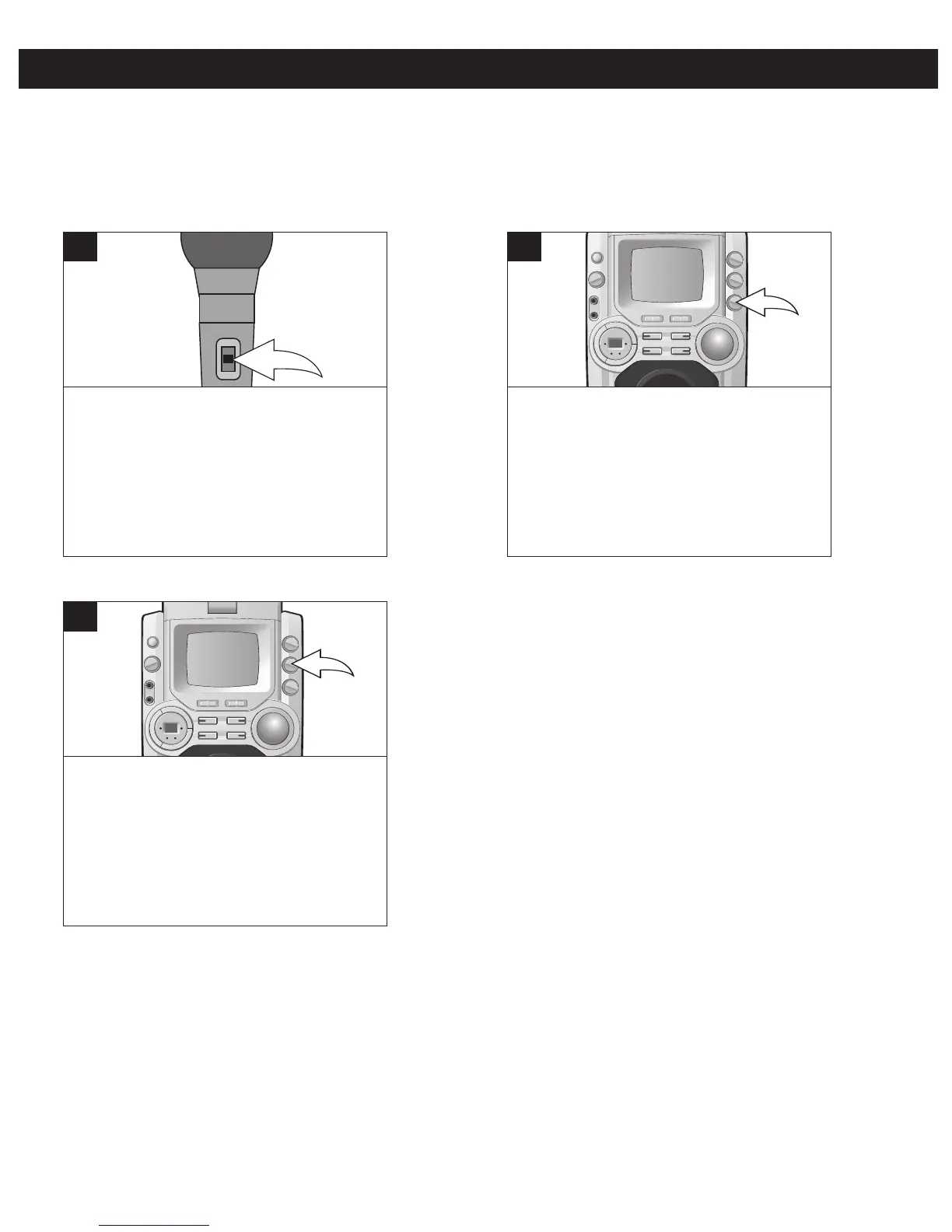
To turn the microphone on, slide the
ON/OFF switch, located on the side of
the microphone, to the ON position. To
turn the microphone off, slide the
ON/OFF switch to the OFF position.
1
MIC ON/OFF SWITCH
Rotate the ECHO control clockwise to
increase the echo or counterclockwise to
decrease the echo.
1
ECHO CONTROL
Rotate the BALANCE control clockwise
to hear the music and vocals or
counterclockwise to hear the music only.
NOTE: To use the BALANCE control, a
CD+G disc must be used.




 To Next Page