12
CD OPERATION (CONTINUED)
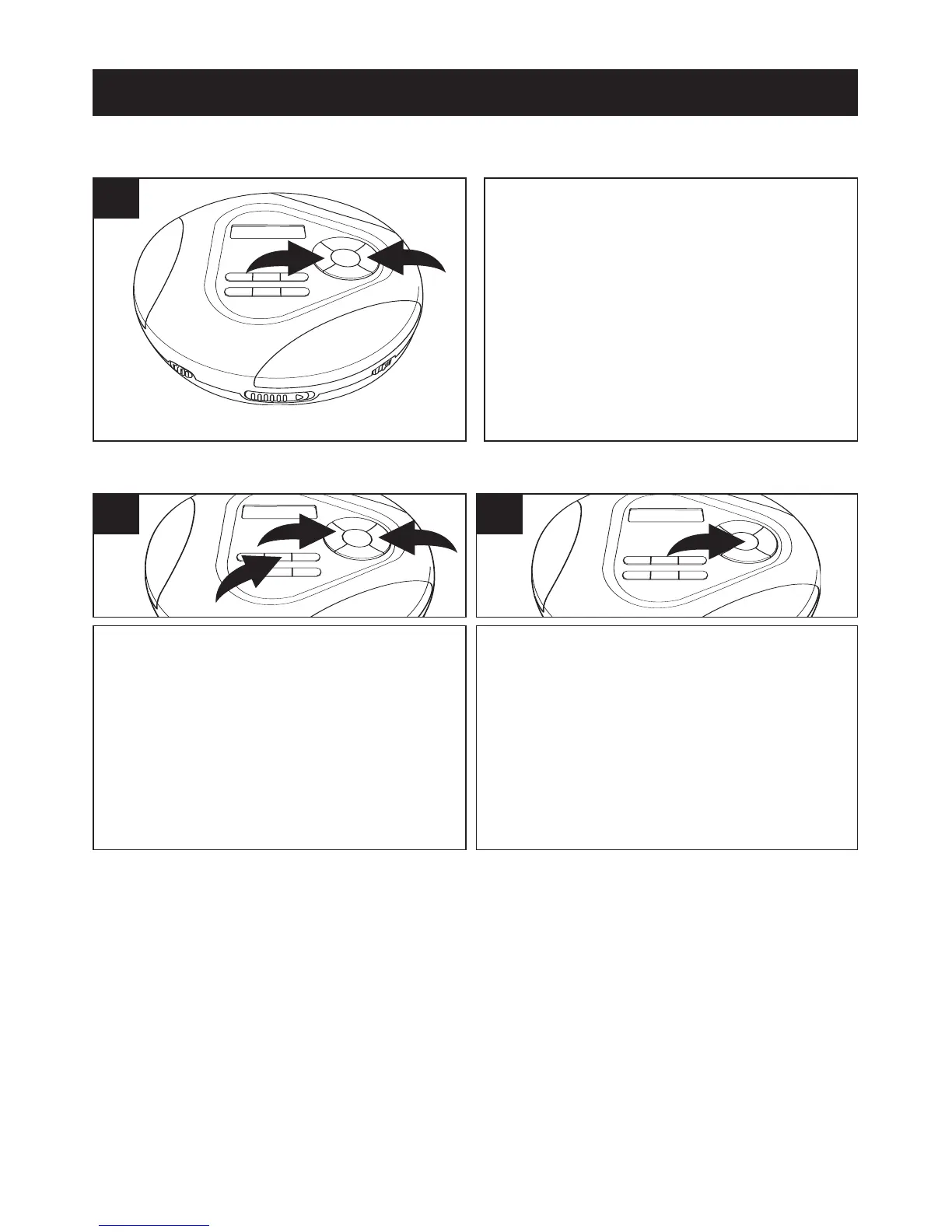
During playback, depress and hold
either the Skip/TUNING
o 1 or n 2
button to move the player forward or
backward within a track to locate a
specific musical passage. The player will
move forward or backward at high
speed as long as the buttons are
depressed. When you release the
Skip/TUNING
o 1 or n 2 button,
normal playback will resume.
1
HIGH-SPEED MUSIC SEARCH
To repeat a single track, while in the
Stop mode, press the MODE/
√ button
1 once; “REP 1” will appear in the
display. Press the Skip/TUNING
o 2
or n 3 button to select the specific
track that you wish to repeat.
1
REPEAT PLAYBACK OF ONE TRACK
When the desired track number
appears in the display, press the
PLAY/PAUSE (
®p)/POWER ON but-
ton to begin playback. The "REP 1"
indicator will disappear from the display
after a few seconds and the specific
track you selected will be repeated con-
tinuously.
2
TO CANCEL REPEAT PLAYBACK OF ONE TRACK:
1. Press the STOP (■)/POWER OFF button to stop playback, the "REP 1"
indicator will appear again, press the MODE/
√ button repeatedly until the
MODE indicators disappear from the display.
2. Press the MODE/√ button once, the “REP A” indicator will appear in the
display. Press the MODE/
√ button repeatedly until the Mode indicators
disappear from the display to return to normal playback.



 To Next Page