19
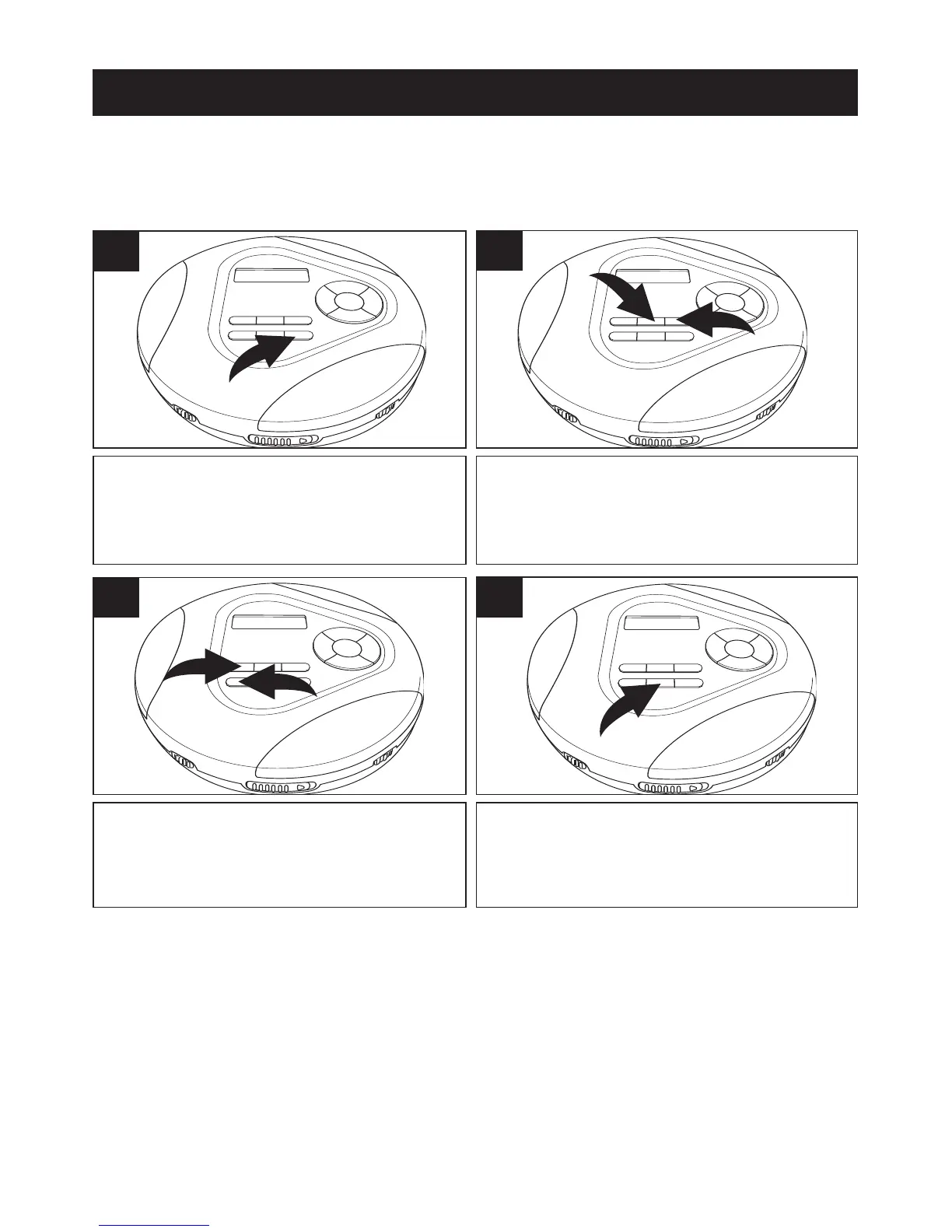
Press the MENU/ESP/BAND button
twice; the first directory will appear in
the display, as well as its contents.
1
SEARCHING THROUGH MP3 DIRECTORIES
You can search the contents of the directories (if burned on CD) as
follows:
To select a file from the directory, use
the MODE/
√ 1 and/or RESUME/® 2
buttons.
2
If you would like to change directories,
use the PRESET
▲ 1 and/or ▼ 2
buttons.
3
When the desired file appears, press
the ENTER/CLEAR button and the file
will automatically start playing.
4
CD OPERATION (CONTINUED)



 To Next Page