- 4 -
5. Installation Connection
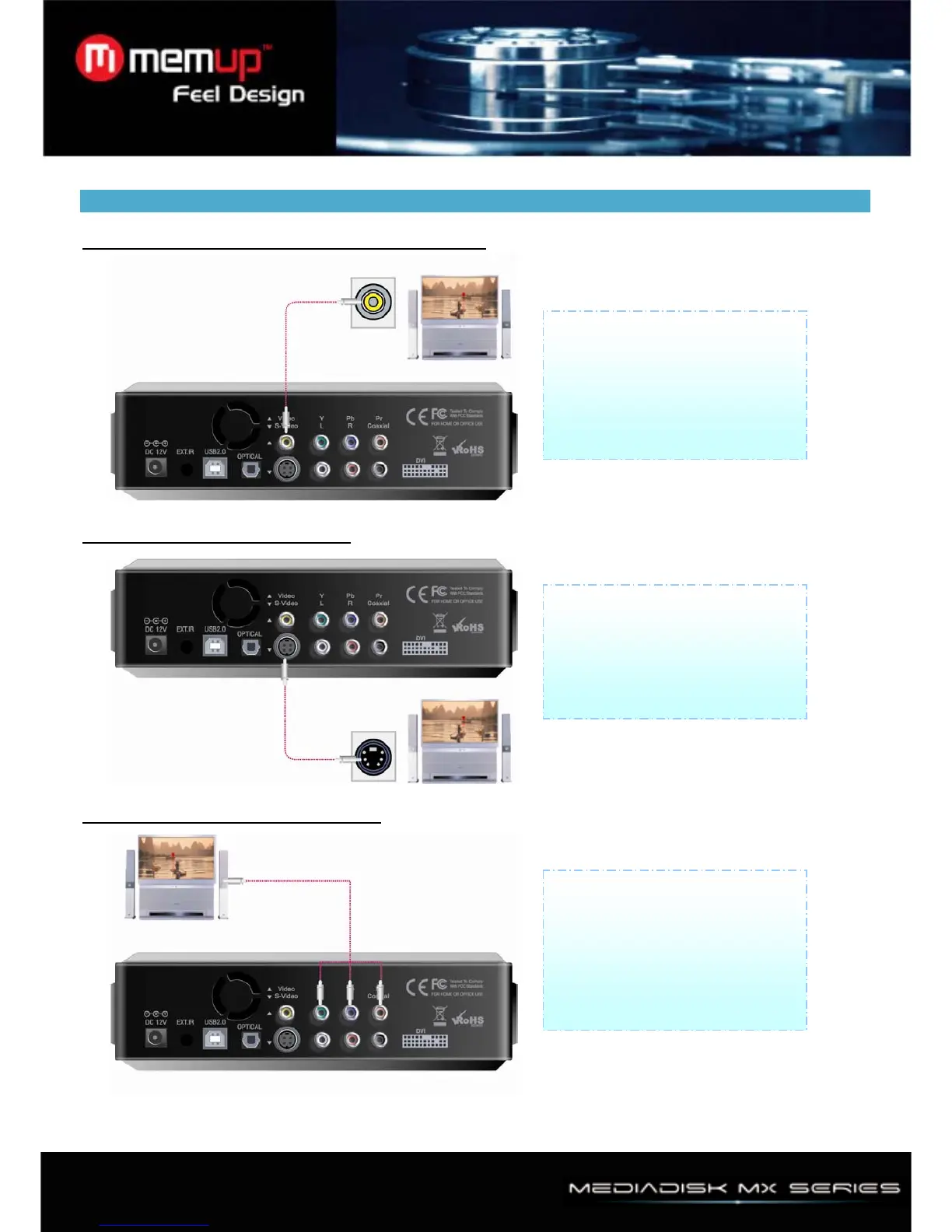
1、Connection with ordinary (Composite) TV output
2、Connection with S-Video output
3、Connection with Component output
Connect Player and your TV
using the yellow Video cable.
Turn on the Player and TV. Select
appropriate video input mode on
your TV until you can get initial
Player screen.
Connect Player and TV using
S-Video cable .Turn on Player
and TV, select appropriate video
input mode on your TV until you
can get initial Player screen.
Connect Player and TV with
component cable as instructed.
Turn on Player and TV. Select
appropriate video input mode on
your TV (in this case, Component
input mode.)



 To Next Page