- 7 -
6. Remote control
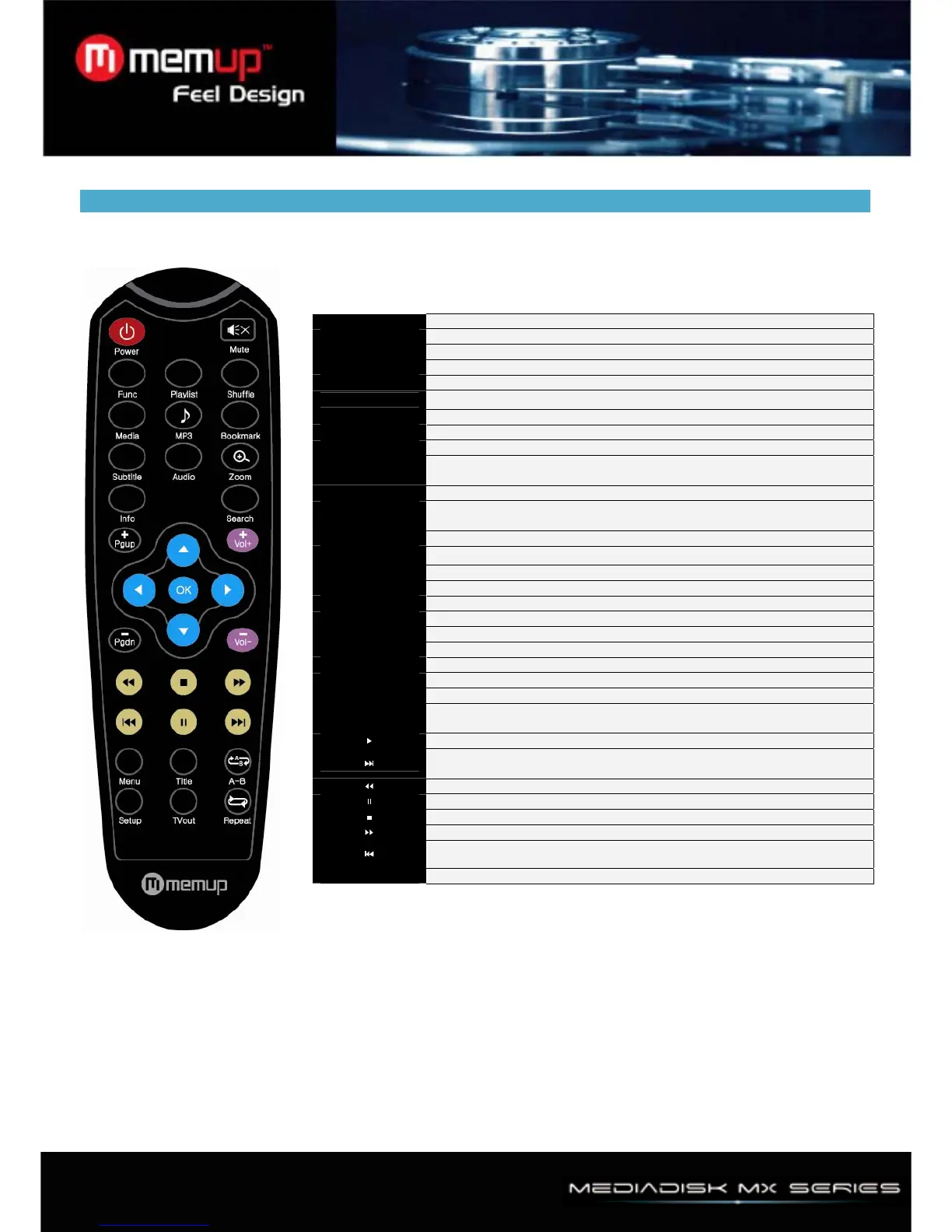
Remote Controller Description
SETUP Enter/Exit the setup menu.
VOL- VOLUME DOWN
VOL+ VOLUME UP
MUTE Mute ON/OFF
POWER Power ON/OFF
TV out
Change the display mode ( NTSC/S-VIDEO, PAL/S-VIDEO)
INFO Popup video information OSD during Video Play.
SEARCH Popup random access OSD during Video Play
PG UP Page Up / skip movie one by one during video play
PG DOWN
Page Down / rotation in picture, playing mode/skip movie one by one
during video play
OK Select file & OK
LEFT,RIGHT,
UP,DOWN
Move cursor
BOOKMARK Direct play file in Bookmark
SUBTITLE
Popup subtitle control OSD during Video
Audio Popup audio selection OSD during Video play
MP3 Play all music files in current directory.
PLAYLIST Play the PLAYLIST directly.
SHUFFLE Random play In current directory.
MENU Menu button during DVD IFO play
TITLE Title button during DVD IFO play
A-B A-B Repeat during DVD IFO play
REPEAT Repeat current file
ZOOM Zoom during Video Play or during picture play
FUNC
Popup music function (sleep Timer, Volume balance, Saturation,
Brightness, Contrast ) OSD
Play
Play next file in audio playing mode/move previous chapter in DVD
navigation mode/support a minute seek function for playing a movie.
Fast Reverse during video play/10 second rewind during mp3 play
Pause
Stop play
Fast Forward
Play previous file
MEDIA Choose all type, movie, music, photo mode



 To Next Page