27
Chapter 4 Use Your Extender as an Access Point
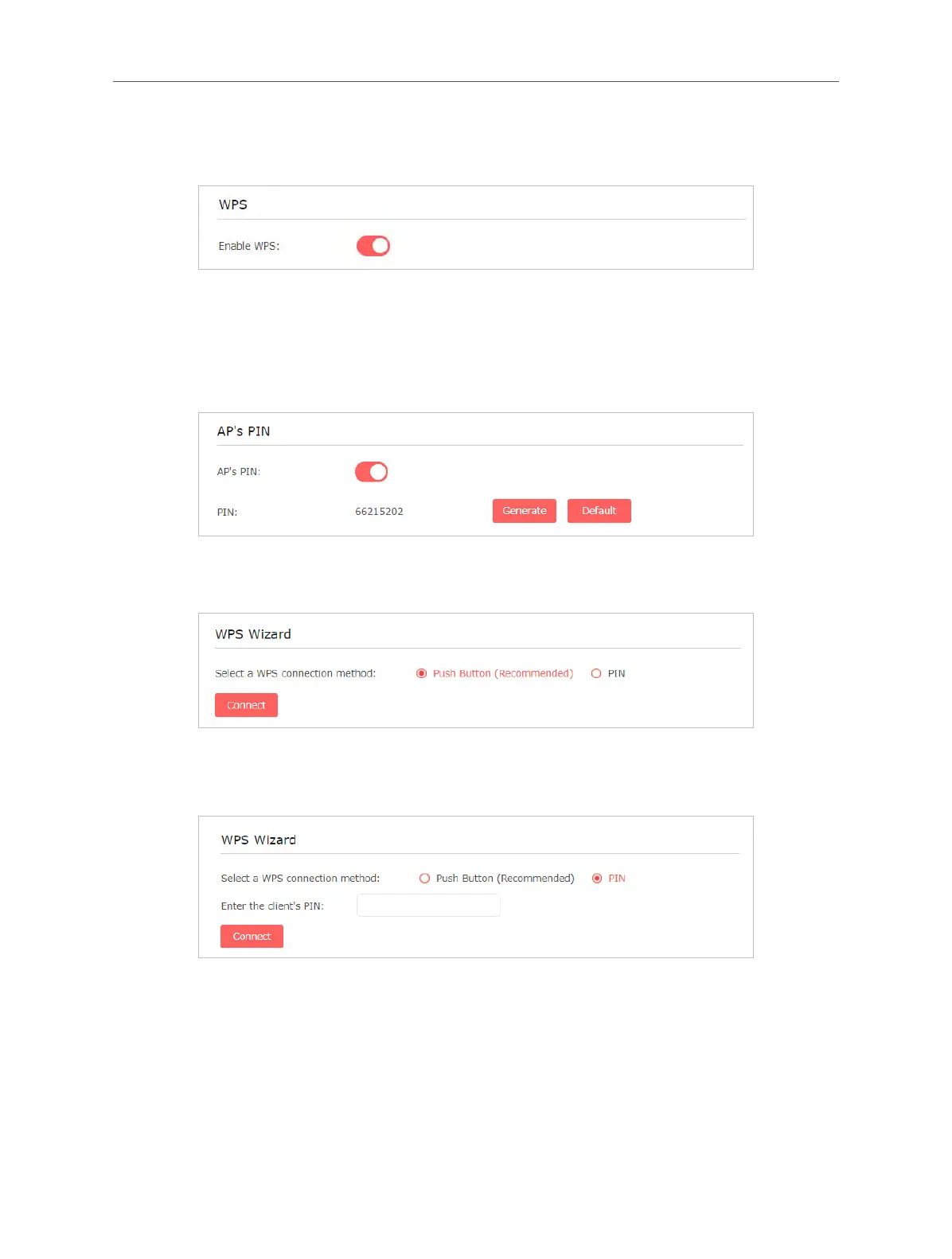
2. Go to Settings > Wireless > WPS.
3. Enable WPS.
4. Connect via WPS:
• AP’s PIN: Enable AP’s PIN and enter the PIN on your device. You can click
Generate to get a new PIN or click Default to restore the PIN to its factory
one.
• Push button: Select Push Button and click Connect, then enable WPS on
your device within 2 minutes.
• Client’s PIN: Select PIN and enter your device’s PIN in the blank, then click
Connect.
5.3 LED Explanation for the Access Point Mode
When the extender works in the Access Point mode, you can check its working
status by following the LED Explanation table below.



 To Next Page