Chapter 3 –Connect to a Wireless Network
3.2.1 PBC (Push Button Configuration) method
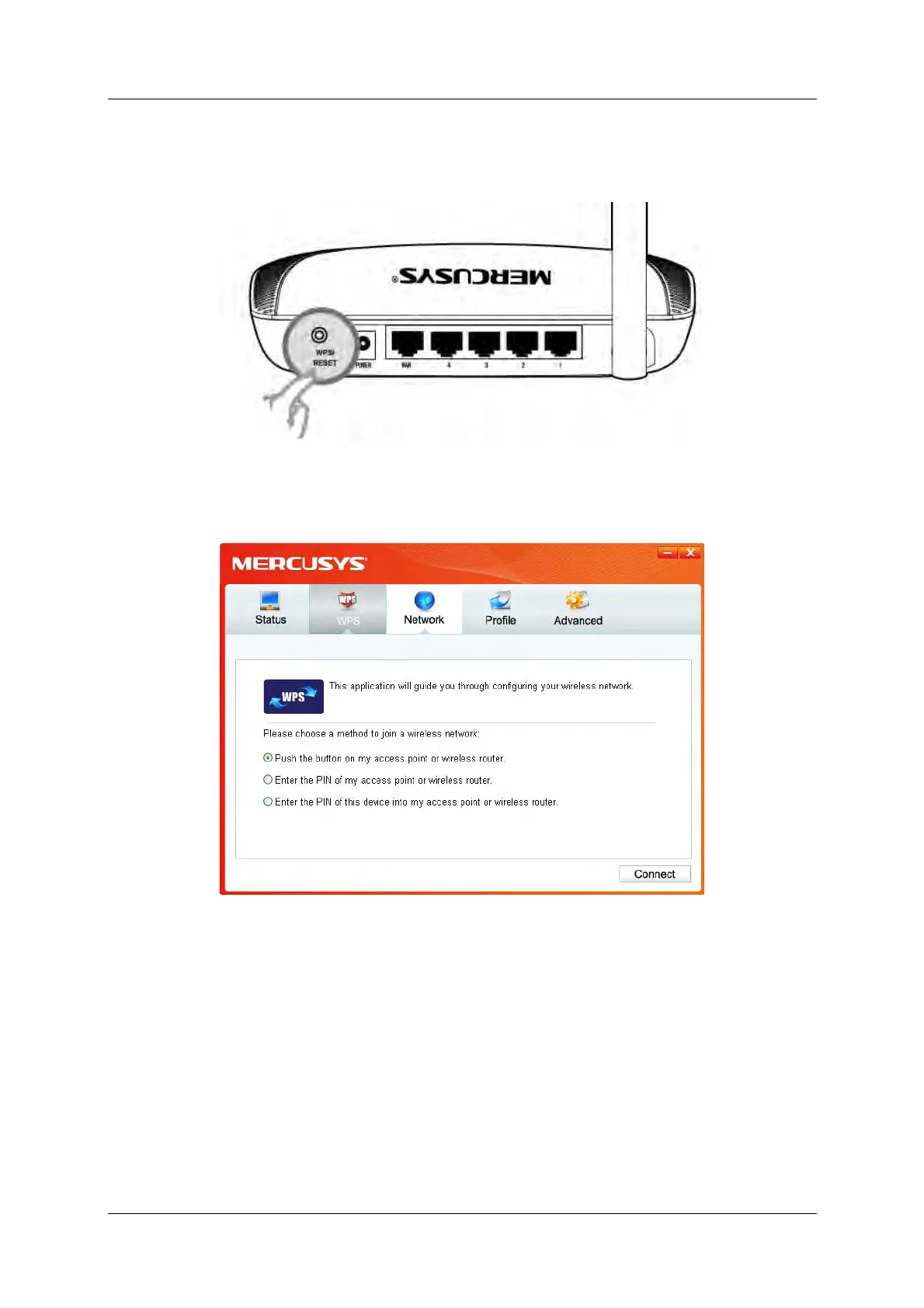
1. Press the WPS/RESET button on the back panel of the router.
2. Open MWCU and click WPS tab. Select Push the button on my access point or wireless
router and then click Connect.
Figure 3-9
3. The adapter will be connecting to the target network.
150Mbps Wireless N Nano USB Adapter 13



 To Next Page