INSTRUCTION MANUAL ME-104 12
The effect of the function keys is the following (the machine should be in STOP mode):
• Seal C: make a seal on the central bar.
• Seal L: make a seal on the side bars
• Belts: advance of conveyor nº 2 y 3
• -Film: retro of the film rollers
• <Char: advance of movable seal bar
• >Char: retro of movable seal bar
The rest of the information on other screens show parameters that can be changed. To change a
value, touch it directly. Then a keyboard appears on the screen and let you write the new value
(press ENTER for finish). If the value is not between the acceptable ranges, the display will
reject it
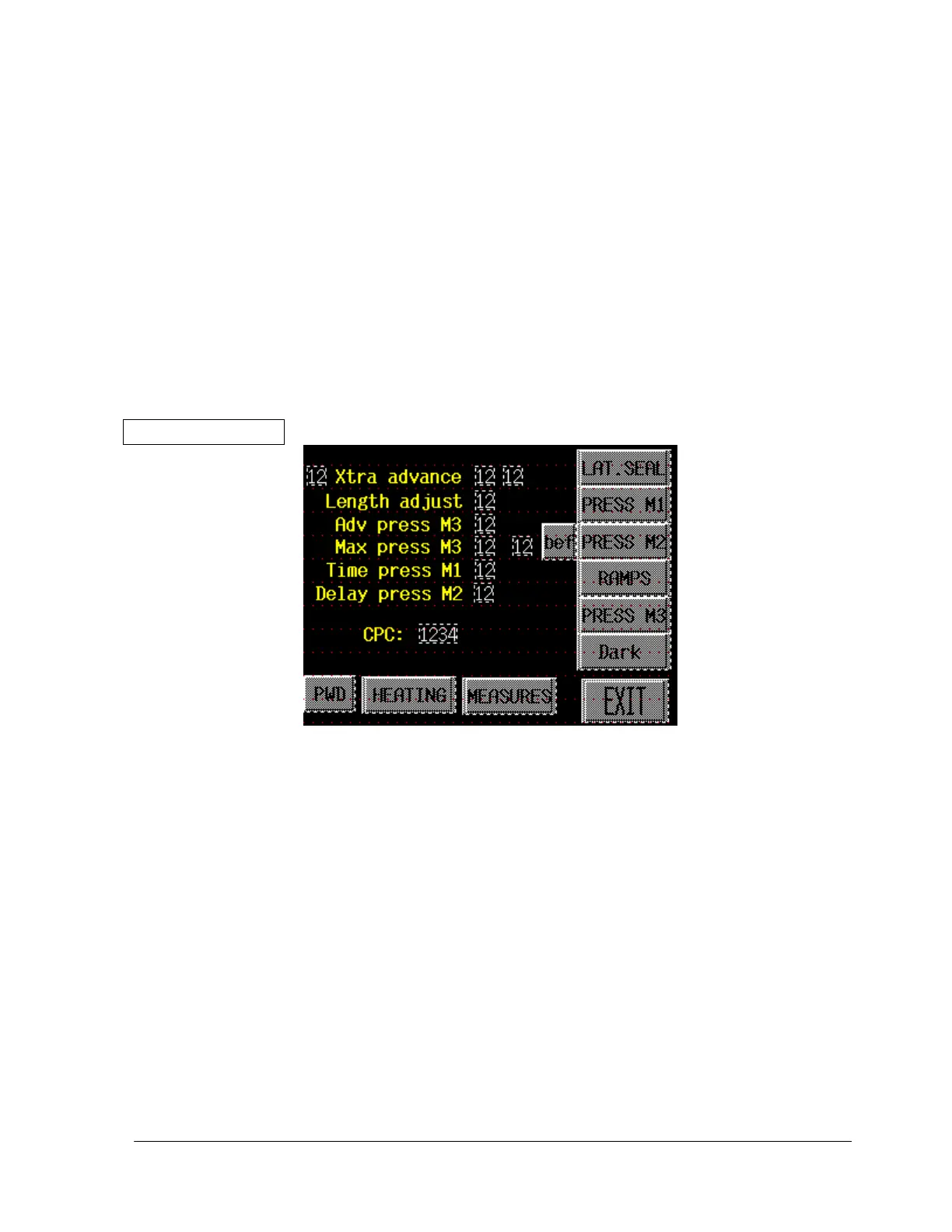
DATA MENU:
• ALTERNATE BUTTON LAT.SEAL: when activated, the seals on the 3
rd
module
(lateral seals) are made on each bag. When deactivated, the mattress leaves the machine
directly from the first seal
• ALTERNATE BUTTON PRESS M1: when activated, the wheels on the 1
st
module (in-
feed conveyor) descend to increase the pressure of the mattress against the belt, avoiding it to
slip
• ALTERNATE BUTTON PRESS M2: when activated, the wheels on the 2
nd
module
descend to increase the pressure of the bagged mattress against the belt, avoiding it to slip
• ALTERNATE BUTTON bef/aft: when BEFORE and PRESS M1 are activated, the
wheels on the 2nd module release before seal, to avoid wrinkles. When AFTER (and PRESS
M2) are activated, the wheels keep connected to ensure that the mattress is not catch by the
sealing bar.
• ALTERNATE BUTTON RAMPS: when activated, the ramps on the 2
nd
module ascend


 To Next Page