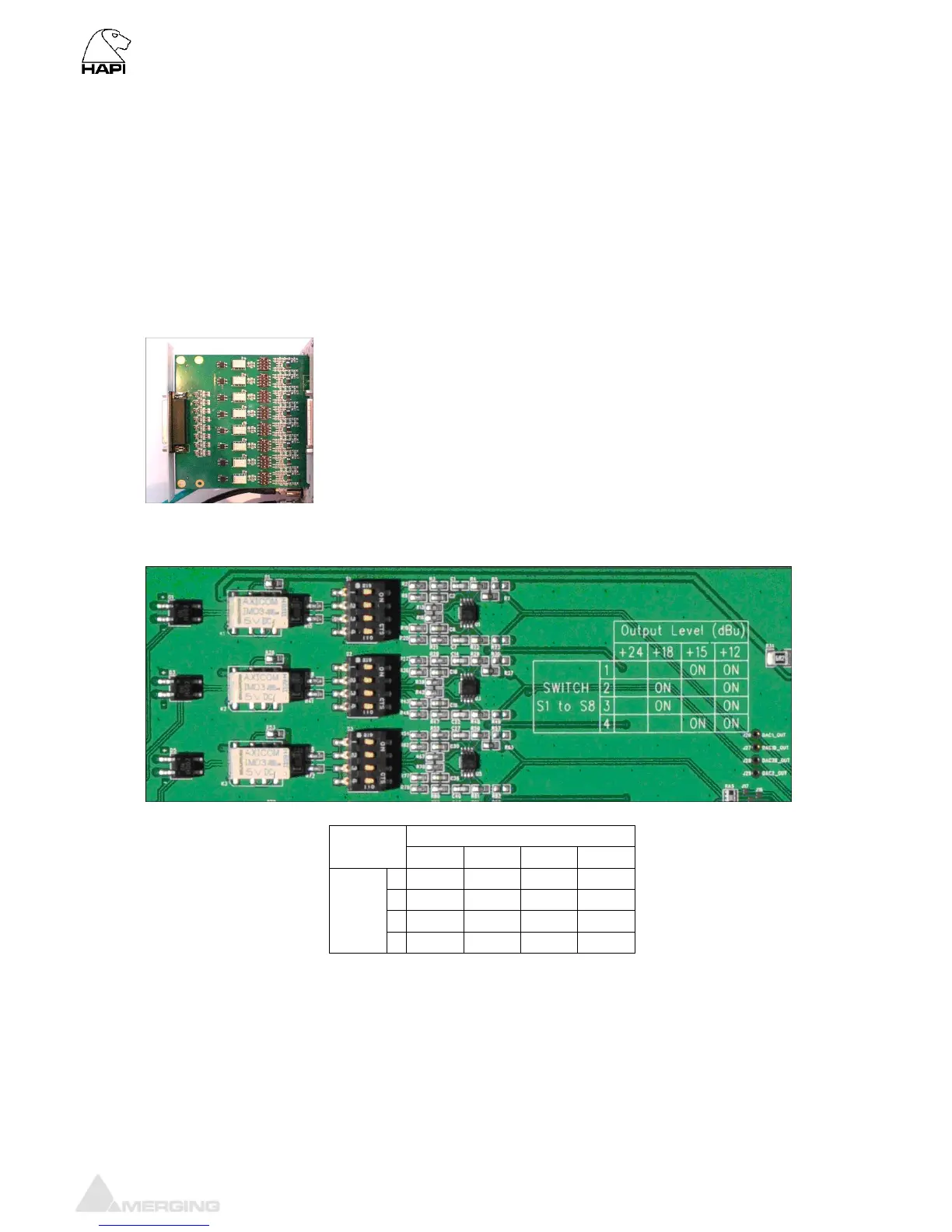
Line Output Level calibration
The DA8 and DA8P modules feature both hardware level settings in the form of 4 DIP switches per
output channel and a software fine adjustment to align the Analog Output levels to whatever
local/organization operational levels are mandated.
The Hardware settings will usually be set only once, at product installation, and only if the desired
Operating Line Level differs from the default ex-factory settings of +18 dBu for 0 dBFS.
Procedure for Hardware alignment:
1. Shut down your Hapi.
2. Unscrew all DA8 modules that need adjustment.
3. Pull gently out (5-7 cm is enough) to access the DIP Switches. There is one block of 4 dip switches
per channel. Channel 1 is labeled S1, channel 8 is labeled S8.
4. Set the DIP Switches as per the table legend printed on the DA8 module card



 To Next Page