Hapi Firmware update procedure
1) Download the latest firmware available. Can be found at
http://www.merging.com/products/horus/downloads
2) Make sure that the .bin downloaded firmware file is on a PC that is on the same network as
your Hapi. (Users who have received a .rar will first have to Unrar it)
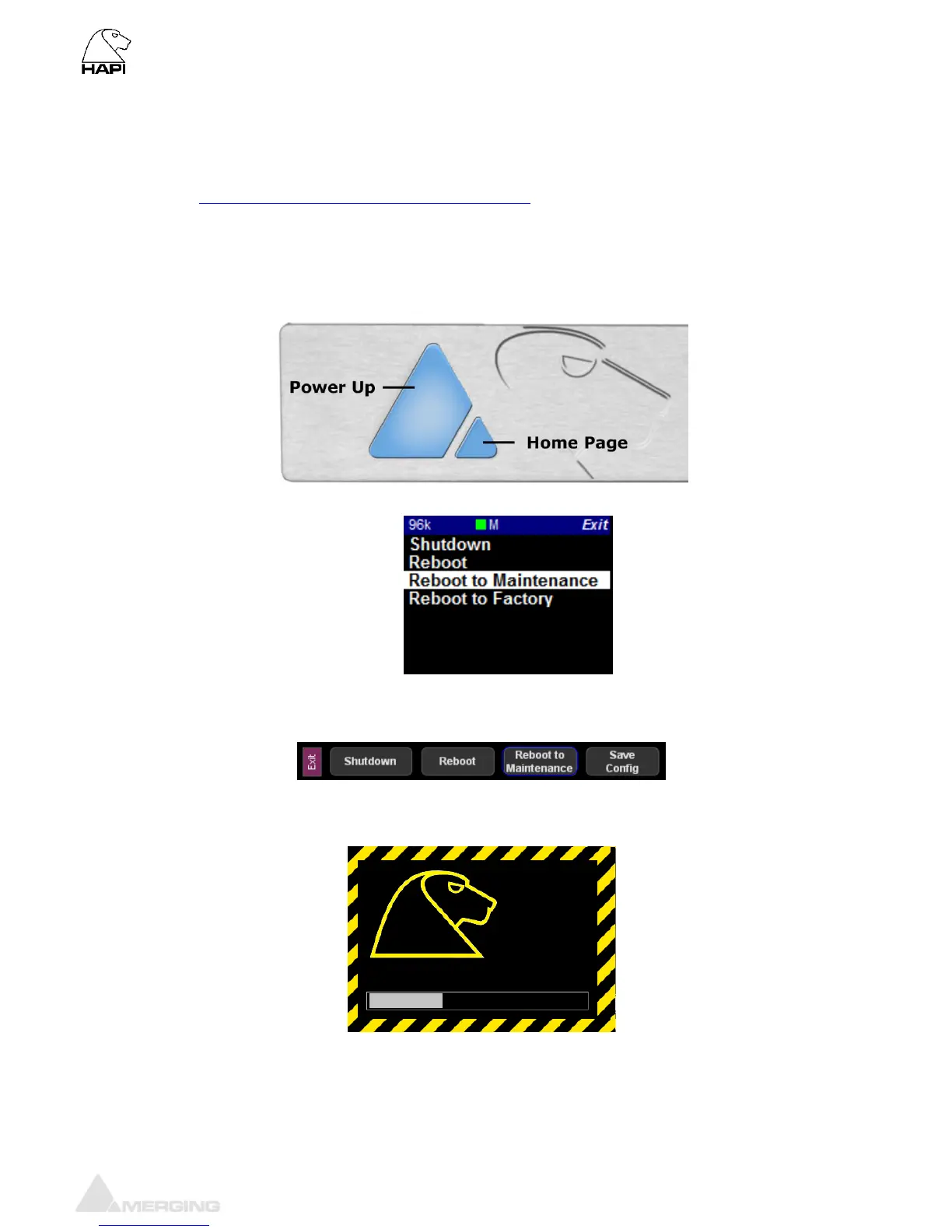
3) Power up the Hapi using the big power button, while pressing down and holding the Home
Page button (small pyramid) a few seconds in order to start up in Maintenance Mode
You can also reboot the Hapi to Maintenance mode from the OLED Screen Exit menu
Or from the Hapi Web Access set up page.
4) Keep the small button pressed until the yellow caution border display appears on the TFT
screen
5) Wait until the Hapi is fully booted (the progress bar says “Ready”)



 To Next Page