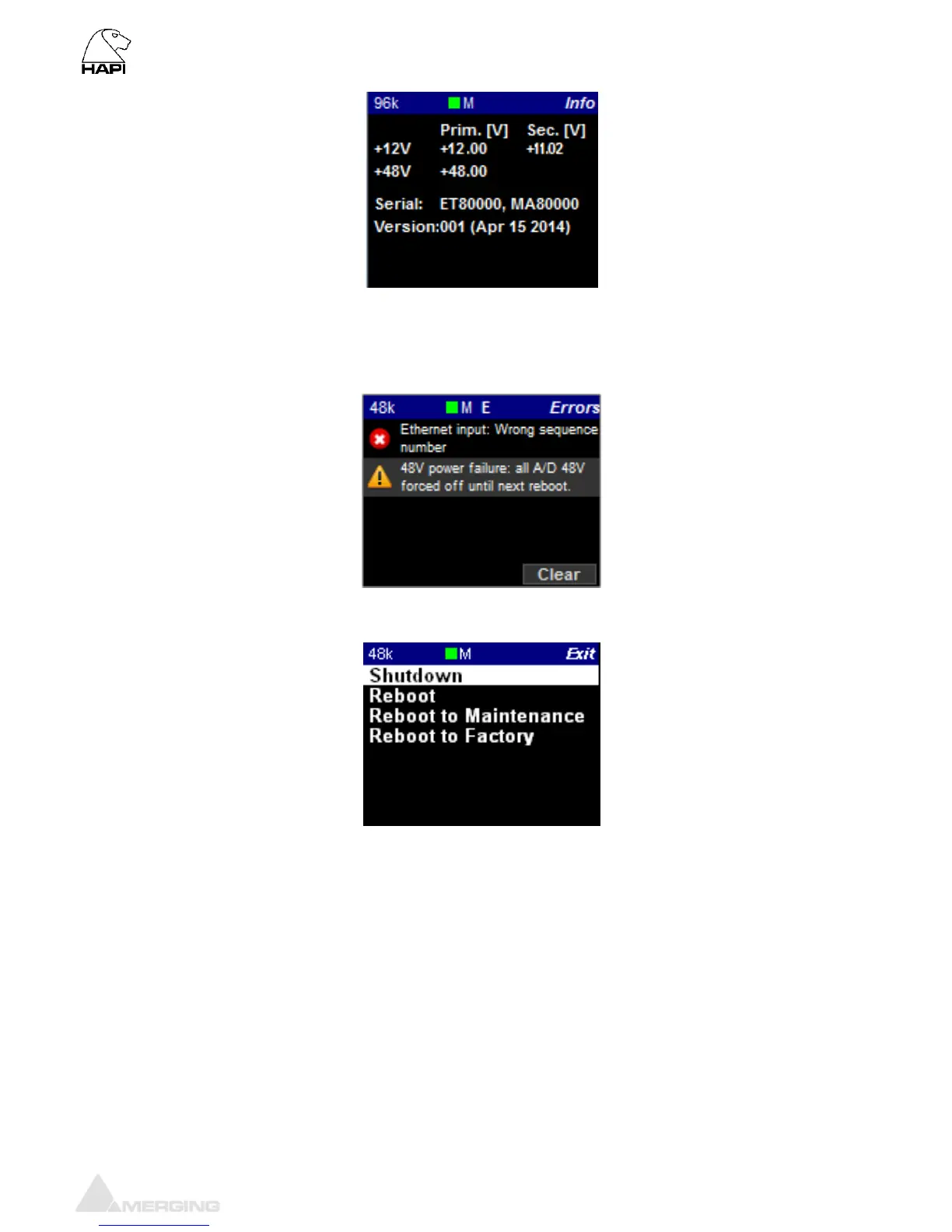
ERROR Menu
List the errors detected by the Hapi. Refer to the troubleshooting section below for details of each
errors. The Clear entry will delete the listed errors.
EXIT Menu
Shutdown: Initiates a proper shutdown of the Hapi unit, including a save of the current
configuration. Do not attempt to shutdown the Hapi unit in other ways (such as
using the power switch on the back of the device).
Reboot: Power cycles the Hapi unit (shutdown>Boot up)
Reboot maintenance Power cycles the Hapi unit (shutdown>Boot up) and restarts in Maintenance
mode (required mode for Firmware upgrade)
Reboot to Factory: If selected we will reboot the Hapi to the default factory configuration. The
Current configuration will be lost but all the saved presets will be kept and can
be reloaded.



 To Next Page