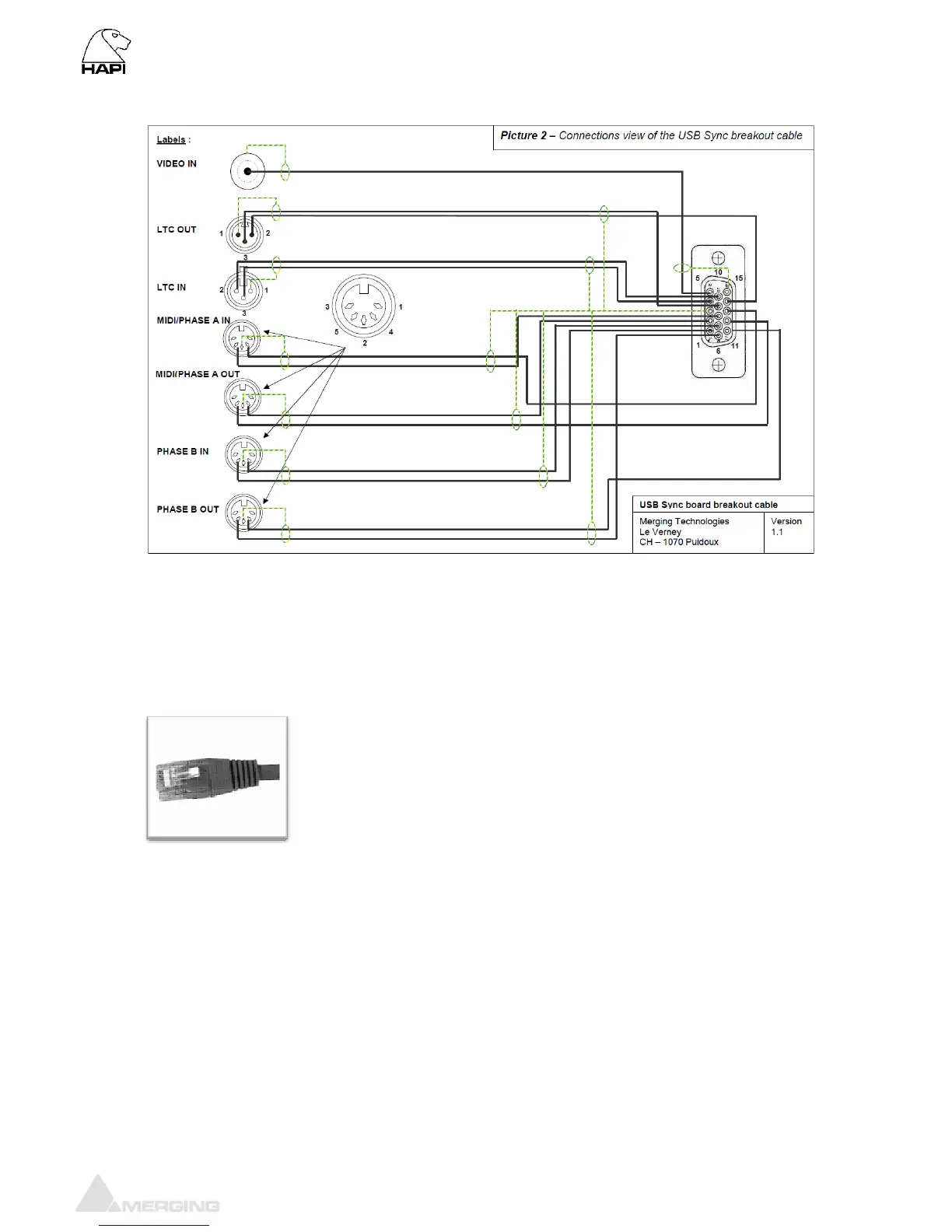
Sync breakout cable pin-out
Connecting the RAVENNA Ethernet cables
The RAVENNA ports (Primary and Secondary) are RJ45 female receptacles.
Simply line up the RJ45 cable with the slot on the rear of the Hapi unit and
slide it into place until it clicks into its locked position.
(Category 5E or 6)
Note: Only primary (PRI) port should be used for now (Secondary port is for
network redundancy and not yet supported)
Connecting the GPIO
Under development



 To Next Page