EasyManua.ls Logo

Merik 790LMK User Manual

Merik 790LMK
80 pages
To Next Page IconTo Next Page
Page #1 background imageLoading...
Page #1 background image
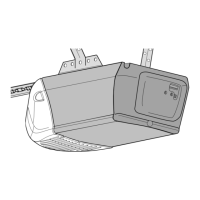
GARAGE DOOR OPENER
Model 790LMK
For Residential Use Only
OWNER’S MANUAL
Please read this manual and the enclosed safety materials carefully!
Fasten the manual near the garage door after installation.
Periodic checks of the opener are required to ensure safe operation.
The model number label is located on the front panel of your opener.
®
New!
Optional Accessory
Available
See Page 39 for the New
Battery Backup
System

Table of Contents

Question and Answer IconNeed help?

Do you have a question about the Merik 790LMK and is the answer not in the manual?

Merik 790LMK Specifications

General IconGeneral
BrandMerik
Model790LMK
CategoryGarage Door Opener
LanguageEnglish

Summary

Introduction

Safety Symbol and Signal Word Review

Explains safety symbols and signal words used in the manual.

Assembly Step 1: Rail Assembly

Assemble T-Rail and Sprocket Bracket

Instructions for assembling the T-rail sections and attaching the sprocket bracket.

Assembly Step 2: Trolley Installation

Assembly Step 3: Connect Rail to Motor

Assembly Step 4: Chain Installation

Assembly Step 5: Chain Adjustment

Important Installation Instructions

Installation Safety Warnings

Crucial safety precautions and warnings for installing the garage door opener.

Installation Step 1: Header Bracket Location

Determine Header Bracket Location

Guide on finding the correct position for the header bracket based on door type.

Installation Step 2: Header Bracket Mounting

Installation Step 3: Attach Rail to Bracket

Installation Step 4: Opener Positioning

Installation Step 5: Hang Opener Unit

Installation Step 6: Install Door Control

Installation Step 7: Install Lights

Installation Step 8: Attach Emergency Release

Attach Release Rope and Handle

How to attach the emergency release rope and handle to the trolley.

Installation Step 9: Electrical Requirements

Connect Power Supply and Wiring

Instructions for making electrical connections, including permanent wiring.

Installation Step 10: Fasten Door Bracket (Sectional)

Installation Step 10: Fasten Door Bracket (One-Piece)

Installation Step 11: Connect Door Arm to Trolley (Sectional)

Installation Step 11: Connect Door Arm to Trolley (One-Piece)

Adjustment Step 1: Program Travel Limits

Set UP and DOWN Travel Limits

Guide to setting the fully open and closed positions for the garage door.

Adjustment Step 2: Set Door Force

Adjust Closing and Opening Force

How to measure and adjust the force required for door operation.

Adjustment Step 3: Test Safety Reversal System

Test Garage Door Reversal

Procedures for testing the safety reversal system with an obstruction.

Operation Overview

Operation Safety Instructions

Key safety warnings and guidelines for operating the garage door opener.

Using Door Controls

Manual Door Operation Procedures

Steps to manually disconnect and operate the door using the emergency release.

Care and Maintenance

Troubleshooting Common Problems

Troubleshooting Door Issues

Programming Your Opener

Add or Reprogram Remote Control

Steps to program additional remote controls to the opener.

Programming Keyless Entry

Add or Change Keyless Entry PIN

Instructions to program a new PIN or change an existing one for keyless entry.

Related product manuals