Merrychef conneX
®
Installation and User Manual
Select a cooking profile from the cookbook or enter a new cooking profile.
Follow the prompts displayed by the software.
Place the prepared food in the microwave combination oven.
Close the appliance door again.
Start the cooking process.
Wait for the cooking process to finish.
An audible signal is given when the cooking process is finished.
Follow the prompts displayed by the software.
Close the appliance door again.
Using a cooking profile (Quick serve Mode)
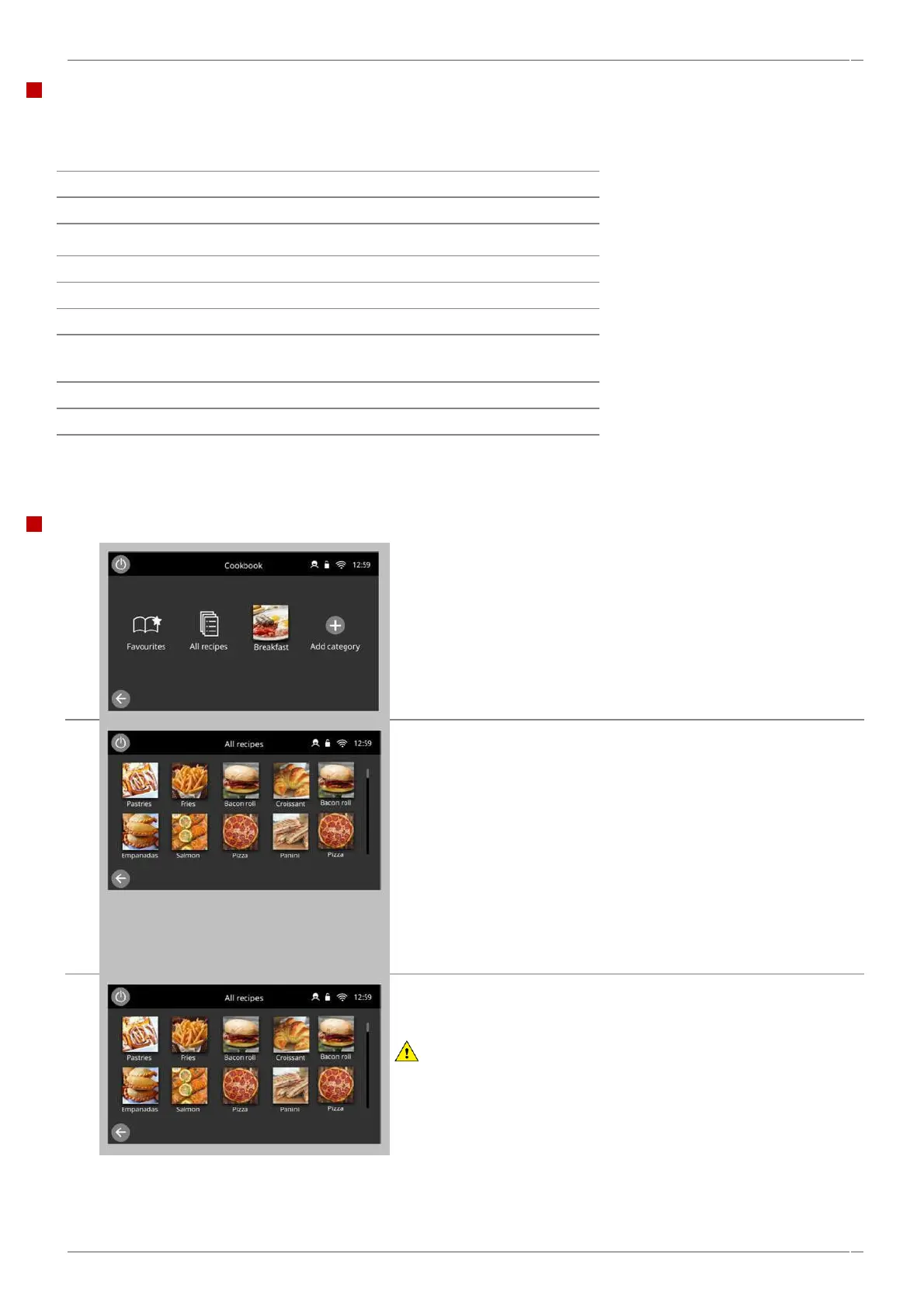
Select the 'All recipes’ icon.
Swipe up/down to find the recipe.
NOTE:
If a picture is greyed out the cavity temperature is set too high or too
low for that cooking profile.
See ‘Changing the cavity temperature’ section 8.2.4.
Ensure that a food product is placed into the cavity before starting a
cooking profile.
Take all the necessary precautions to ensure that you do not burn
yourself.
Open the appliance door, place the food product into the hot cavity
and close the door.
Select the required recipe to start cooking.
Example: ‘Bacon Roll’'.
WARNING:
Hot surfaces at the door and in the cavity



 To Next Page