Merrychef conneX
®
Installation and User Manual
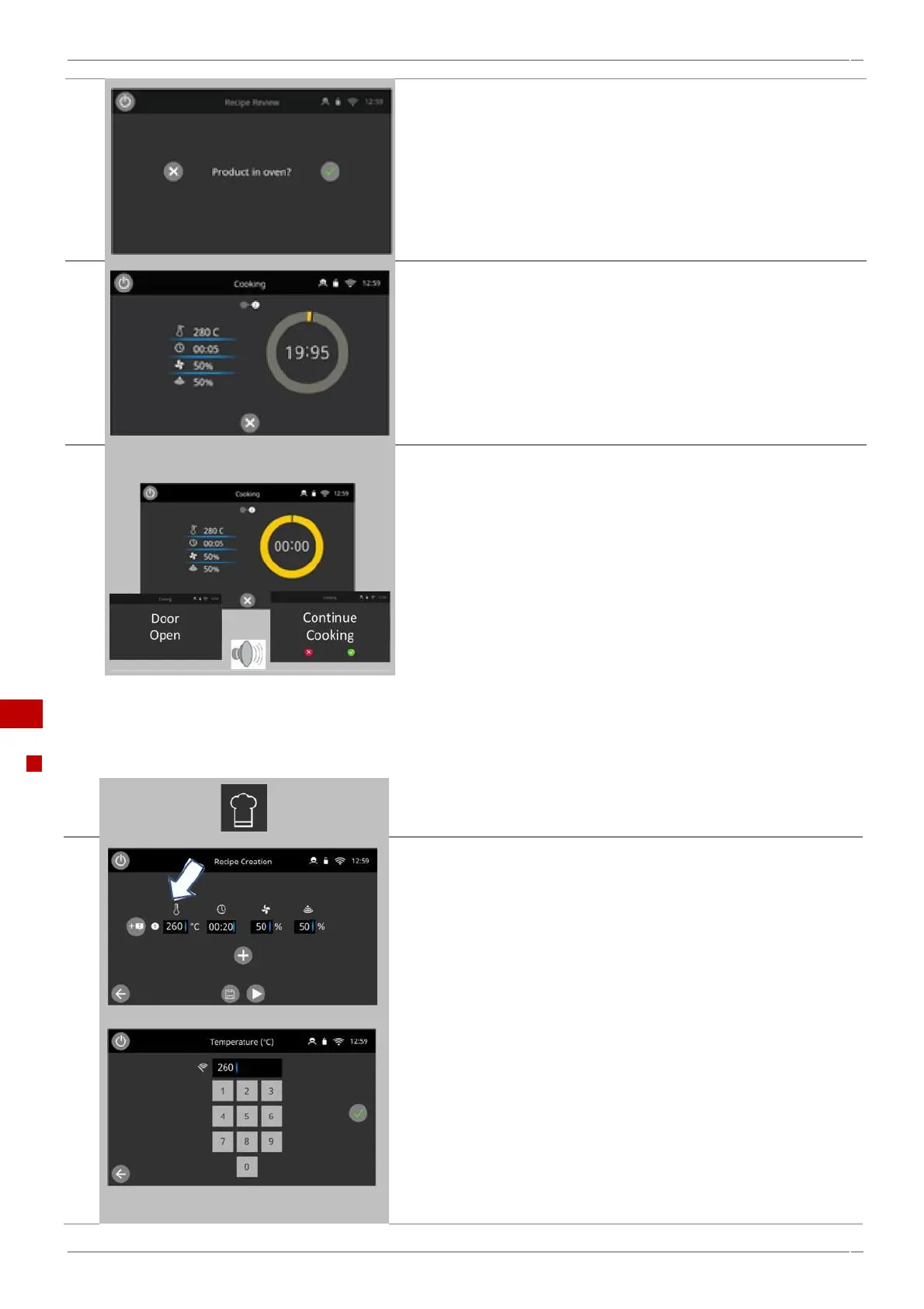
Follow any instructions on the screen, if displayed.
Press the green tick button to cook.
The cooking time counts down for each program stage.
To check the cavity temperature when cooking, lightly tap the
temperature displayed. The cavity temperature is shown with an
asterisk.
When the cooking profile ends you will be taken automatically to a
‘cooking finished’ screen and an audible sound will play.
Opening the appliance door during cooking stops the cooking profile
and displays a warning.
Closing the door allows the user to continue or cancel the cooking
profile.
8.2.3 Creating a cooking profile
Recipe Creation
Select the 'chef's hat' icon from the ‘Home’ screen to enter the Recipe
Creation Mode.
The temperature value displays the set temperature for preheating
the cavity.
To increase or decrease the temperature required, select the box
under the 'temperature' icon.
Enter a temperature value in the keypad within the limits (100-275 °C
/ 212 °F – 527 °F) displayed.
Select the green tick to continue.



 To Next Page