Merrychef conneX
®
Installation and User Manual
8.2.5 Managing Categories of cooking profiles
Adding a Category folder
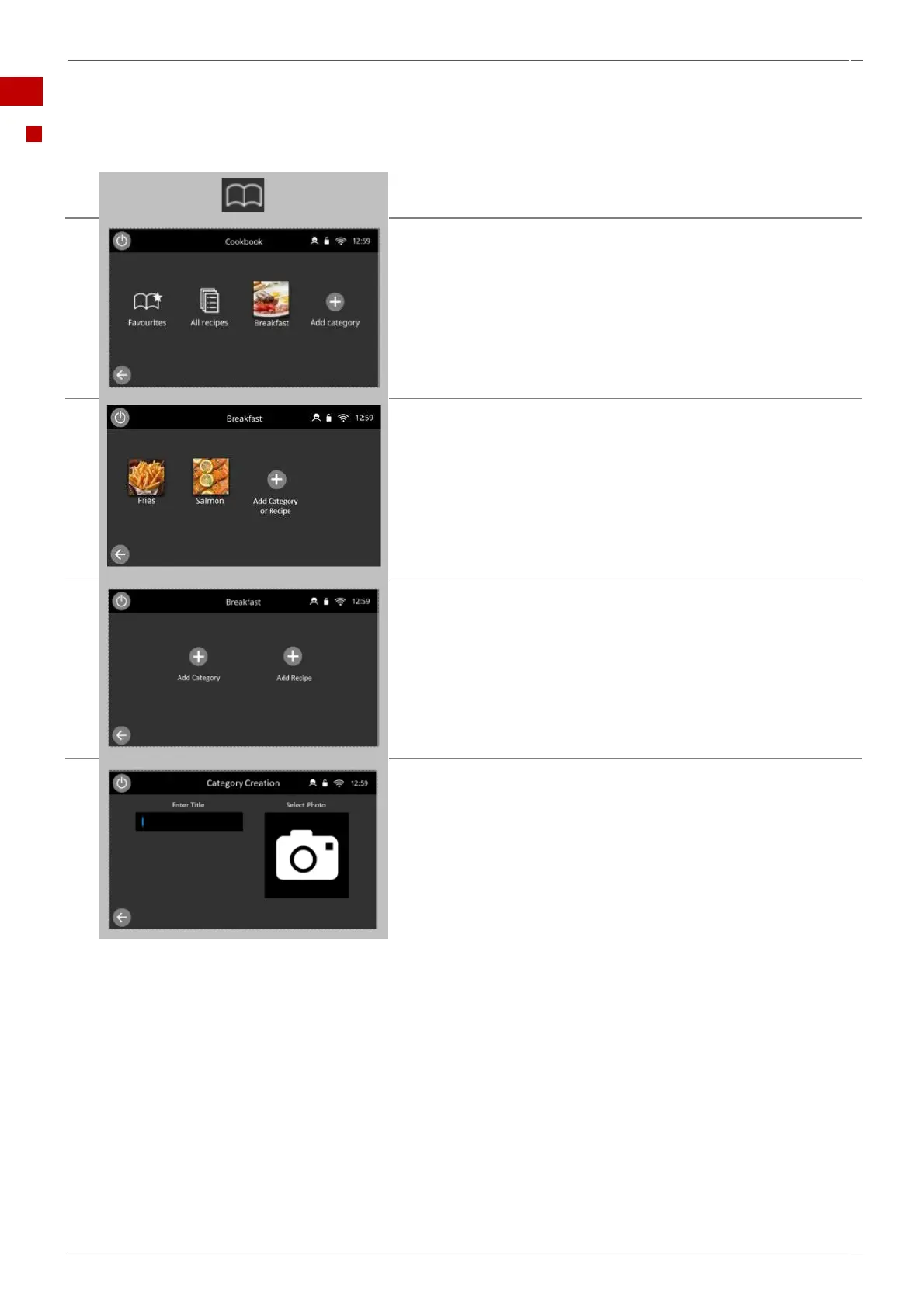
Select 'cookbook' from the main menu screen.
Select the category, for example 'Breakfast'.
Select the 'ADD CATEGORY OR RECIPE' symbol.
In the Breakfast category you have the option to add either a
category or a recipe, to add a Category select the 'Add Category'
symbol.
This opens up the Category Creation Card, which includes the title
and photo you wish to associate with this category, select the title
entry or the Select photo panel to navigate to keyboard entry or
photo library selection.
On completion select the green tick, the category will be saved and
will return you to your created category.



 To Next Page