Merrychef conneX
®
Installation and User Manual
Add a recipe into a category
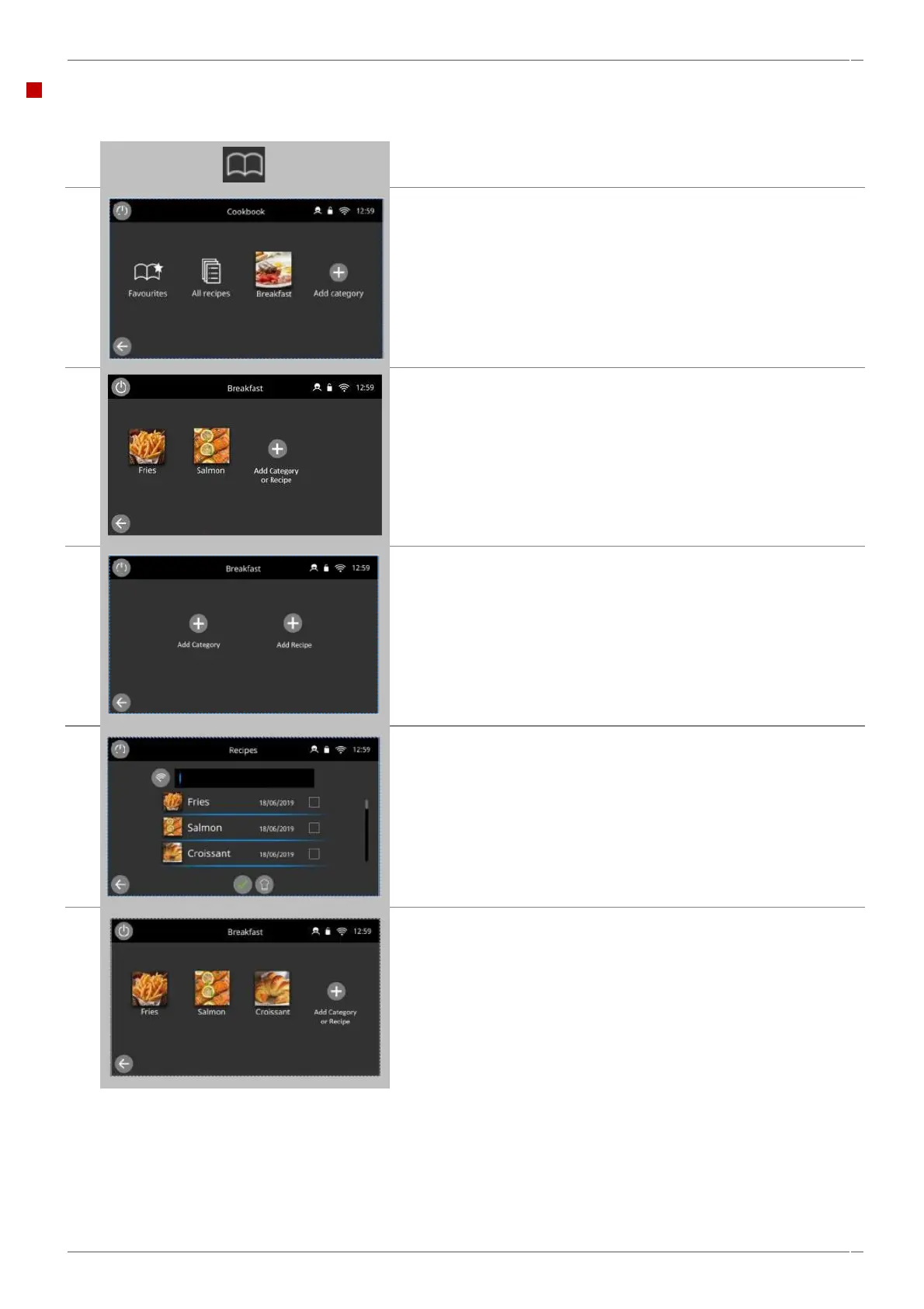
Example: Add a cooking profile ‘Croissant’' to the category of ‘Breakfast’
Select 'cookbook' from the main menu screen.
Select the group of recipe profiles 'BREAKFAST'.
Select the 'ADD CATERGORY OR RECIPE' symbol.
In the Breakfast category you have the option to add either a category
or a recipe, to add a recipe select the 'ADD RECIPE' symbol.
This opens up the all recipes folder, which includes all recipes saved
on the oven. Check the recipe that you would like to include and
select the green tick to confirm your selection(s).
On selection of the green tick, the recipe files selected will be
imported into your category.



 To Next Page