Merrychef conneX
®
Installation and User Manual
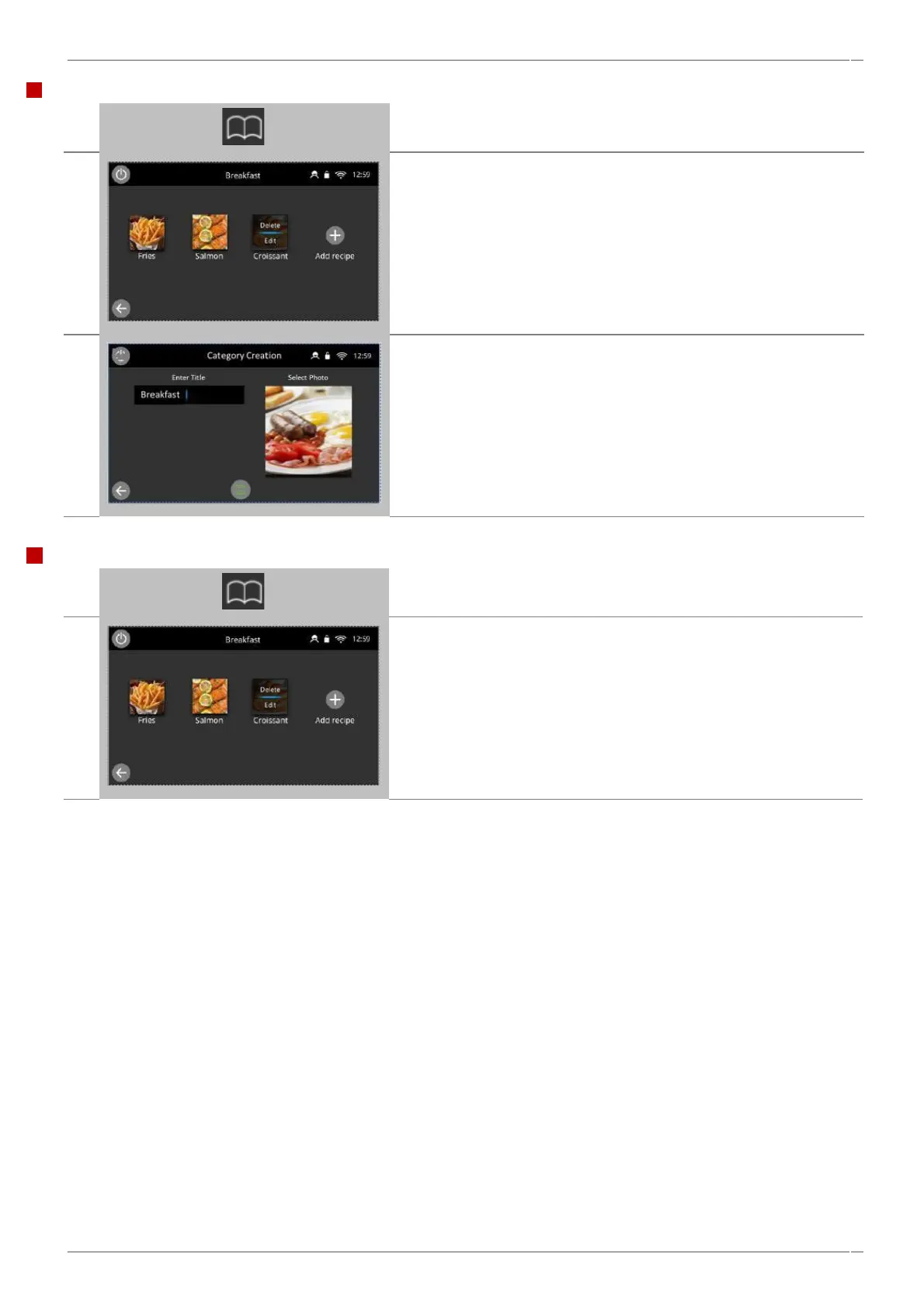
Select the ‘cookbook’ icon from the ‘Home’ screen.
Press and hold the image of the Category you want to edit, until the
the delete/edit overlay appears.
This will take you to the category card, where you can rename or re-
allocate a new photo/image to the category.
Select the save button to save your changes and return to the
cookbook.
Deleting a cooking profile group
Select the ‘cookbook’ symbol from the main menu screen, then select
a category
Select and hold a recipe image you want to delete.
Then select the delete button on the overlay that appears on the
button.
This will prompt an on screen warning, that should be confirmed if
you wish to delete or cancelled if you do not.



 To Next Page