6
OPERATION BY REMOTE CONTROL: product set-up
PROGRAMMING (advice for correct product set-up)
Before proceeding with the electrical installation it is necessary to con gure the alarm for operation taking in care the
speci c vehicle technical requirements and the customer requests.
NOTE: following are highlighted the essential programming steps for this speci c operation.
NOTE TO SET-UP THE ID-TAG AS REMOTE CONTROL
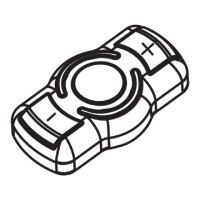
After paired the ID-TAG B9.5 using the PRG007 PROGRAMMER execute the follow instructions to change the ID-Tag
behavior from Automatic to Remote control:
Leave META EVOCAN unit connected to the PRG007 PROGRAMMER and select “remote control” at step 34, keep
the TAG button pressed for about 30 seconds until the LED starts a speed ashing then con rm the choice on the
PRG007 PROGRAMMER.
The LED switching o will con rm the change of functional mode.
NR° FUNCTION FUNCTION DESCRIPTION SUGGESTED SET-UP NOTES
1
Buzzer Acoustic signals during ON/OFF Disabled
Evaluate with the customer whether
or not he wants On/O signals
2
Stimule check
Acoustic signal with present
stimule
Enable Don’t modify it
3
Perimetrical alarm test Check during the immunity time Enable Don’t modify it
4
CENTRAL DOOR
LOCKING TIMING
Tempi di comando chiusure 0,5 sec
Select the command timing
depending of the vehicle (see
technical sheet)
5
BLINKER COMMAND
Blinker command type (power or
Hazard button)
Single pulse on Hazard
button
Select the command depending of
the vehicle (see technical sheet)
6
Horn/siren command Pin12 brown wire command type Alternate
If used to drive the clason/horn the
alternate type is suggested.
7
US sensitivity Ultrasound protection sensitivity Sens. 3 Change only if necessary
8
Tilt enabling Tilt sensor function enabling Tilt O
If tilt is enable x the alarm unit rmly
to the vehicle to avoid false alarms
9
Door protection
Continuous - repeats the door
alarm cycle if left open
Continuous alarm Don’t modify it
10
COMFORT DOOR
LOCKING
Door locking command timing Comfort O
Select the command timing
depending of the vehicle (see
technical sheet)
11
DEAD LOCK Double closing command input Disabled
Select it by depending of the
vehicle (see technical sheet)
12
Override Code Emergency code XXXXX
Shows the override code and allow its
modi cation
13
3 digits override code Code simpli cation Disabled
Reducing the override code from 5
to 3 digits
14
Anti Carjacking
See detailed manual for this
feature
Disabled
Use it only if strongly request by the
customer
CAN Protocol Vehicle communication protocol XXXXXXXXXX Don’t modify it
Trasponder
Emergency by reading the original
transponder
On Don’t modify it
15
Long ashing Blinker
The Blinker ashing for a period
after nish the acoustic alarm cycle
On De ne it with customer
16
Immunity time
Timing between the arming and
full protections
Standard 26 Sec. Don’t modify it
17
Delay on doors alarm
trigger
Timing between trigger and start
alarm
Short time 0,3 sec. Don’t modify it
18
Electronic Keys cancel
Allow to cancel all the Electronic
Keys if lose one of them
Cancel all the memorized Electronic
Keys
19
Enable self learning for
Electronic Keys
Function to memorize new
Electronic Keys
Enable the self learning to memorize
new Electronic Keys
20
Self arming
Function to enable the automatic
arming
Disabled Use it only if request by the customer


 To Next Page