T-40 User’s Manual
5
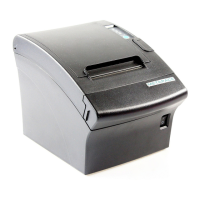
3 Appearance and components
3.1 Appearance and modules
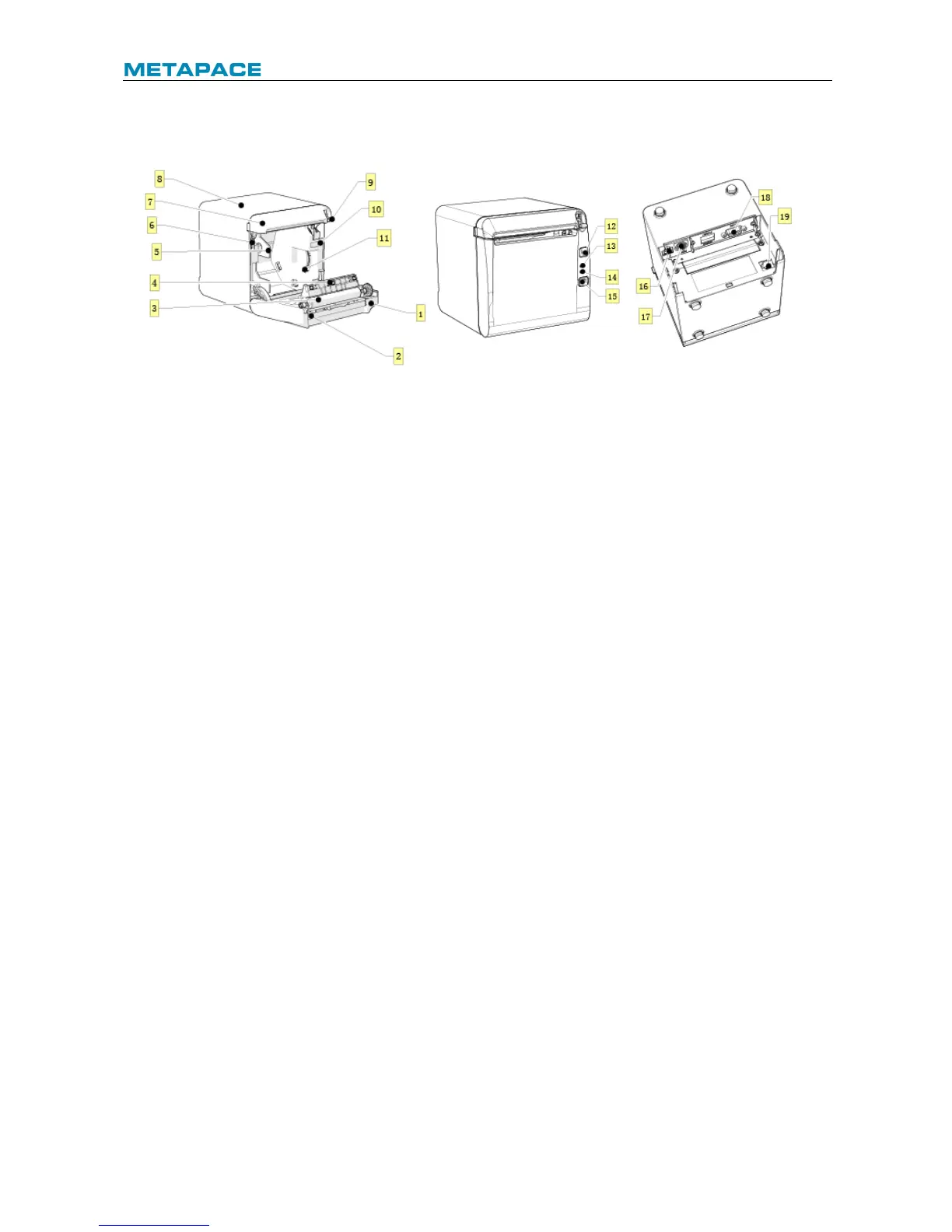
Fig. 3.1-1 Schematic drawing of appearance and modules
Button and component function:
a FEED button (12)
Ø Feed paper:
Printer will feed paper when the feed button is pressed down under normal condition. To
feed paper continuously, keep pressing the button.
Ø Print configuration sample:
Pressing down the feed button while turning on the power, the printer will print out the
configuration sample, which includes print width, print speed, etc.
Ø Enter button configuration mode:
Press down the feed button while turning on the power, the printer will print out the
configuration sample, and enter pause status (error LED flashes) after cutting paper.
Keep pressing the feed button at this time, the printer will enter button configuration mode.
Ø Press the button to clear the cutter error:
Press the button for a short time when a cutter error occurs, the printer will try to clear the
cutter error automatically.
b Error LED (13)
Indicate printer status. Under normal status, the error LED is off. Under error status (e.g.
paper end, etc.), the error LED flashes.
c Power LED (14)
Indicate printer power status (ON/OFF).
d Power button (15)


 To Next Page