
 Need help?
Do you have a question about the Metcom Solutions COM200 Series and is the answer not in the manual?
Lists documents referenced in the manual.
Explains technical terms and abbreviations used in the manual.
Outlines user responsibilities and critical safety regulations for module handling.
Details module maintenance procedures, cleaning, and proper end-of-life disposal.
Explains the module's integration with the meter and its key features.
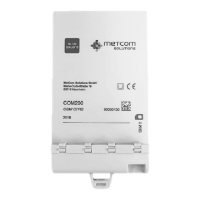
Describes the physical housing of the communication module and its variants.
Details supported data exchange methods like GPRS, CSD/SMS, and DLMS protocol.
Lists the communication protocols supported by the module, like DLMS/COSEM and EN62056-21.
Explains the "Push" mode, its triggering, data formats, and transmission methods.
How the module synchronizes time and date using NTP servers.
Details the internal and external antenna connection options.
Information on supported frequency bands for the module (Dual/Quad Band).
Describes the availability and use of an RS485 interface for connecting other meters.
Step-by-step guide for physically installing the communication module.
How to check GSM/GPRS signal strength and network provider on the meter LCD.
Procedure for transferring firmware image files to the module using the Blue²Link tool.
Steps to activate the transferred firmware on the module immediately or later.
Configuration options for SIM, APN, username, password, and socket definitions.
How to read module status like operator, cell info, signal quality, and IMEI.
Settings for configuring push targets, lists, and triggers for data transmission.
 General
| Brand | Metcom Solutions |
|---|---|
| Model | COM200 Series |
| Category | Control Unit |
| Language | English |

 To Next Page
