Single point calibration
1.1 Ensure that the meter is in the pH measurement mode and you have selected 1 point calibration in the setup menu.
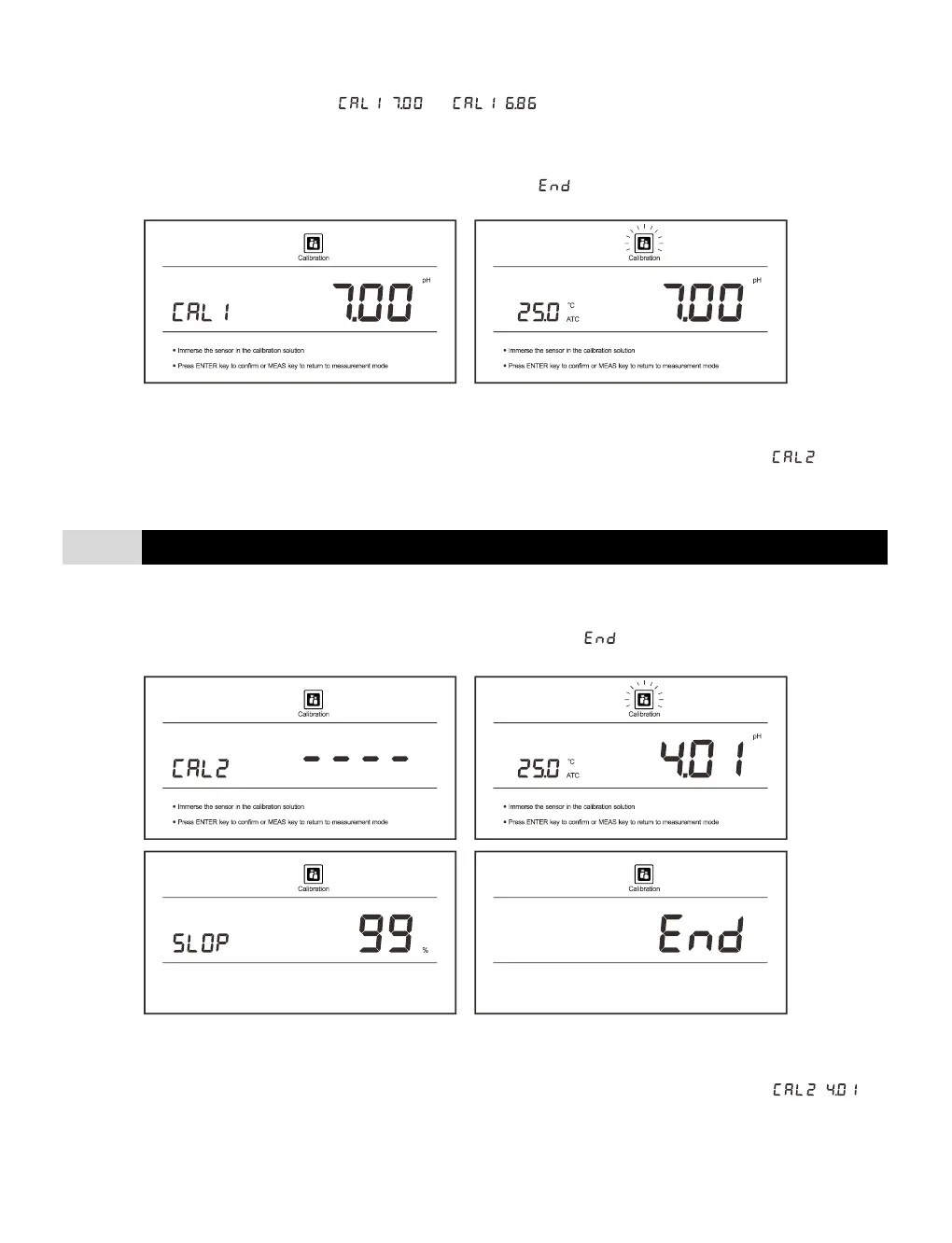
1.2 Press the Cal key, the display shows / or / , depending on the pH buffer group you selected.
1.3 Rinse the pH electrode with distilled water, place the electrode (and temperature probe) into the pH7.00 (or 6.86) buffer
solution and stir gently.
1.4 Press the Enter key, the meter begins the calibration, the Calibration icon continuously flashing.
1.5 Wait for the reading to stabilize, the meter will automatically show and returns to the measurement mode.
2 points calibration
2.1 Ensure that you have selected 2 points calibration in the setup menu.
2.2 Repeat steps 1.2 through 1.4 above. When the first calibration point is completed, the display will show . The meter
prompts you to continue with second point calibration.
2.3 Rinse the pH electrode with distilled water, place the electrode (and temperature probe) into the next buffer solution and
stir gently (E.g., pH4.01).
2.4 Press the Enter key, the meter automatically recognizes the pH buffer solution and begins the calibration.
2.5 Wait for the reading to stabilize, the display will show electrode slope and . Calibration is completed.
3 points calibration
3.1 Ensure that you have selected 3 points calibration in the setup menu.
3.2 Repeat steps 1.2 through 1.4 above. When the first calibration point is completed, the display will show / . The
meter prompts you to continue with second point calibration.
3.3 Rinse the pH electrode with distilled water, place the electrode (and temperature probe) into the pH4.01 buffer solution
and stir gently.
3.4 Press the Enter key, the meter begins the calibration, the Calibration icon continuously flashing.


 To Next Page