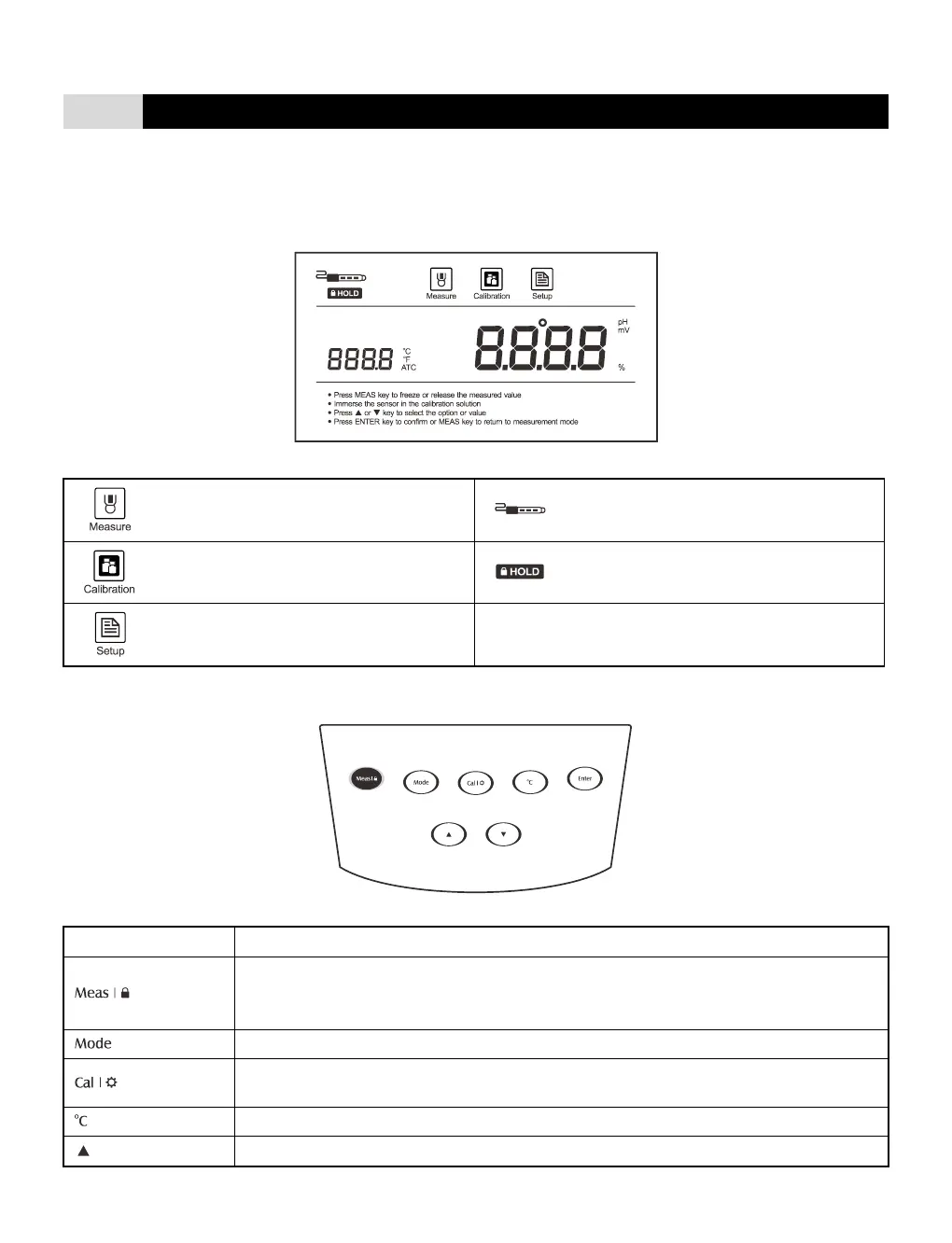
Measurement mode icon:
Indicates the meter is in the measurement
mode.
Electrode slope icon:
Indicates the average slope of the pH
electrode.
Calibration mode icon:
Indicates the meter is in the calibration mode.
Hold icon:
Indicates the measured value has been locked.
Setting mode icon:
Indicates the meter is in the setting mode.
Automatic temperature compensation icon:
Indicates the temperature compensation is
enabled.
• Switch the meter On/Off.
• Lock the measured value, press the key again to resume measuring.
• Exit the calibration or setting and return to the measurement screen.
• Select the measurement mode (pH/mV).
• Start calibration.
• Enter the setup menu (Press and hold the key for 3 seconds).
• Increase value or scroll up through the menu option.


 To Next Page